110
RC300RC300hNavi(EE)
3-5. Setup
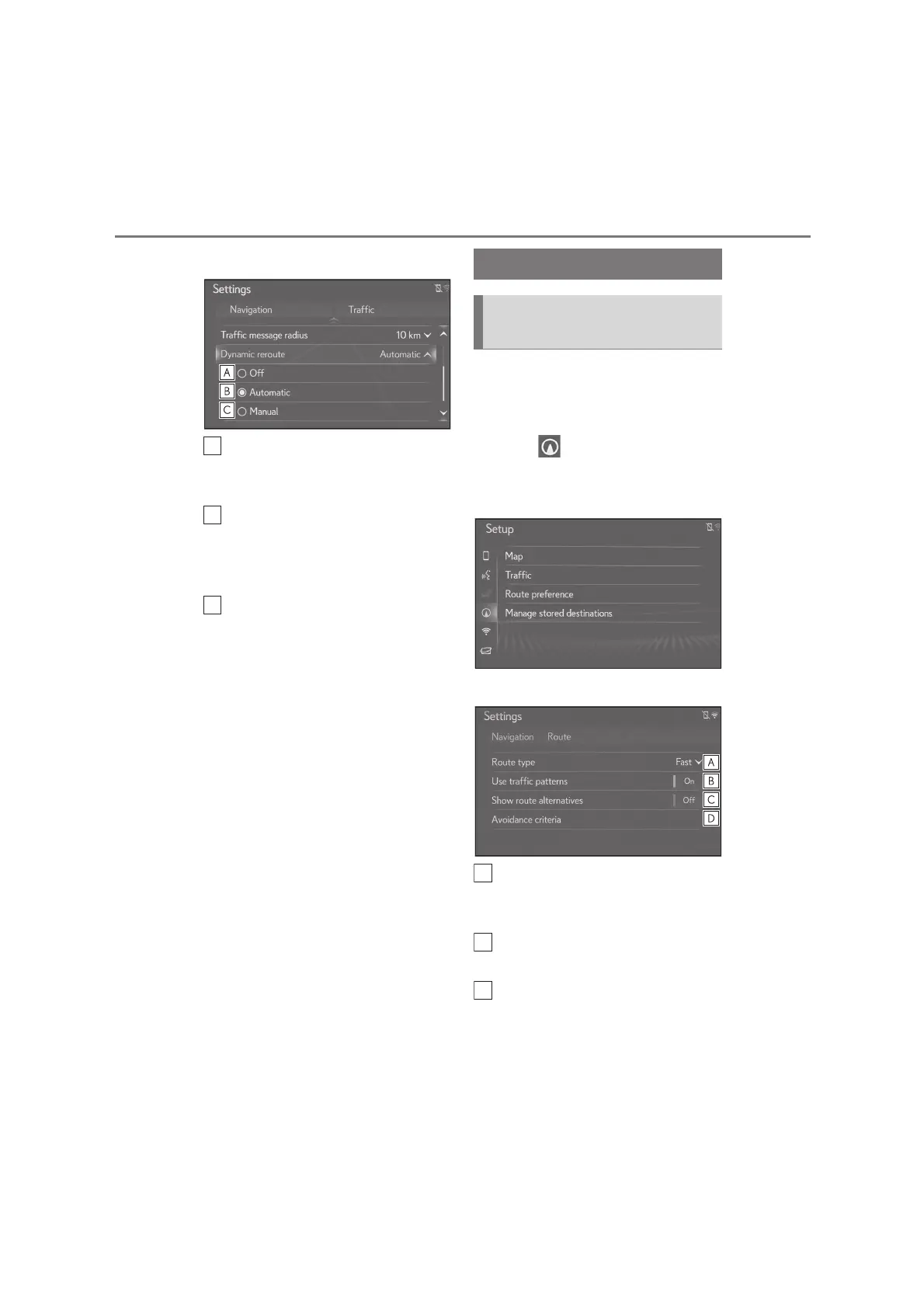
3 Select the desired item.
Select to turn off the rerouting
when traffic messages on the guid-
ance route are received.
Select to reroute automatically. The
route automatically changes when
traffic messages on the guidance
route are received.
Select to reroute manually. When
traffic messages on the guidance
route are received, select manually
whether or not to change routes.
1 Press the “MENU” button on the
Remote Touch.
2 Select “Setup”.
3 Select “Navigation” on the sub
menu.
4 Select “Route preference”.
5 Select the desired item to be set.
Select to change the recom-
mended route type to fastest route,
shortest route or ecological route.
Select to use historical traffic infor-
mation in the route calculation.
Select to display the 3 routes (fast-
est, shortest and ecological) on the
map after route calculation.
(P.88)
Route preferences settings
Displaying route preferences
screen






 To Next Page