99
3
RC300RC300hNavi(EE)
3-4. Favourite destinations
Navigation system
3-4.Favourite destinations
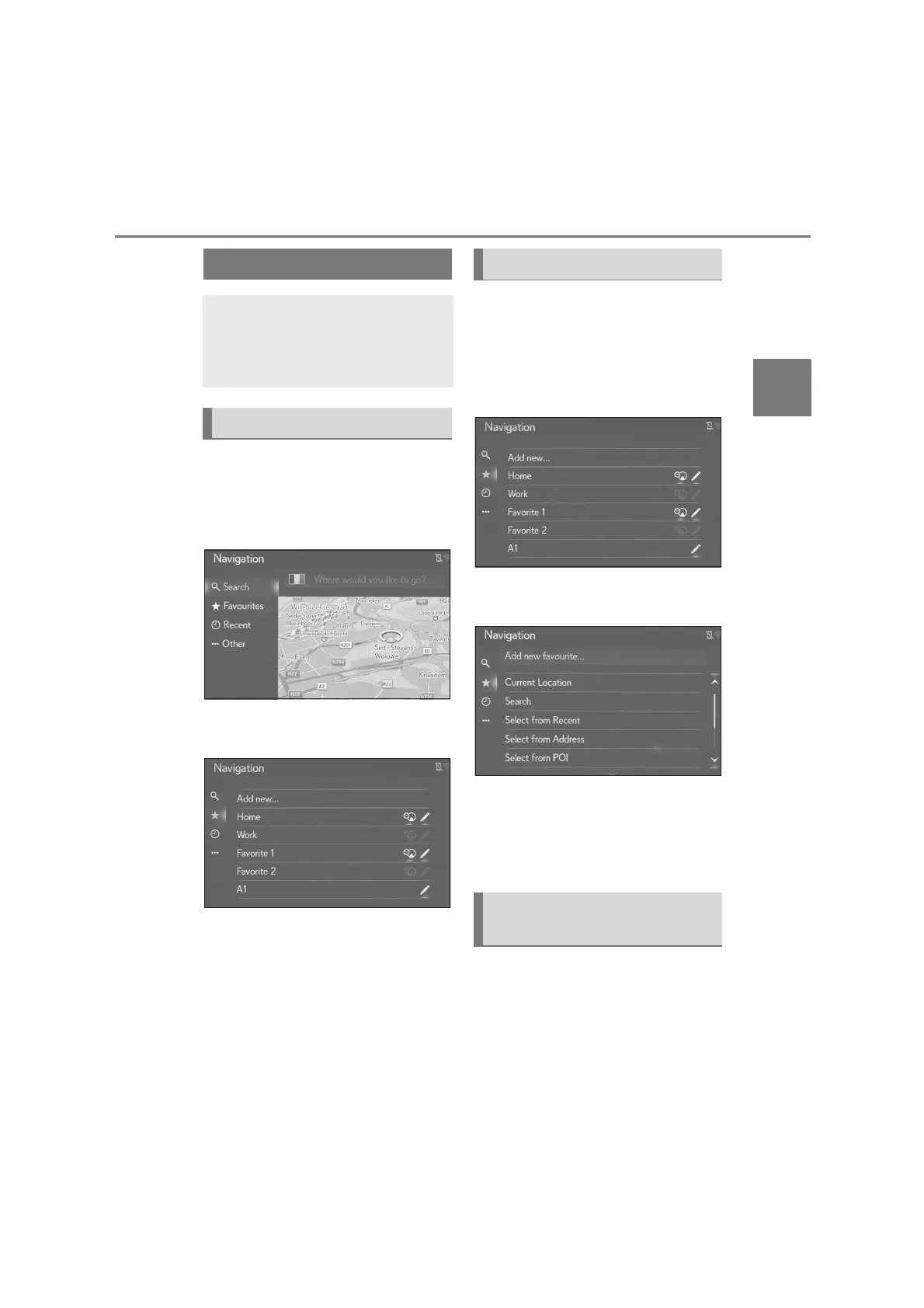
1 Press the “MENU” button on the
Remote Touch and then select
“Destination” on the menu screen.
2 Select “Favourites”.
3 Check that the favourites list is dis-
played.
The 4 top favourites (home, work,
and any 2 favourites) are displayed
as quick access buttons.
1 Press the “MENU” button on the
Remote Touch and then select
“Destination” on the menu screen.
2 Select “Favourites”.
3 Select “Add new...” box.
4 Select the desired method to
search the desired location.
5 Enter the entry name and then
select “OK”.
6 Check that the entry is registered in
the favourites list.
4 favourite destinations (home, work,
and any 2 favourites) are displayed as
quick access buttons and directly start
the route guidance. Automatic naviga-
tion is available to the 4 favourite desti-
Registering an entry
Favourite points and routes on the
map can be registered in the
favourites list. Up to 200 entries
can be registered.
Displaying favourites list
Creating a new entry
Registering a quick access desti-
nations






 To Next Page