49
2
RC300RC300hNavi(EE)
2-2. Connectivity settings
Basic function
*
: 10.3-inch display model
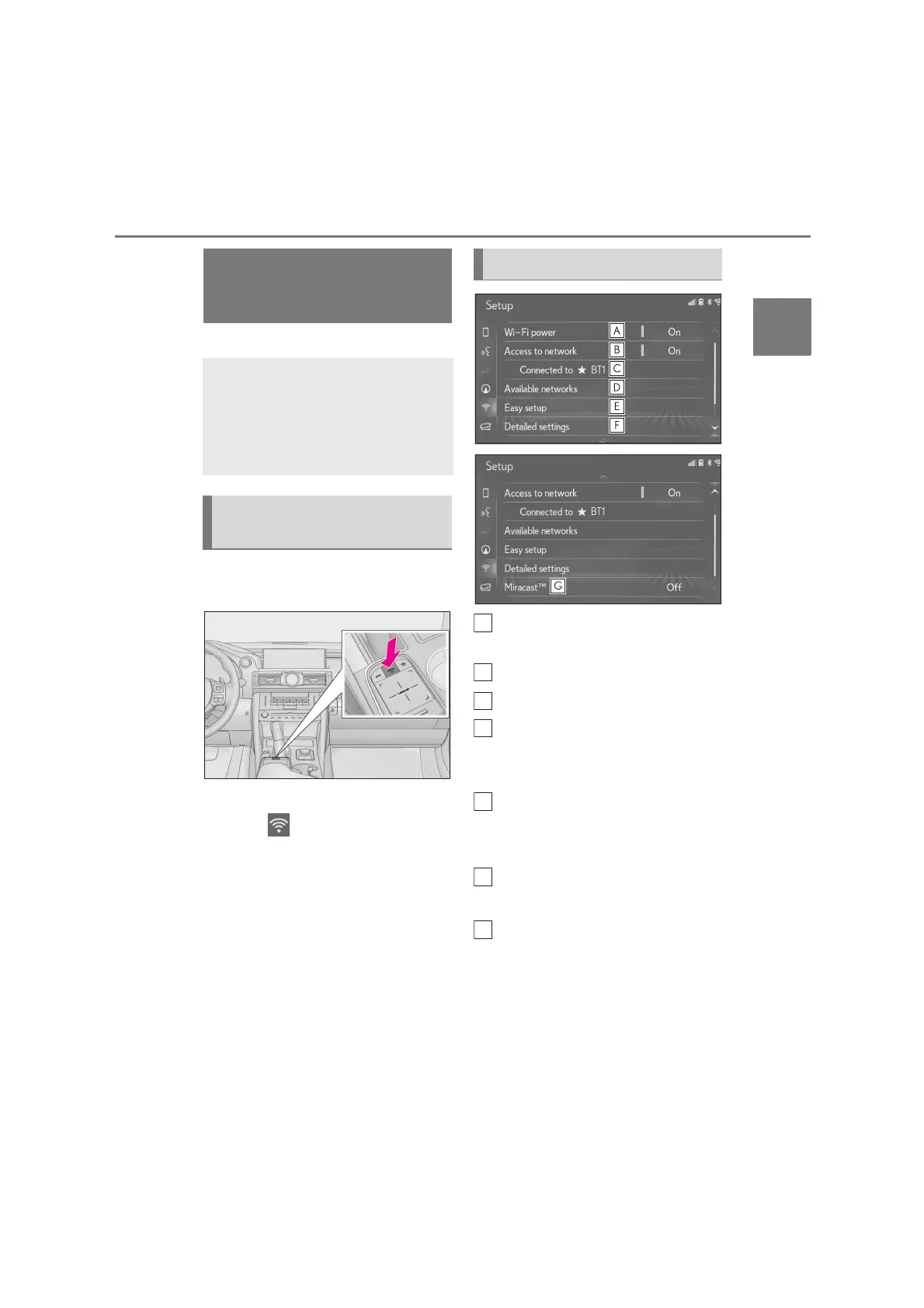
1 Press the “MENU” button on the
Remote Touch.
2 Select “Setup”.
3 Select “Wi-Fi
*
” on the sub
menu.
4 Select the desired items to be set.
*
:Wi-Fi
®
is a registered trademark of
Wi-Fi Alliance
®
.
Select to turn the Wi-Fi
®
function
on/off. (P.50)
Select to access to network on/off.
*
Displays connected network name
*
Select to search for available net-
works that can be connected.
*
(P.50)
Select to connect quickly to a WPS
compatible Wi-Fi
®
device.
*
(P.50)
Select to set the detailed Wi-Fi
®
settings.
*
(P.51)
Displays status of the Miracast™
connection.
“On”: Connecting
“Off”: Not connecting
*
: 10.3-inch display model
Miracast™ status should be dis-
Connecting to
internet
*
/Miracast™ via
Wi-Fi
®
Using the Wi-Fi
®
function, this sys-
tem can connect to the internet,
which allows the use of the con-
nected services, traffic information,
etc.
Displaying the Wi-Fi
®
settings
screen
Wi-Fi
®
settings screen






 To Next Page