53
2
RC300RC300hNavi(EE)
2-3. Other settings
Basic function
2-3.Other settings
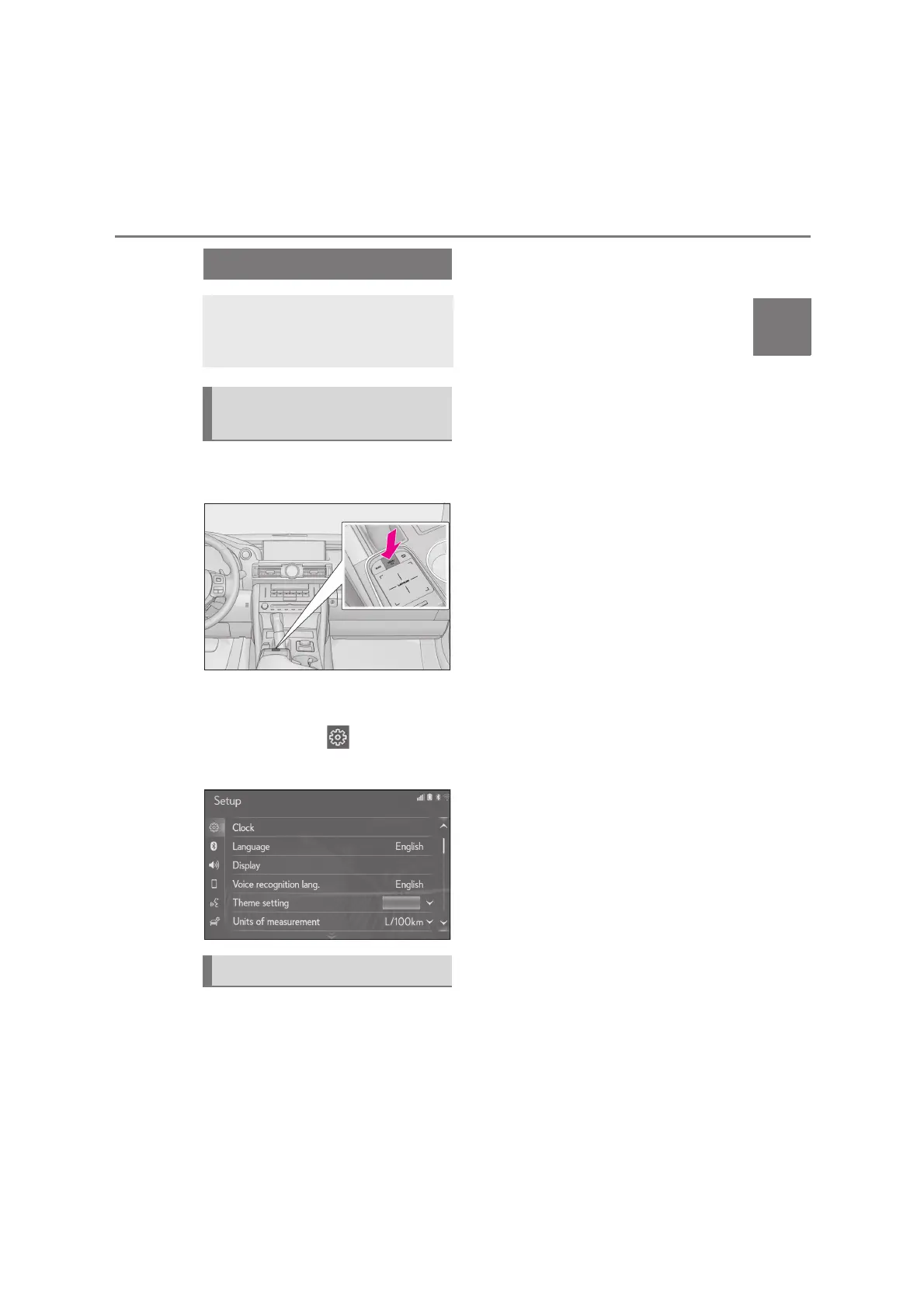
1 Press the “MENU” button on the
Remote Touch.
2 Select “Setup”.
If the general settings screen is not
displayed, select “General”.
3 Select the desired items to be set.
“Clock”
Select to change the time zone, set
the daylight saving time on/off and
set the automatic adjustment of the
clock on/off. (P.54)
“Language”
Select to change the language.
“Customise home screen”
*1
Select to change the display infor-
mation/area on the home screen.
(P.32)
“Display”
*2
Select to adjust the contrast and
brightness of the screens, turn the
screen off, etc. (P.55)
“Voice recognition lang.”
Select to change the voice recogni-
tion language.
“Theme setting”
Select to change the screen theme
setting.
“Beep”
*1
Select to sound beeps.
“Units of measurement”
Select to change the unit of measure
for distance/fuel consumption.
“Auto change to screen”
*3
Select to set automatic screen
changes from the audio/air condi-
tioning control screen to the map
screen to on/off. When set to on, the
screen will automatically return to
the map screen from the audio/air
conditioning control screen after
20 seconds.
“Selection sound”
*2
Select to set the selection sounds
on/off.
General settings
Settings are available for automatic
screen change, operation sounds,
etc.
Displaying the general settings
screen
General settings screen






 To Next Page