77
3
RC300RC300hNavi(EE)
3-2. Destination search
Navigation system
3-2 .Des tina tion se arch
Destination searches can be done on
the navigation menu screen.
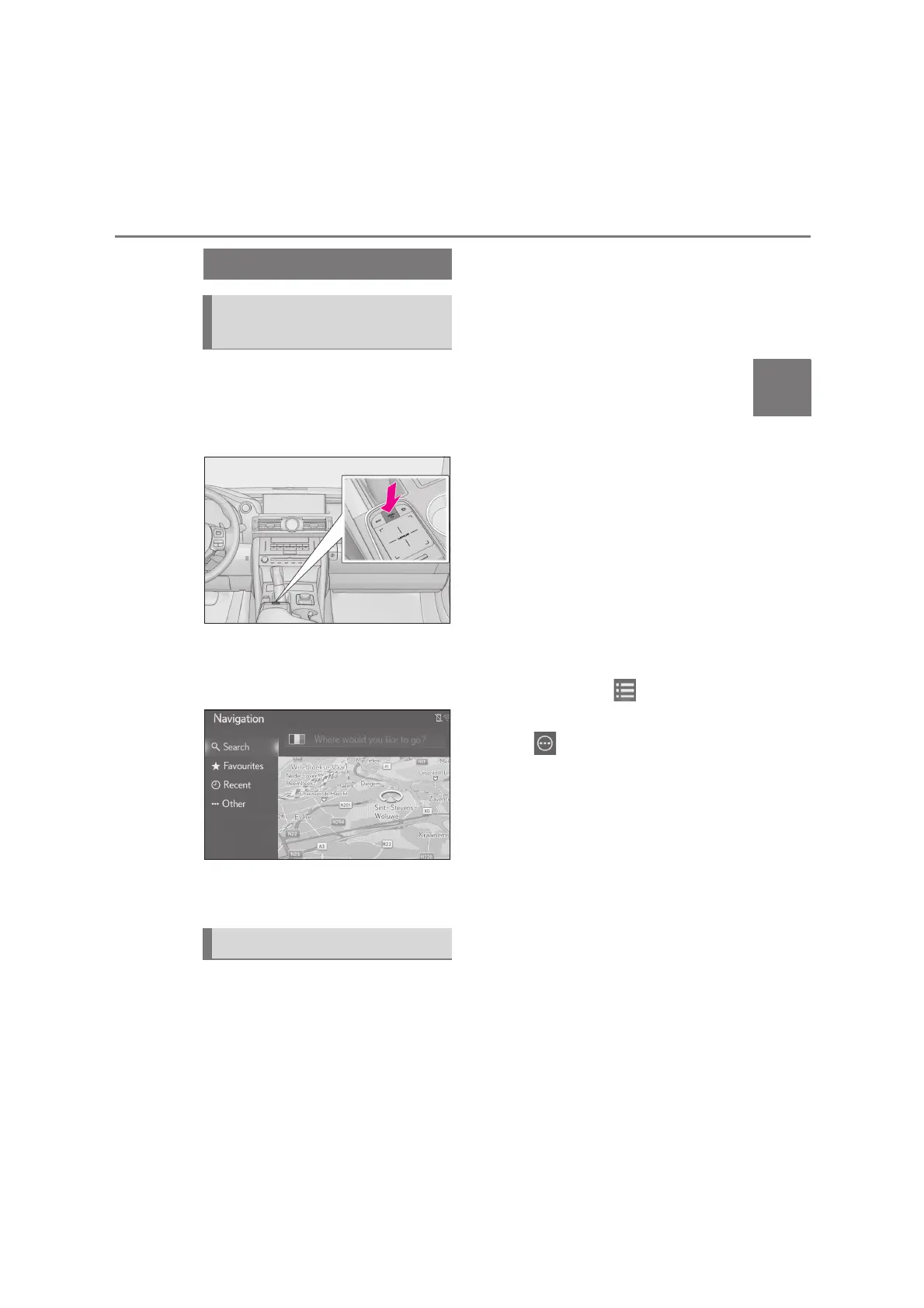
1 Press the “MENU” button on the
Remote Touch.
2 Select “Destination”.
3 Check that the navigation menu is
displayed.
There are different kinds of methods
to search for a destination.
Destination can be selected by enter-
ing any search terms.
The search will locate the search term
in the following databases:
Favourites
Recent destination
POI database
Navigation database (street names,
city names, country names)
Phonebook from connected phone
1 Press the “MENU” button on the
Remote Touch and then select
“Destination” on the menu screen.
To change the search country,
Select the country flag icon.
(P.78)
2 Enter the desired search terms in
the search box.
When 3 or more characters are
entered, the best match will be dis-
played in the single results box
underneath the search box.
3 Select “Search” or to show the
result list.
Select to display the details
screen. (P.78)
The result list shows up to 5 pages of
results. More results can be seen by
pressing “More results” at the end of
the list.
Each “Search POI via XX” triggers
a search via a different search pro-
vider.
• For detailed setting about online search:
P.226
Search operation
Displaying the navigation menu
screen
Searching from the search box






 To Next Page