79
3
RC300RC300hNavi(EE)
3-2. Destination search
Navigation system
■
If the result is a street address
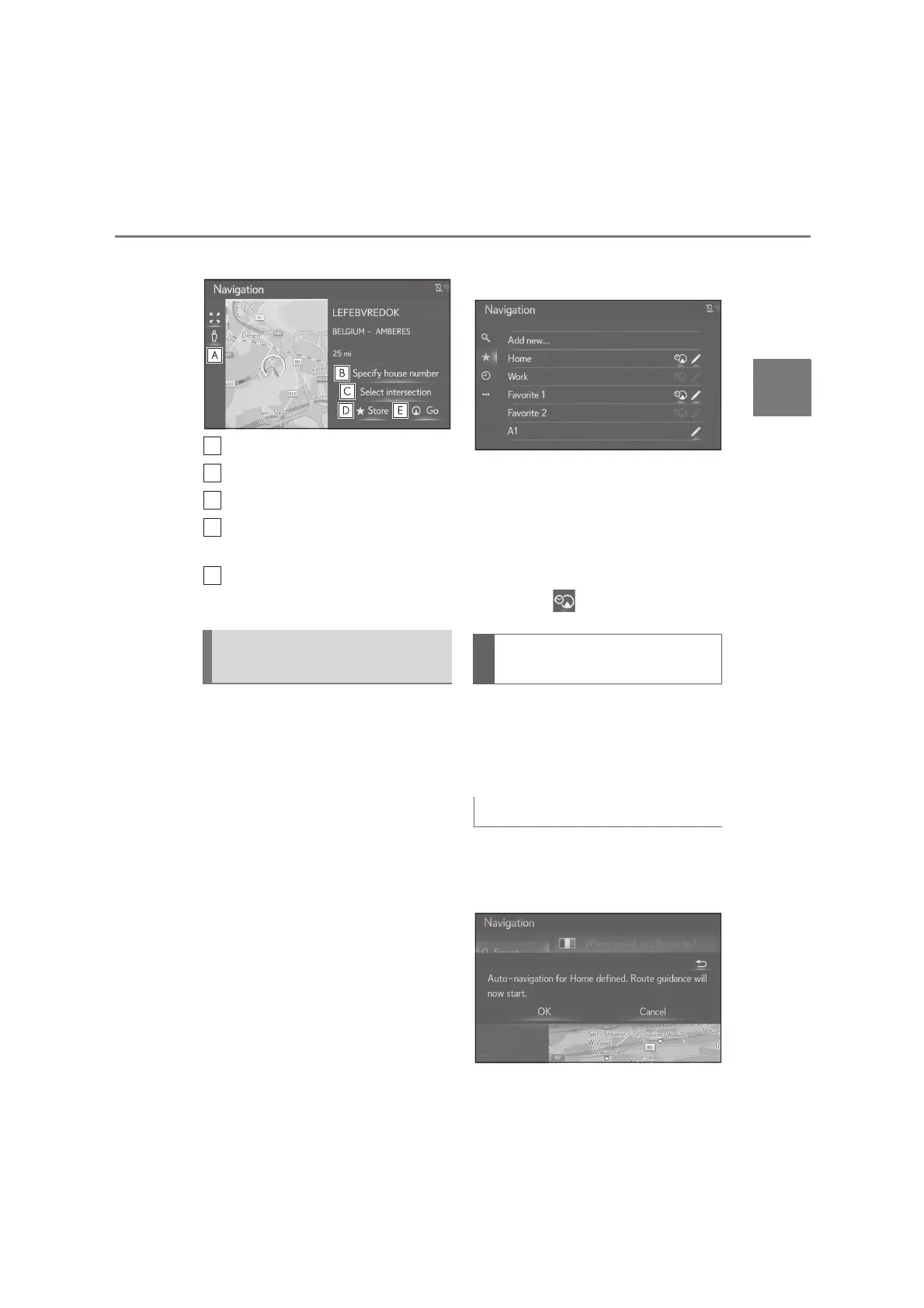
Select to display the Street View.
Select to enter the house number.
Select to enter the intersection.
Select to register the entry in the
favourites list.
Select to display the starting route
guidance screen. (P.87)
4 favourite destinations (home, work,
and any 2 favourites) are displayed as
quick access buttons and directly start
the route guidance when selected.
1 Press the “MENU” button on the
Remote Touch and then select
“Destination” on the menu screen.
2 Select “Favourites”.
3 Select desired quick access desti-
nations.
To use this function, it is necessary to
register a home, a work, and/or a
favourite location. (P.99)
Automatic navigation is available for
the 4 favourite destinations. When
the favourite has an address
assigned, is turned on. (P.79)
The feature automatically proposes
guidances to the registered destination
when you start the vehicle during the
registered day/time slot.
Registered a day/time slot
1 Select “OK” to start route guid-
ance.
Searching from quick access
destinations
Automatic navigation for com-
muting
When the destination is not set






 To Next Page