18
RC300RC300hNavi(EE)
1-1. Basic function
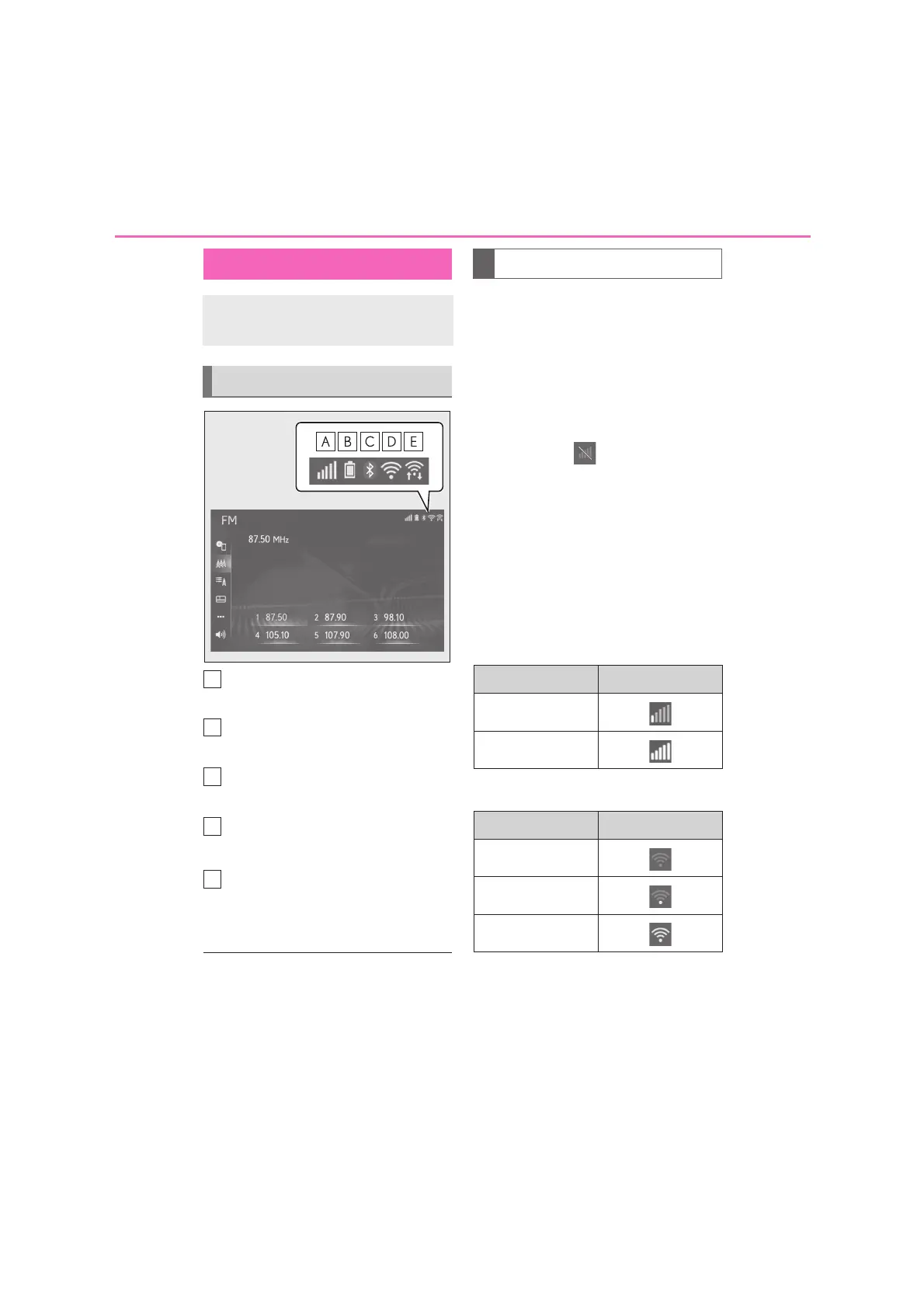
The reception level of the con-
nected phone display (P.18)
Remaining battery charge display
(P.19)
Bluetooth
®
phone connection
condition display (P.19)
Wi-Fi
®
connection condition dis-
play
*
(P.18)
Shown during data communication
performed via Miracast™ (P.18)
*
: 10.3-inch display model
●
The number of status icons that can be
displayed differs depending on the dis-
played screen.
The level of reception does not always
correspond with the level displayed on
the cellular phone. The level of recep-
tion may not be displayed depending
on the phone you have.
When the cellular phone is out of the
service area or in a place inaccessible
by radio waves, is displayed.
“Rm” is displayed when receiving in a
roaming area. While roaming, display
“Rm” top-left on the icon.
The receiving area may not be dis-
played depending on the type of
Bluetooth
®
phone you have.
While connected with cellular
phone
When using Wi-Fi
®*
*
: 10.3-inch display model
Status icon
Status icons are displayed at the top
of the screen.
Status icon explanation
Reception level display
Level Indicators
Poor
Excellent
Level Indicators
No connection
Poor
Excellent






 To Next Page