32
RC300RC300hNavi(EE)
2-1. Basic information before operation
*
: 7-inch display model
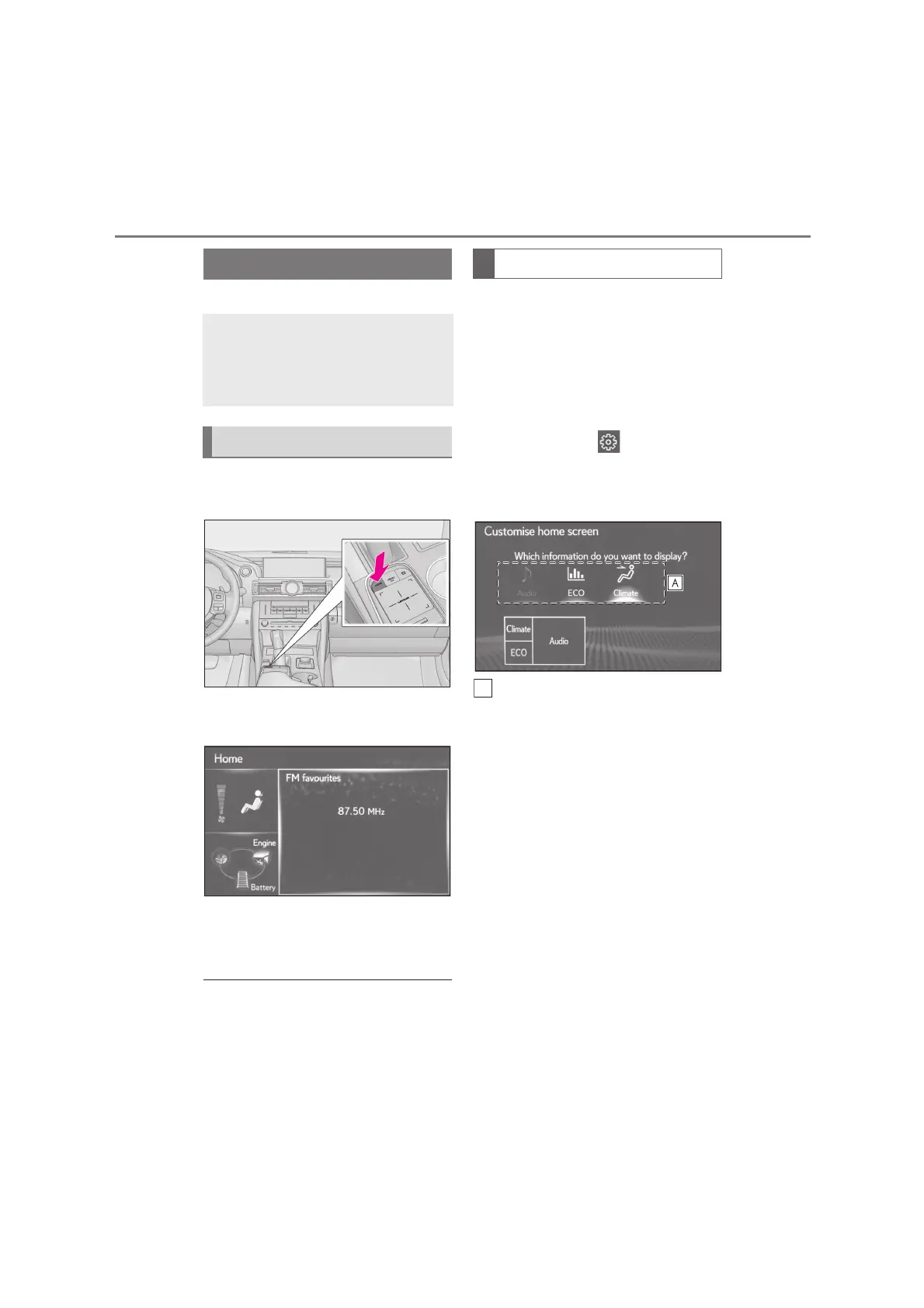
1 Press the “HOME” button on the
Remote Touch.
2 Check that the home screen is dis-
played.
When a screen is selected, the
selected screen is switched to a full
screen display.
●
The display information and area on the
home screen can be customised.
The display information/area on the
home screen can be changed.
1 Press the “MENU” button on the
Remote Touch.
2 Select “Setup”.
If the general settings screen is not
displayed, select “General”.
3 Select “Customise home screen”.
4 Select the items to be set.
Select to change the display infor-
mation and area on the home
screen.
Home screen
*
The home screen can display multi-
ple information screens, such as the
audio, fuel consumption, simultane-
ously.
Home screen operation
Customizing the home screen






 To Next Page