222
RC300RC300hNavi(EE)
8-1. Connected services
●
Favourites that are located outside of the
map’s data range cannot be registered.
●
A maximum of 200 favourites can be
registered.
●
In some cases, favourites and routes may
not be able to be imported. If this occurs,
an error message with more details will
be displayed.
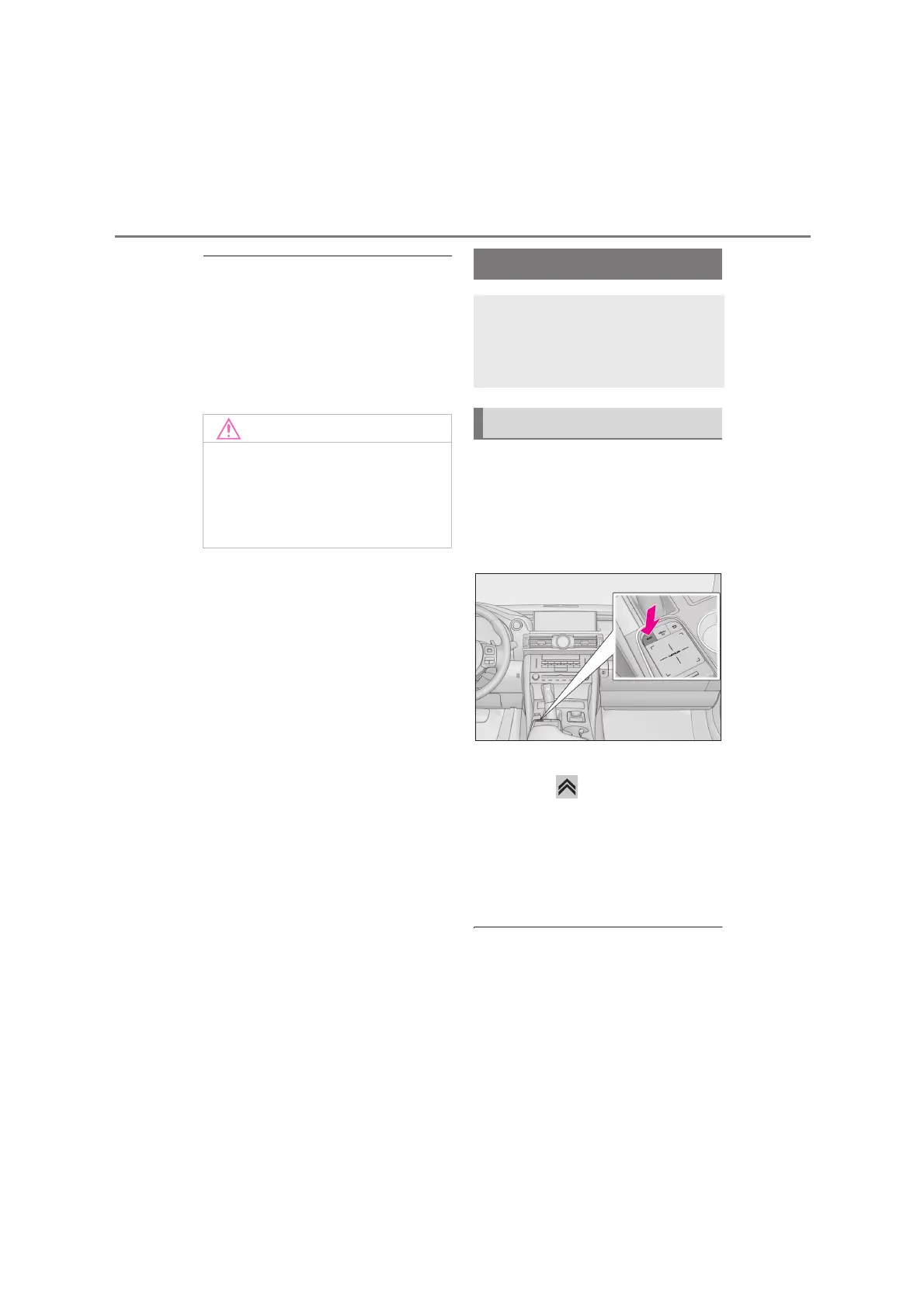
Street View can be activated whenever
the Street View icon is visible.
For example:
1 Press the “MAP” button on the
Remote Touch.
2 Select a point on the map.
3 Press the button on the Remote
Touch.
4 Select “Street View”.
5 Check that the picture is displayed.
“<”, “>”: Select to change pictures. Up to 6
pictures per location can be displayed.
●
The Street View function can also be
selected from the following screens:
• Route overview screen (P.87)
• Online POI details screen (except traffic
messages) (P.73)
●
This function is not available while driving.
●
Depending on the size and shape of
the device that is connected to the sys-
tem, the console box may not close
fully. In this case, do not forcibly close
the console box as this may damage
the device or the terminal, etc.
Street View
The Street View of the desired loca-
tion can be viewed, provided the
system is connected to the internet.
(P.219)
Displaying the Street View






 To Next Page