39
2
RC300RC300hNavi(EE)
2-2. Connectivity settings
Basic function
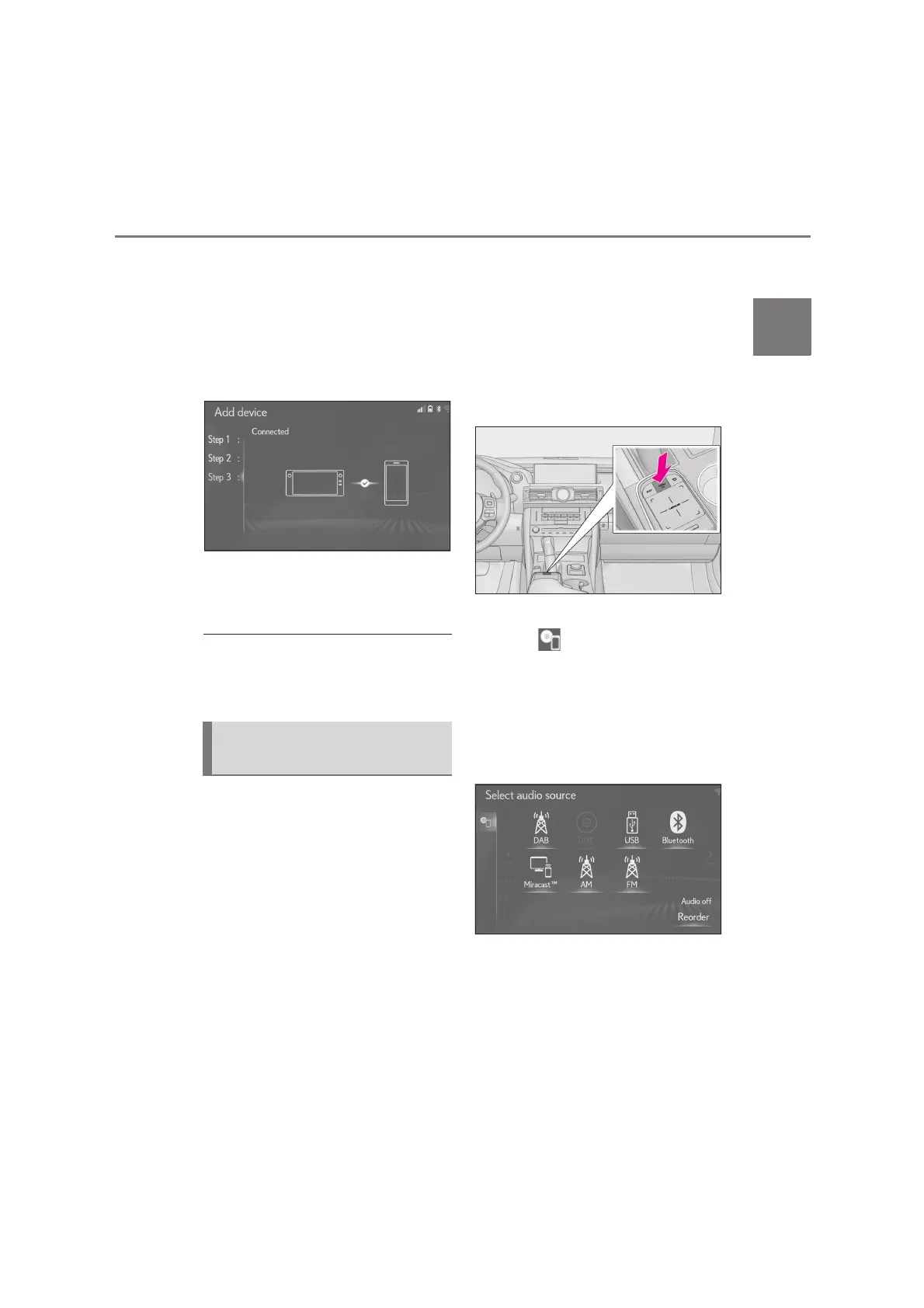
The registered device is connecting
to the system.
At this stage, the Bluetooth
®
func-
tions are not yet available.
8 Check that “Connected” is dis-
played and registration is complete.
If an error message is displayed, fol-
low the guidance on the screen to
try again.
●
If a cellular phone does not operate prop-
erly after being connected, turn the cellu-
lar phone off and on and then connect it
again.
To use the Bluetooth
®
audio, it is nec-
essary to register an audio player with
the system.
Once the player has been registered, it
is possible to use the Bluetooth
®
audio.
This operation cannot be performed
while driving.
For details about registering a
Bluetooth
®
device: P.44
1 Turn the Bluetooth
®
connection
setting of your audio player on.
This function is not available when
the Bluetooth
®
connection setting
of your audio player is set to off.
2 Press the “MENU” button on the
Remote Touch.
3 Select “Media”.
4 Select “Source” on the sub
menu.
5 Select “Bluetooth
*
”.
*
: The Bluetooth
®
word mark and logos
are registered trademarks owned by
Bluetooth SIG, Inc.
Registering a Bluetooth
®
audio
player for the first time






 To Next Page