93
3
RC300RC300hNavi(EE)
3-3. Route guidance
Navigation system
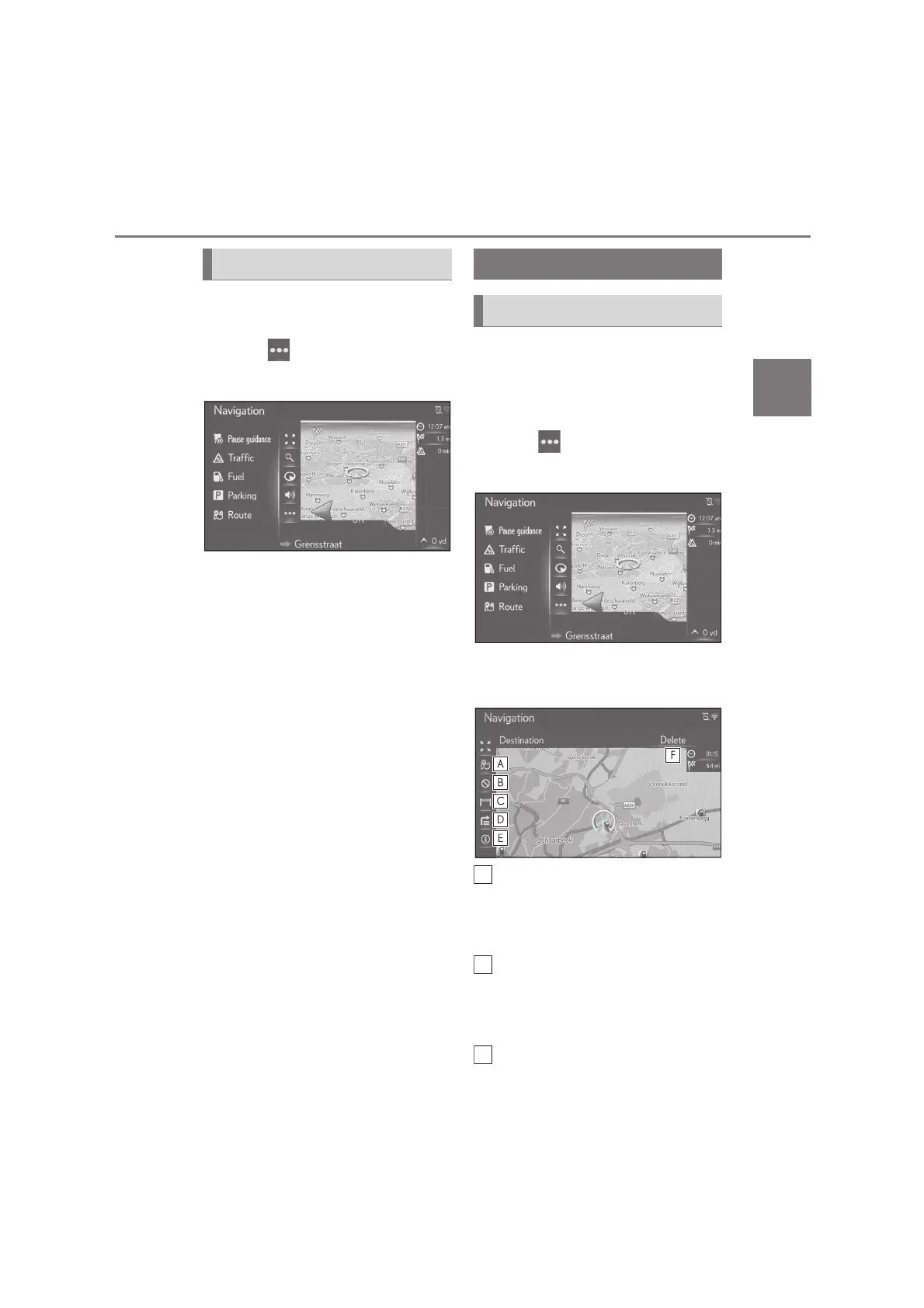
1 Press the “MAP” button on the
Remote Touch.
2 Select on the map screen.
3 Select “Pause guidance”.
The route guidance can be
restarted by selecting “Resume
guidance”.
During route guidance, the route to the
destination can be checked and edited.
1 Press the “MAP” button on the
Remote Touch.
2 Select on the map screen.
3 Select “Route”.
4 Select the desired items to be set.
When a destination is set
Select to display the three route
calculation methods. Select the
desired item to adjust the route
preferences. (P.88)
Select to display the avoidance cri-
teria.
Select the desired item to adjust the
avoidance criteria. (P.88, 89)
Select to block a fixed distance on
Pausing route guidance Editing route
Displaying the edit route screen






 To Next Page