58
RC300RC300hNavi(EE)
2-3. Other settings
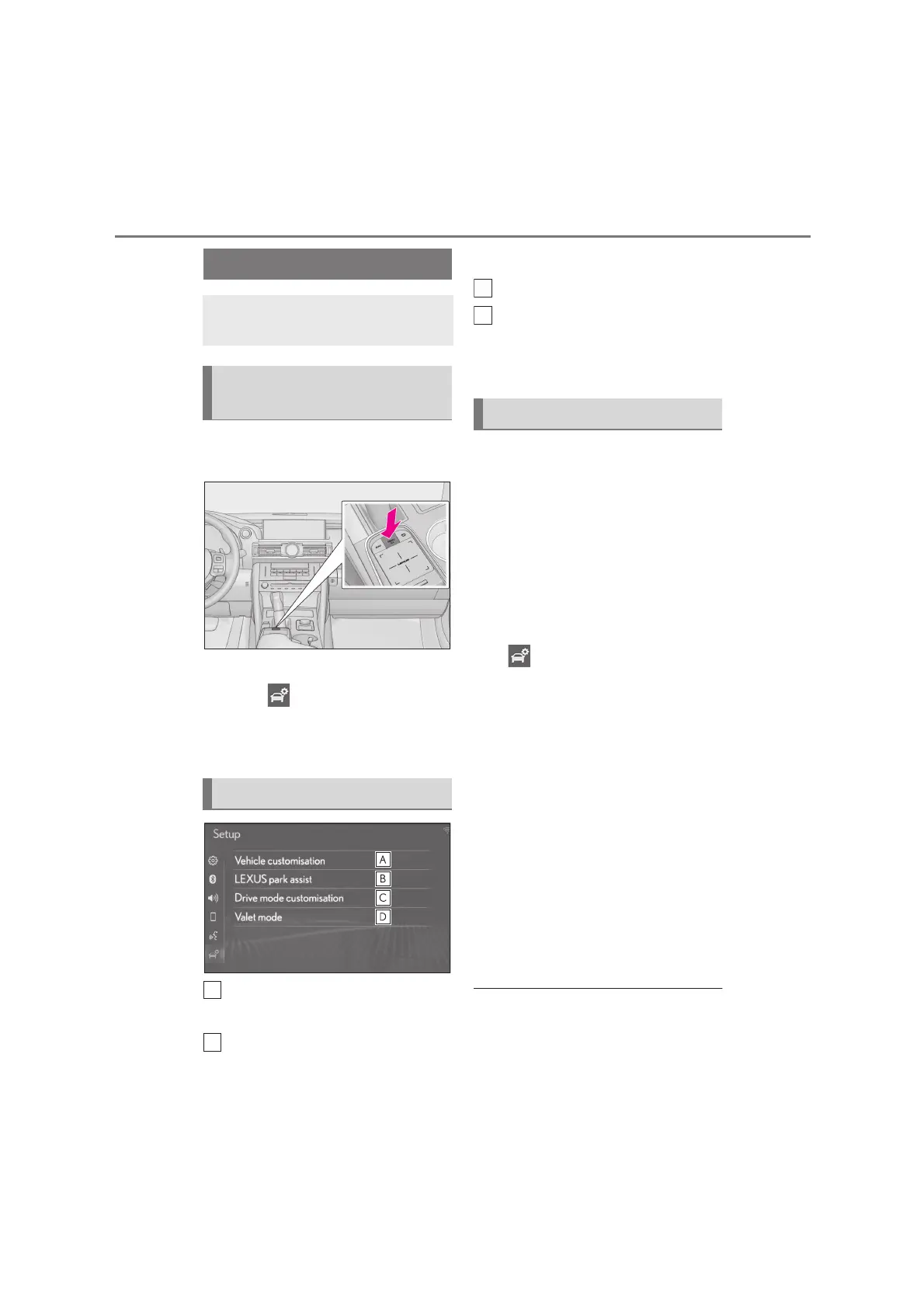
1 Press the “MENU” button on the
Remote Touch.
2 Select “Setup”.
3 Select “Vehicle” on the sub
menu.
4 Select the desired items to be set.
Select to set vehicle customization.
*1
Select to set Lexus parking
assist-sensor.
*1, 2
Select to set driving mode.
*1, 2
Select to set valet mode. (P.58)
*1
: Refer to the “OWNER’S MANUAL”
*2
: If equipped
The security system can be set to on by
entering a security code (4-digit num-
ber).
When set to on, the system will
become inoperative once the electri-
cal power source is disconnected until
the security code is entered.
1 Display the vehicle settings screen:
“MENU” button “Setup”
“Vehicle”
2 Select “Valet mode”.
3 Enter the 4-digit personal code and
select “OK”.
4 Enter the same 4-digit personal
code again and select “OK”.
The system will request that you
input the security code again to
confirm that you remember it cor-
rectly.
When valet mode activates, the sys-
tem stops and a security code
(4-digit number) standby screen is
displayed.
●
If the 4-digit personal code is forgotten,
please contact any Lexus retailer or
Lexus authorized repairer, or any reliable
repairer.
Vehicle settings
Settings are available for vehicle
customization, etc.
Displaying the vehicle settings
screen
Vehicle settings screen
Setting the valet mode






 To Next Page