96
RC300RC300hNavi(EE)
3-3. Route guidance
7 Press the button on the Remote
Touch.
During the route guidance, the route
can be changed to detour around a
section of the route.
1 Press the “MAP” button on the
Remote Touch.
2 Select on the map screen.
3 Select “Route”.
4 Select .
5 Select the desired block distance to
detour.
Select to block a designated dis-
tance of the road from the current
position.
Select “Deactivate” to cancel the
blocked setting.
The blocked route will be marked in
the map.
After the blocked route has been
detoured, the blocked route feature
will automatically be deactivated.
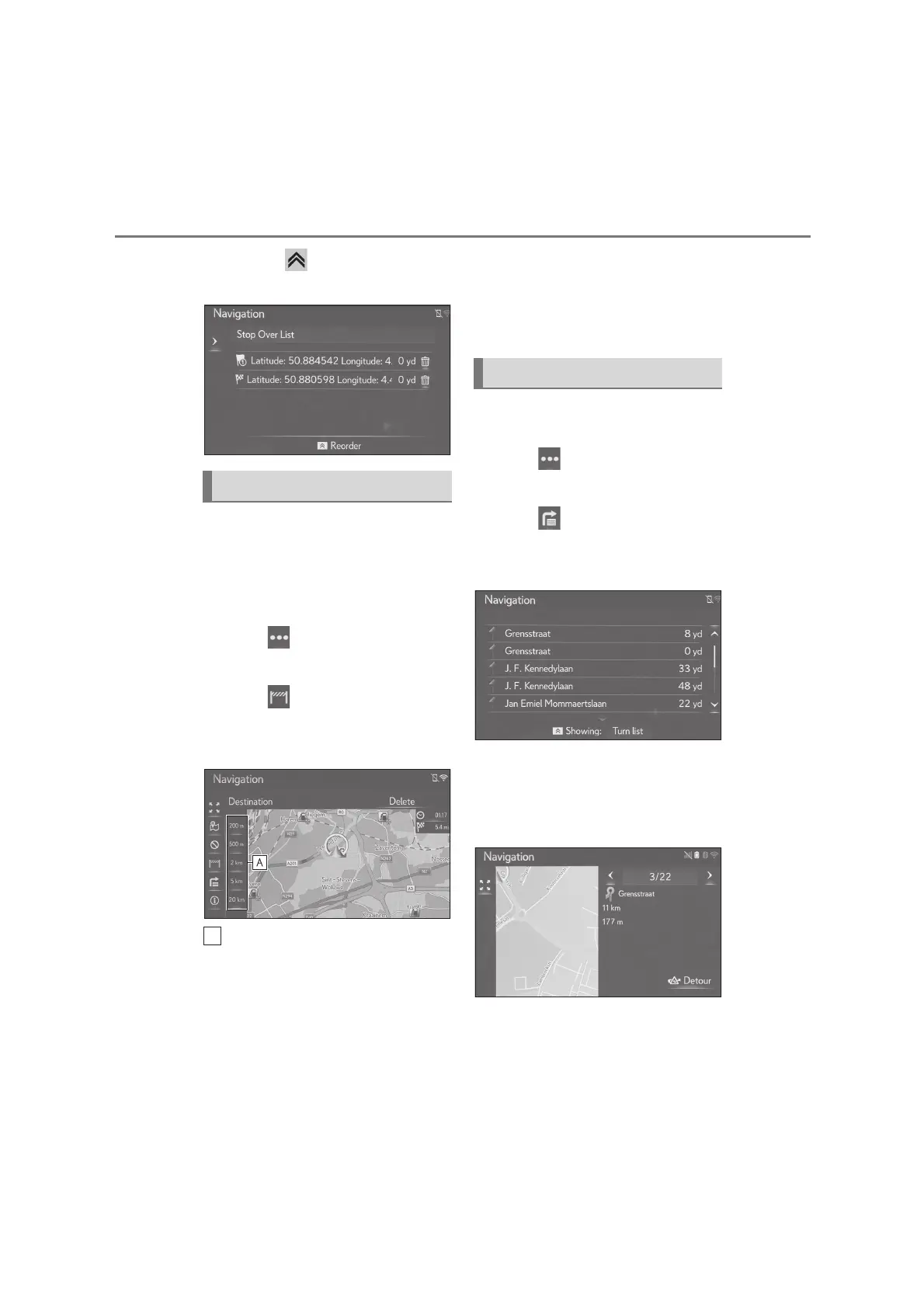
1 Press the “MAP” button on the
Remote Touch.
2 Select on the map screen.
3 Select “Route”.
4 Select .
5 Select the desired item to display
the segment.
Guidance arrow, street name, dis-
tance to the point are displayed.
6 Check that the detail of the seg-
ment is displayed.
“Detour”: Select to detour the segment.
(P.97)
Blocking road segments
Displaying the turn list






 To Next Page