48
RC300RC300hNavi(EE)
2-2. Connectivity settings
■
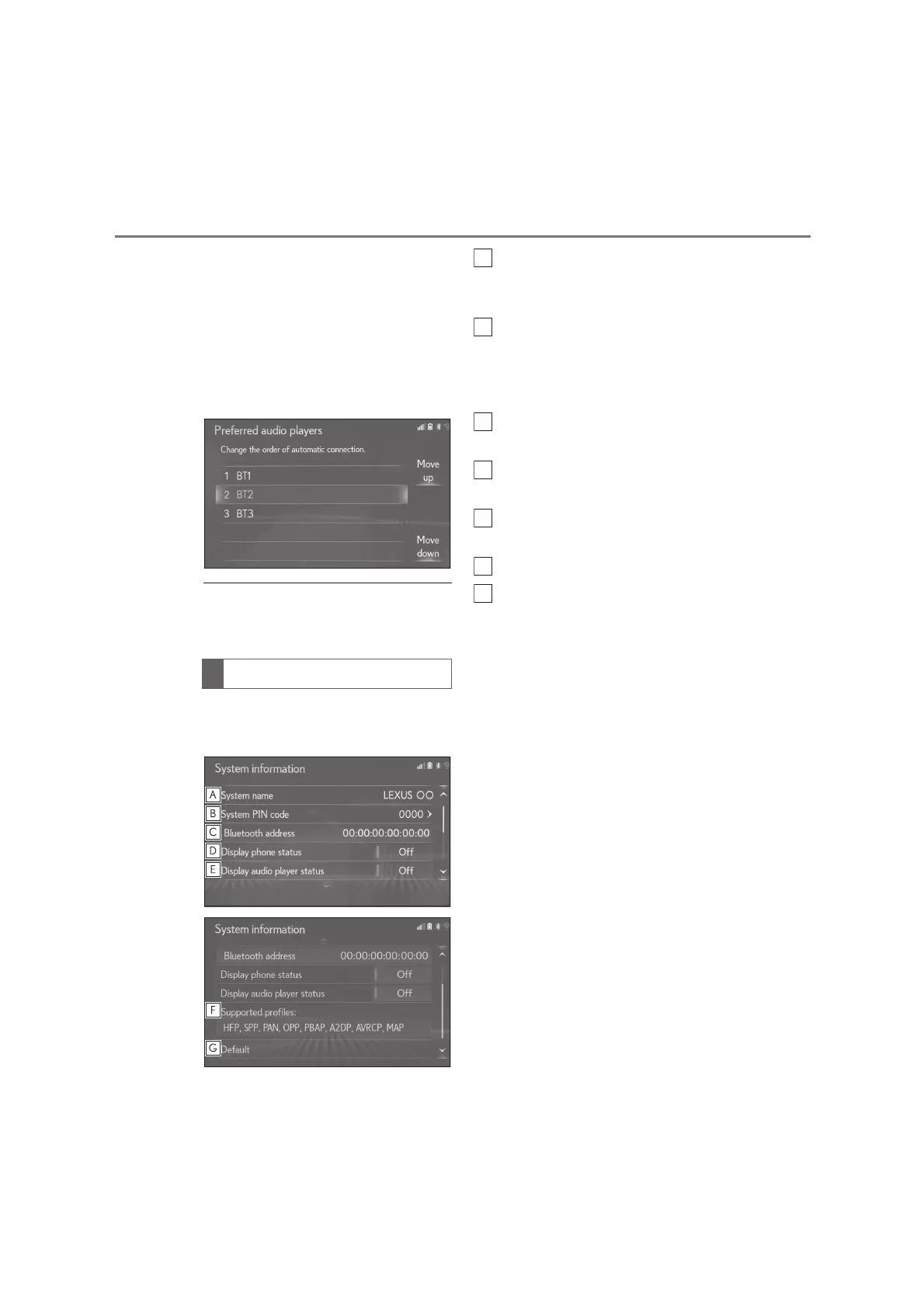
Changing audio player automatic
connection priority
1 Select “Preferred audio players”.
2 Select the desired Bluetooth
®
device and select “Move up” or
“Move down” to change the pre-
ferred order.
●
A newly registered Bluetooth
®
device
will automatically be given the highest
automatic connection priority.
1 Select “System information”.
2 Select the desired item to be set.
Displays system name. Can be
changed to a desired name.
(P.48)
PIN code used when the
Bluetooth
®
device was registered.
Can be changed to a desired code.
(P.48)
Device address is unique to the
device and cannot be changed.
Select to set the connection status
display of the phone on/off.
Select to set the connection status
display of the audio player on/off.
Compatibility profile of the system
Select to reset all setup items.
■
Editing the system name
1 Select “System name”.
2 Enter a name and select “OK”.
■
Editing the PIN code
1 Select “System PIN code”.
2 Enter a PIN code and select “OK”.
Editing the system information






 To Next Page