47
2
RC300RC300hNavi(EE)
2-2. Connectivity settings
Basic function
tion. (P.48)
Select to reset all setup items.
1 Select “Bluetooth
*
power”.
When “Bluetooth
*
power” is on:
The Bluetooth
®
device is automatically
connected when the engine switch
<power switch> is in ACCESSORY or
IGNITION ON mode <ON mode>.
When “Bluetooth
*
power” is off:
The Bluetooth
®
device is discon-
nected, and the system will not connect
to it next time.
*
: The Bluetooth
®
word mark and logos
are registered trademarks owned by
Bluetooth SIG, Inc.
●
While driving, the auto connection state
can be changed from off to on, but can-
not be changed from on to off.
The automatic connection priority of
the registered Bluetooth
®
devices can
be changed.
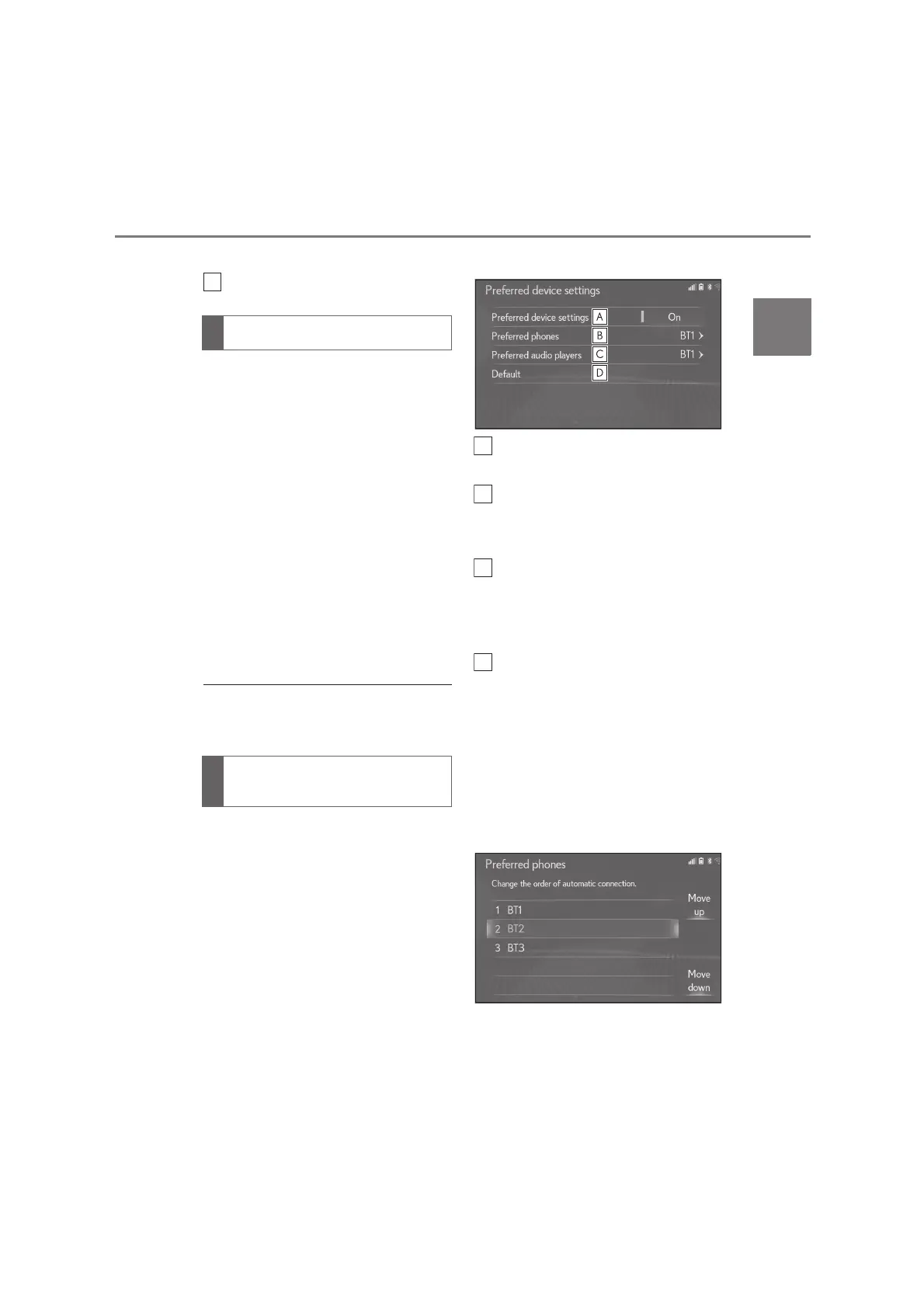
1 Select “Preferred device settings”.
2 Select the desired item to be set.
Select to set automatic connection
priority on/off.
Select to change the automatic
connection priority of the regis-
tered Bluetooth
®
phones. (P.47)
Select to change the automatic
connection priority of the regis-
tered Bluetooth
®
audio players.
(P.48)
Select to reset all setup items.
■
Changing phone automatic con-
nection priority
1 Select “Preferred phones”.
2 Select the desired Bluetooth
®
device and select “Move up” or
“Move down” to change the pre-
ferred order.
Changing “Bluetooth
*
power”
Setting automatic connection
priority






 To Next Page