192
RC300RC300hNavi(EE)
7-1. Phone operation (Hands-free system for cellular phones)
■
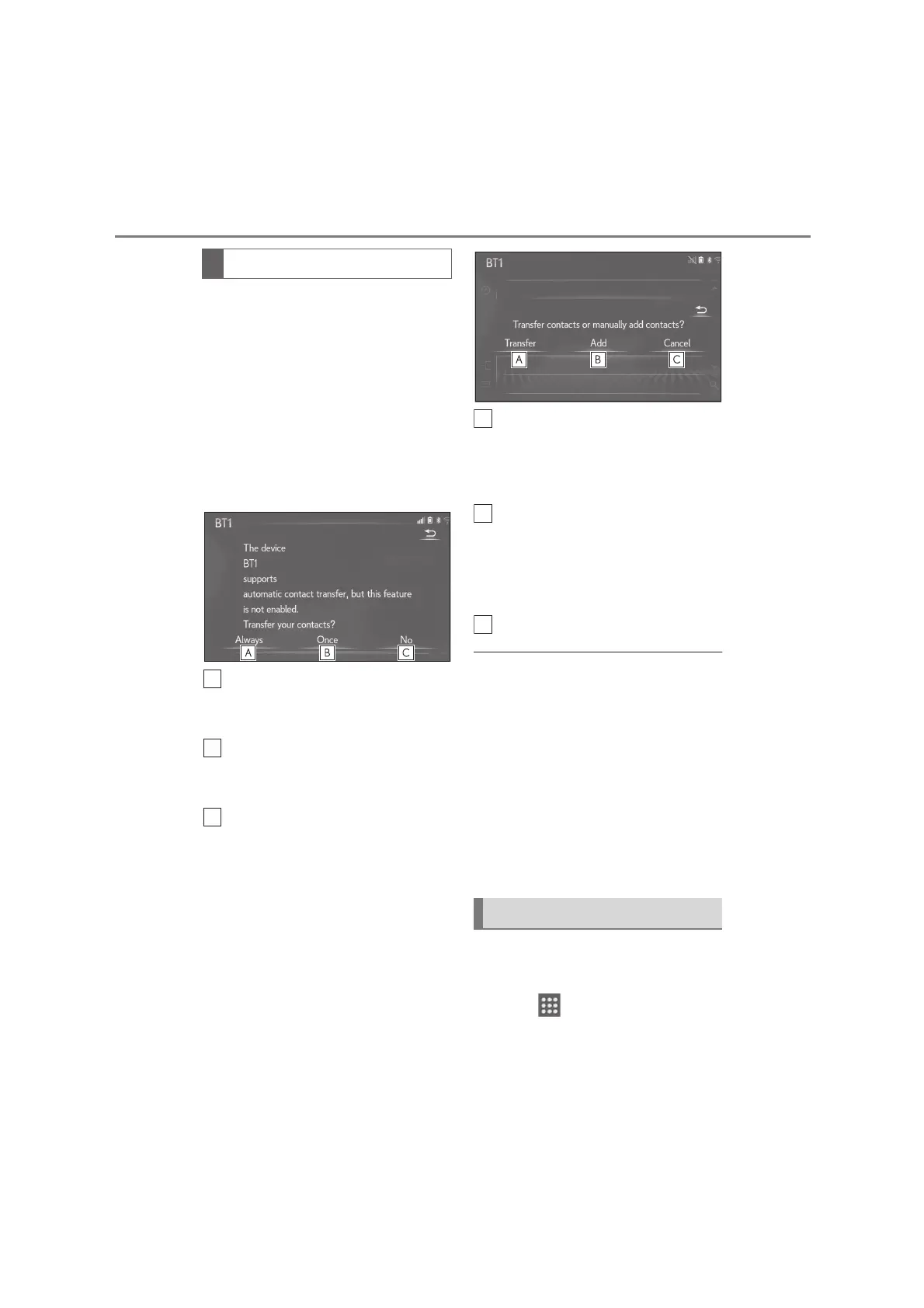
For PBAP compatible Bluetooth
®
phones when “Automatic transfer”
is set to on (P.205)
Contacts are transferred automati-
cally.
■
For PBAP compatible Bluetooth
®
phones when “Automatic transfer”
is set to off (P.205)
1 Select the desired item.
Select to always transfer all the
contacts from a connected cellular
phone automatically.
Select to transfer all the contacts
from a connected cellular phone
only once.
Select to cancel transferring.
2 Check that a confirmation screen is
displayed when the operation is
complete.
■
For PBAP incompatible but OPP
compatible Bluetooth
®
phones
1 Select the desired item.
Select to transfer the contacts from
the connected cellular phone.
Transfer the contact data to the sys-
tem using a Bluetooth
®
phone.
Select to add a new contact manu-
ally.
Follow the steps in “Registering a
new contact to the contacts list”
from step 2. (P.207)
Select to cancel transferring.
●
If your cellular phone is neither PBAP nor
OPP compatible, the contacts cannot be
transferred using Bluetooth
®
. But the
contacts can be transferred from USB
device. (P.206)
●
Depending on the type of Bluetooth
®
phone:
• It may be necessary to perform additional
steps on the phone when transferring
contact data.
• The registered image in the contact list
may not transfer depending on the type
of Bluetooth
®
phone connected.
1 Display the phone screen:
“MENU” button “Phone”
2 Select “Keypad” on the sub
menu and enter the phone number.
When the contact list is empty
By keypad






 To Next Page