210
RC300RC300hNavi(EE)
7-2. Setup
2 Select the desired item to be set.
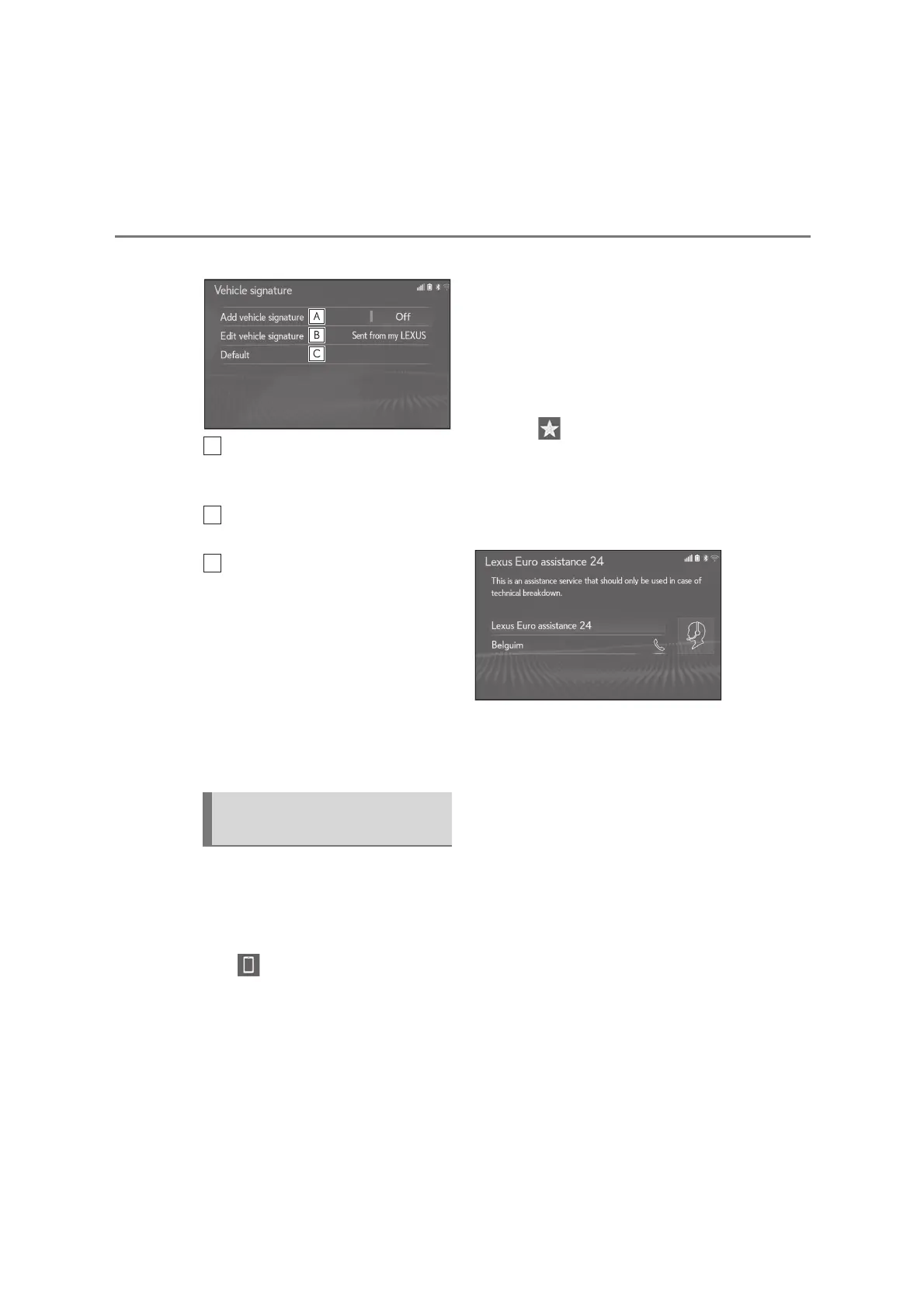
Select to set adding the vehicle sig-
nature to outgoing messages
on/off.
Select to edit the vehicle signature.
(P.210)
Select to reset all setup items.
■
Editing vehicle signature
1 Select “Edit vehicle signature”.
2 Enter desired signature with using
keyboard.
3 Select “OK”.
4 Select “OK” on the confirmation
screen, or select “Edit again” when
it needs to amend.
*
: 10.3-inch display model
■
Registering a country
1 Display the phone settings screen:
“MENU” button “Setup”
“Phone”
2 Select “Lexus Euro assistance 24
settings”.
3 Select the country.
4 Check that a confirmation screen is
displayed when the operation is
complete.
■
Registering a country in a different
way
1 Display the phone screen:
“MENU” button “Phone”
2 Select “Favourites” on the sub
menu.
3 Select “Lexus Euro assistance 24”.
4 Select the registered country’s
screen button.
5 Select the country.
6 Select “Yes” when the confirmation
screen appears.
“Lexus Euro assistance 24 set-
tings” screen
*






 To Next Page