36
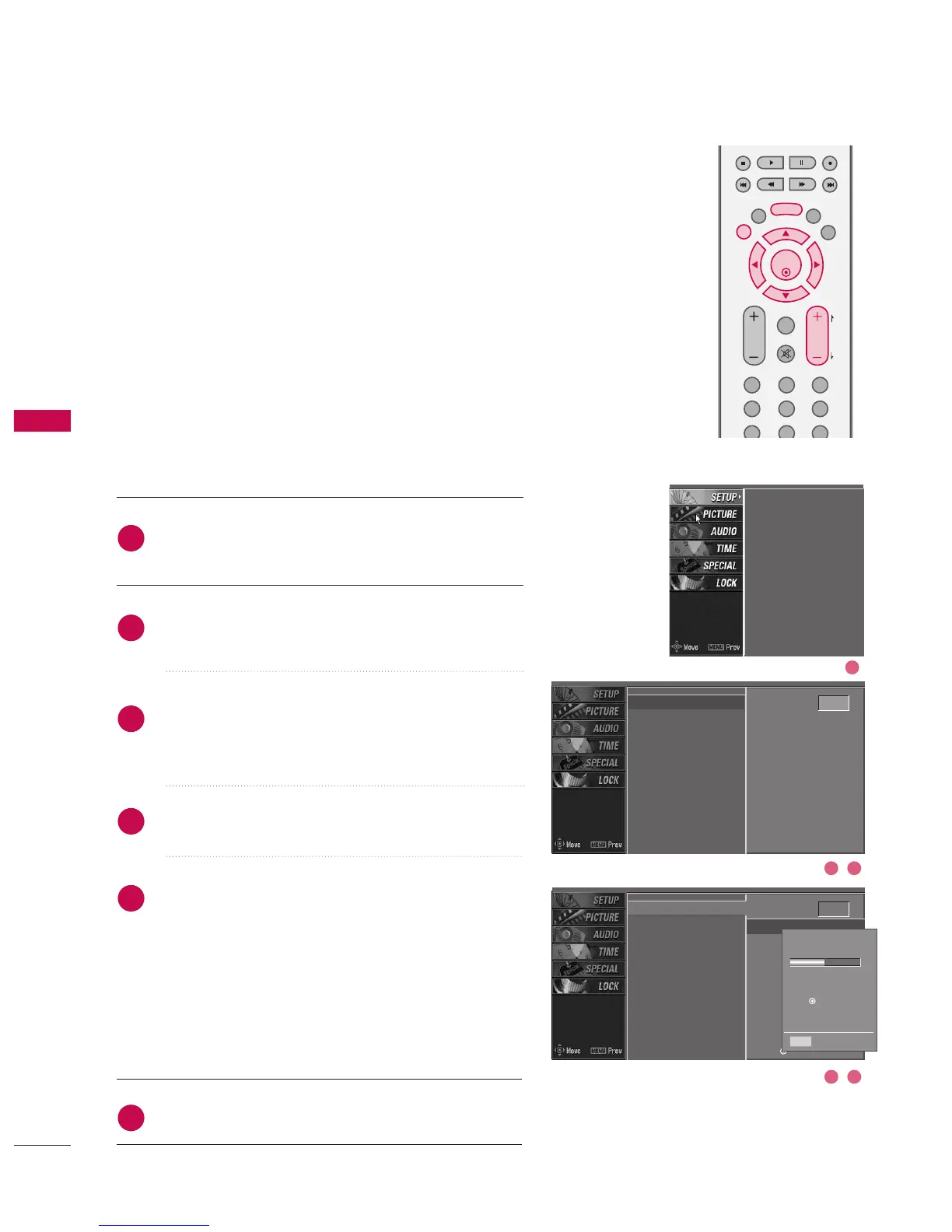
AUTO PROGRAMME TUNING
Press the MMEENNUU button and then
DD
or
EE
button to
select the SETUP menu.
Press the
GG
button and then
DD
or
EE
button to select
AAuuttoo pprrooggrraammmmee.
Press the
GG
button to select SSttoorraaggee ffrroomm.
Select the beginning programme number with the
DD
or
EE
button or NUMBER buttons.
Press the
GG
button to select TToo ssttaarrtt.
Press the OOKK button to begin auto programming.
All receivable stations are stored.
To stop auto programming, press the OO KK button.
When auto programming is completed, the
PPrrooggrraammmmee eeddiitt menu appears on the screen. See
the ‘Programme Edit’ section to edit the stored pro-
gramme.
Press EEXXIITT button to return to normal TV viewing.
Up to 100 TV stations can be stored in this set by programme num-
bers (0 to 99). Once you have preset the stations, you will be able
to use the PPRR ++ or -- or NUMBER buttons to scan the stations you
programmed. Stations can be tuned using automatic or manual
modes.
A password is required to gain access to Auto programme or Manual
programme menu if the Lock system is turned on.
If you forgot your password, press ‘7’, ‘7’, ‘7’, ‘7’ on the remote con-
trol.
In Australia, if no station name can be assigned to a station, the pro-
gramme number is assigned and stored as ----- followed by a number
see ‘Assigning a station name’ section to assign the station name.
Auto programme
Manual programme
Programme edit
Signal strength
Set ID
Auto programme
G
Manual programme
Programme edit
Signal strength
Set ID
2
3
4
5
6
1
DD
EE
Storage from 0
G
To start
Auto programme
G
Manual programme
Programme edit
Signal strength
Set ID
Storage from 0
To start
G
All of service-information
will be updated.
Press (OK) to start.
Processing
Auto programme...
26 %
5 channels found
Press (OK) to start
digital programme scan.
MENU Prev
2 3
4 5
1



 To Next Page