45
WATCHING TV/PROGRAMME CONTROL
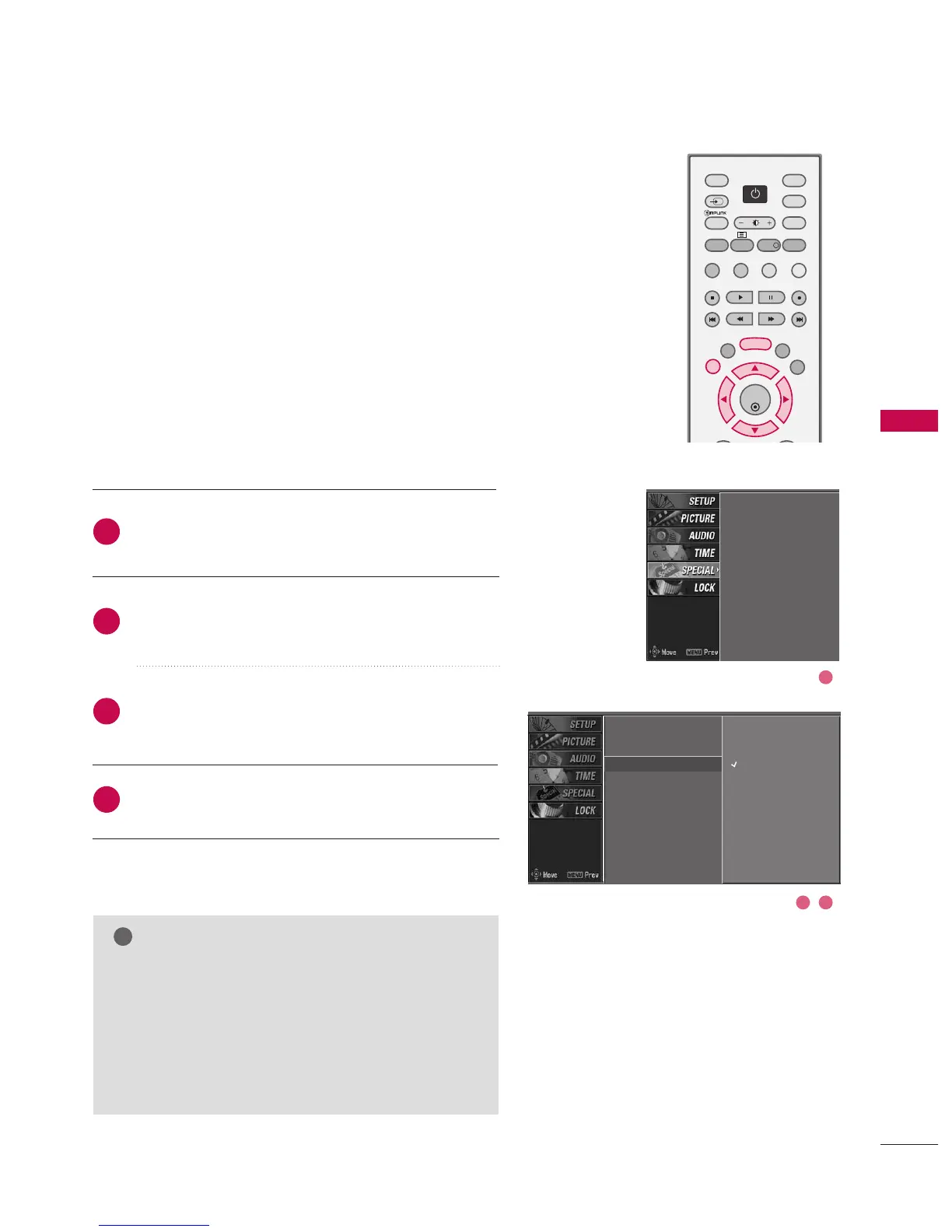
KEY LOCK
Press the MMEENNUU button and then use
DD
or
EE
button
to select the SSPPEECCIIAALL menu.
Press the
GG
button and then use
DD
or
EE
button to
select CChhiilldd lloocckk.
Press the
GG
button and then use
DD
or
EE
button to
select OOnn or OOffff.
Press EEXXIITT button to return to normal TV viewing.
The TV can be set so that the remote control is needed to
control it. This feature can be used to prevent unautho-
rized viewing.
Input
Subtitle
Child lock
ARC
XD demo
SIMPLINK
2
3
4
1
Input
Subtitle
Child lock
G
ARC
XD demo
SIMPLINK
Off
On
NOTE
GG
With the lock on, the display ‘‘CChhiilldd lloocckk :: OOnn’’
appears on the screen if any button on the front
panel is pressed while viewing the TV.
GG
The display ‘‘CChhiilldd lloocckk :: OOnn’’ will not appear on
the screen if any button on the front panel is
pressed while displaying the menus.
2 3
1



 To Next Page