54
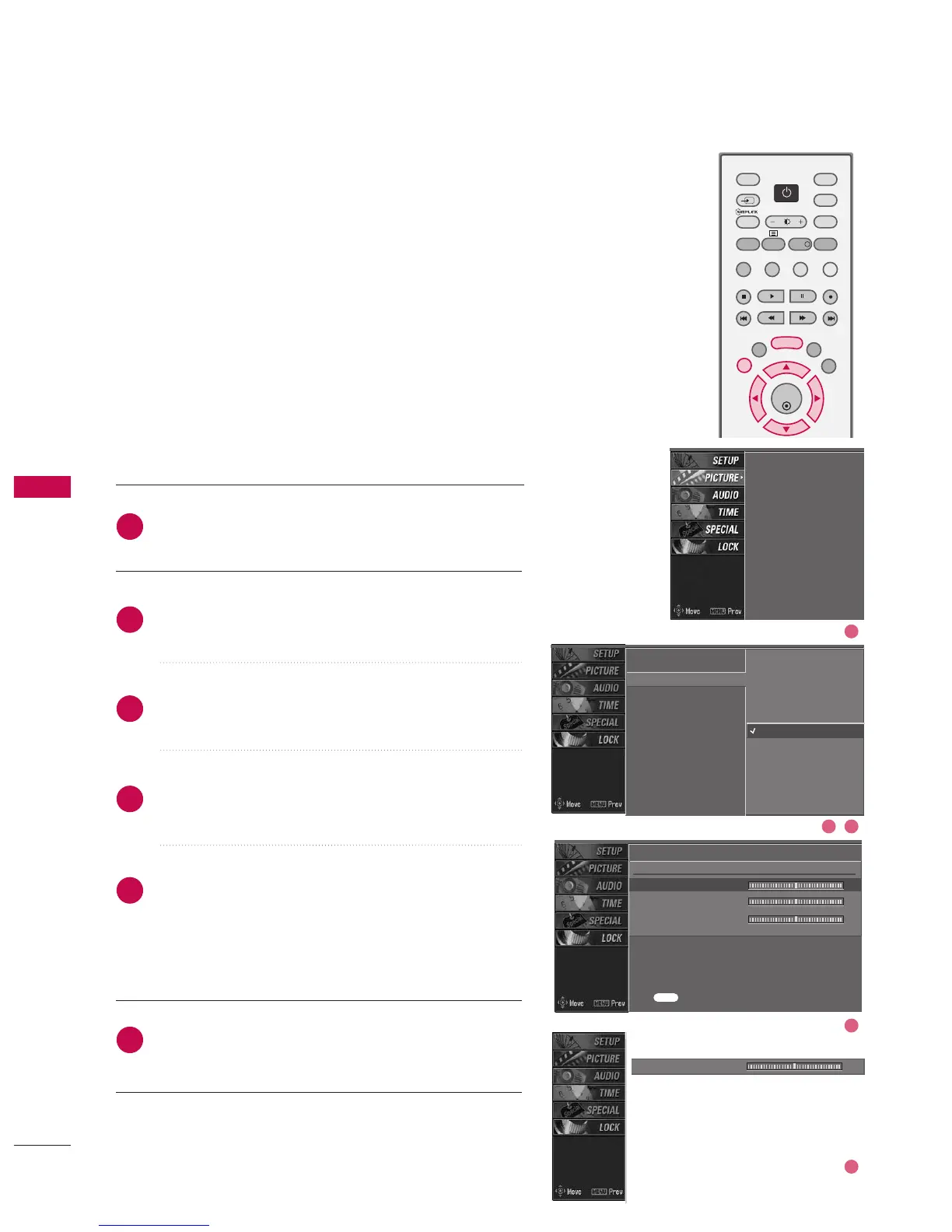
COLOUR TONE - USER OPTION
You can also adjust the detailed settings (Red, Green, Blue)
by selecting the UUsseerr menu.
Press the MMEENNUU button and then use
DD
or
EE
button
to select the PPIICCTTUURREE menu.
Press the
GG
button and then use
DD
or
EE
button to
select CCoolloouurr tteemmppeerraattuurree.
Press the
GG
button and then use
DD
or
EE
button to
select UUsseerr.
Press the
GG
button and then use
DD
or
EE
button to
select RReedd, GGrreeeenn, or BBlluuee.
Press the
GG
button and then use
FF
or
GG
button to
make appropriate adjustments.
■
The adjustment range of RReedd, GGrreeeenn, or BBlluuee
is -20~ +20.
Press EEXXIITT button to return to normal TV viewing.
PSM
Colour temperature
XD
Advanced
Video preset
PSM
Colour temperature
XD
Advanced
Video preset
2
3
4
5
6
1
User
Red 0
G
Green 0
Blue 0
Press to confirm.
Warm
Medium
Cool
User
G
Red 0
FF
G
EE
MENU
2 3
4
5
1



 To Next Page