40
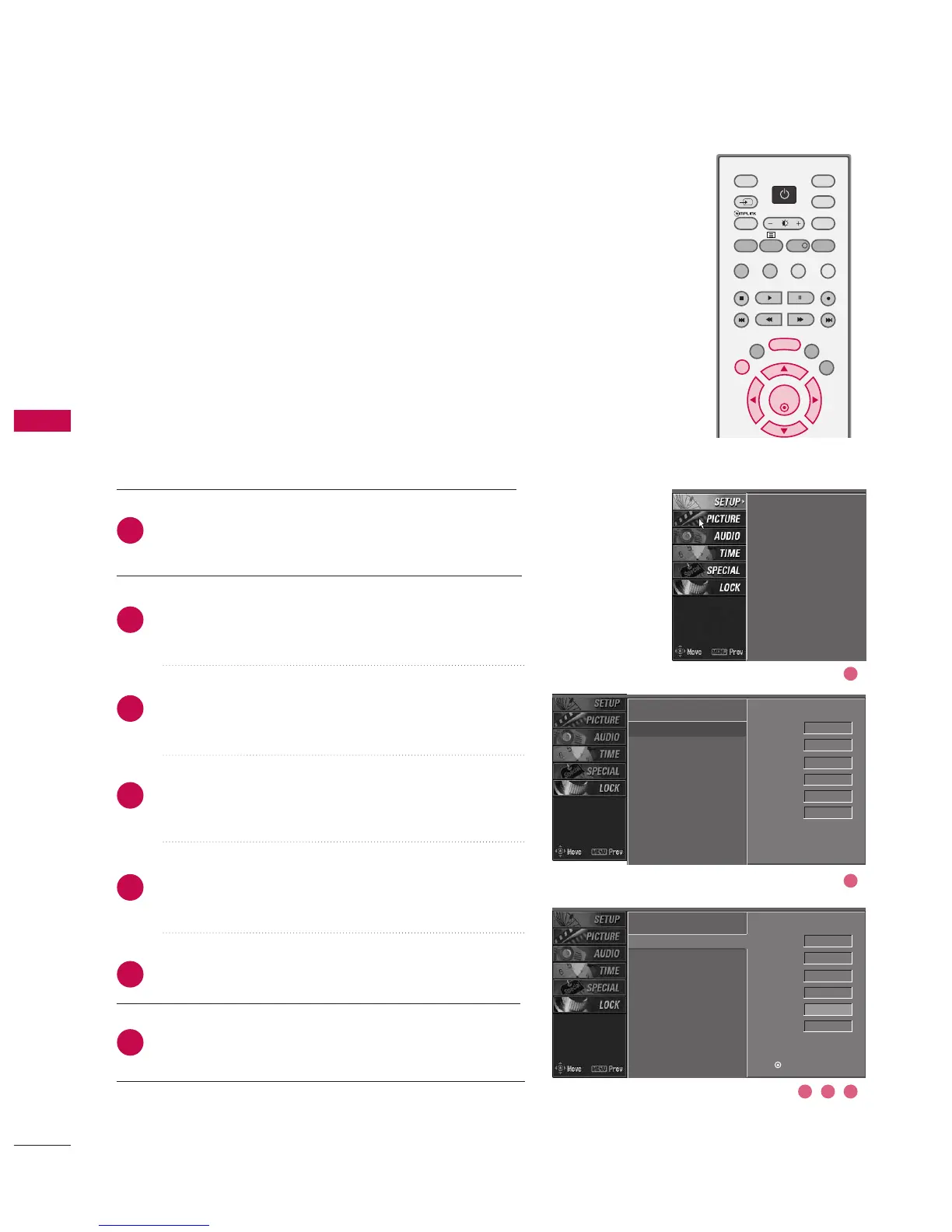
ASSIGNING A STATION NAME -
In Analogue Mode only
You can assign a station name to each programme number.
Press the MMEENNUU button and then use
DD
or
EE
button
to select the SSEETTUUPP menu.
Press the
GG
button and then use
DD
or
EE
button to
select MMaannuuaall pprrooggrraammmmee..
Press the
GG
button and then use
FF
or
GG
button to
select NNaammee.
Press the
DD
or
EE
button. You can use the numeric 00
to 99, the alphabet AA to ZZ ++, --, and blank.
Press the
FF
or
GG
button to select the position and
make your choice of the second character, and so on.
Press the OO KK button to store.
Press EEXXIITT button to return to normal TV viewing.
2
3
4
5
6
7
1
Auto programme
Manual programme
G
Programme edit
Signal strength
Set ID
Auto programme
Manual programme
Programme edit
Signal strength
Set ID
Auto programme
Manual programme
Programme edit
Signal strength
Set ID
DD
EE
Band V/UHF
Channel 1
Search
Up/Down
Fine
Up/Down
Name - - - - - G
Storage 0
Band V/UHF
Channel 1
Search
Up/Down
Fine
Up/Down
Name - - - - -
Storage 0
Press (OK) to store.
3 4 5
2
1



 To Next Page