41
WATCHING TV/PROGRAMME CONTROL
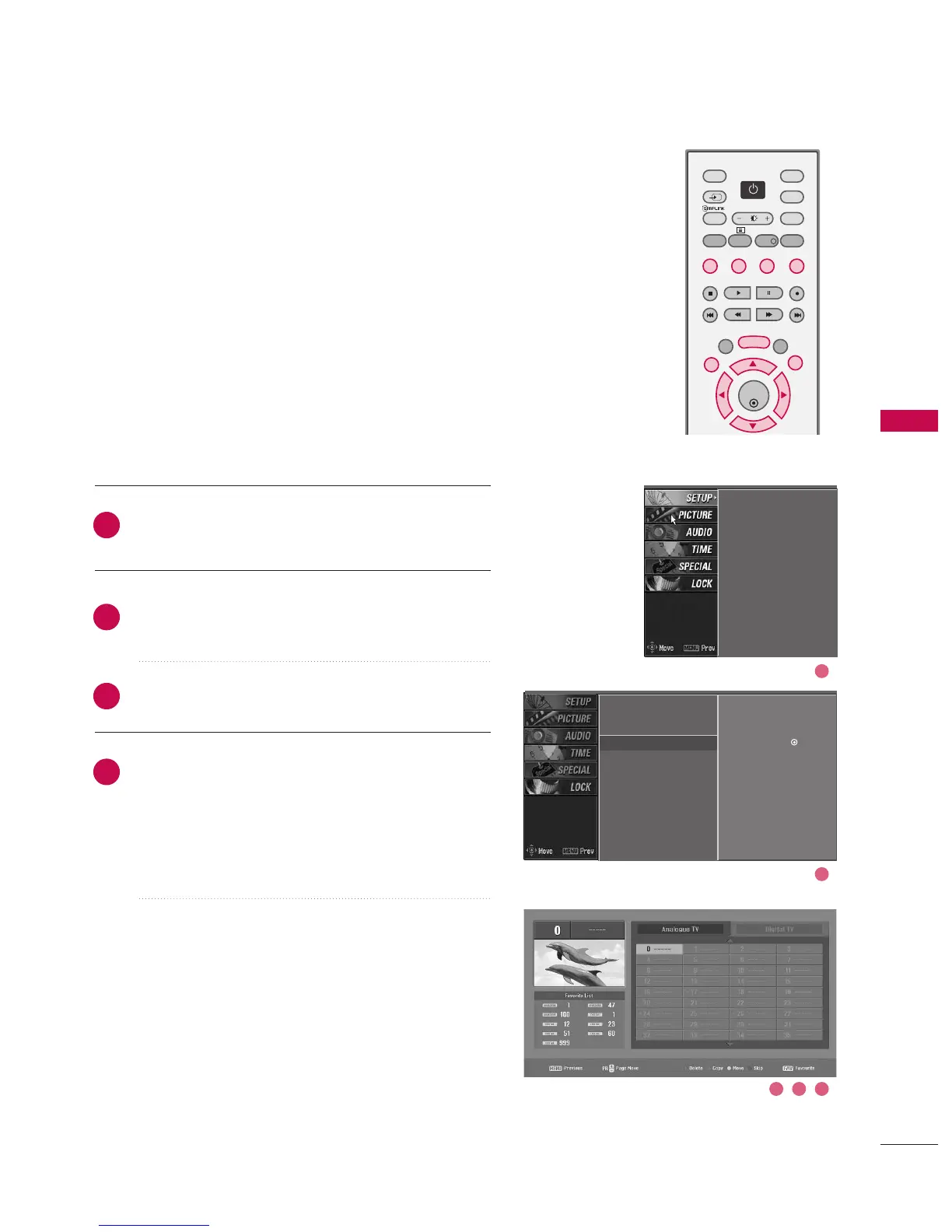
PROGRAMME EDIT
This function enables you to delete or skip the stored pro-
grammes. Also you can move some stations to other pro-
gramme numbers or copy blank station data into the
selected programme number.
Press the MMEENNUU button and then use
DD
or
EE
button
to select the SSEETTUUPP menu.
Press the
GG
button and then use
DD
or
EE
button to
select PPrrooggrraammmmee eeddiitt...
Press the
GG
button.
■
DDeelleettiinngg aa pprrooggrraammmmee ((IInn AAnnaalloogguuee MMooddee OOnnllyy))
a. Select a programme to be deleted with the
DD
or
EE
or
FF
or
GG
buttons.
b. Press the RREEDD button twice. The selected pro-
gramme is deleted, all the following programmes
are shifted up one position.
■
CCooppyyiinngg aa pprrooggrraammmmee ((IInn AAnnaalloogguuee MMooddee OOnnllyy))
a. Select a programme to be copied with the
DD
or
EE
or
FF
or
GG
buttons.
b. Press the GGRREEEENN button.
c. Move the programme to the desired programme
number with the
DD
or
EE
or
FF
or
GG
buttons.
d. Press the GGRREEEENN button again to copy the pro-
gramme. All the following programmes are shifted
down one position.
2
3
4
1
Auto programme
Manual programme
Programme edit
G
Signal strength
Set ID
Auto programme
Manual programme
Programme edit
Signal strength
Set ID
Selection (
G
or ) leads
you to the programme edit
screen.
3 4 5
2
1



 To Next Page