25
EXTERNAL EQUIPMENT SETUP
Screen Setup for PC mode
Overview
This function works in the following mode:
Component1, Component2, RGB-PC, HDMI1/DVI or HDMI2.
Resolution function works only RGB-PC mode.
(1024/1280/1360/1366x768, 60Hz)
Note: Some signal from some graphics boards may not function properly. If the results are unsatisfactory, adjust
your monitor’s position, size and phase manually.
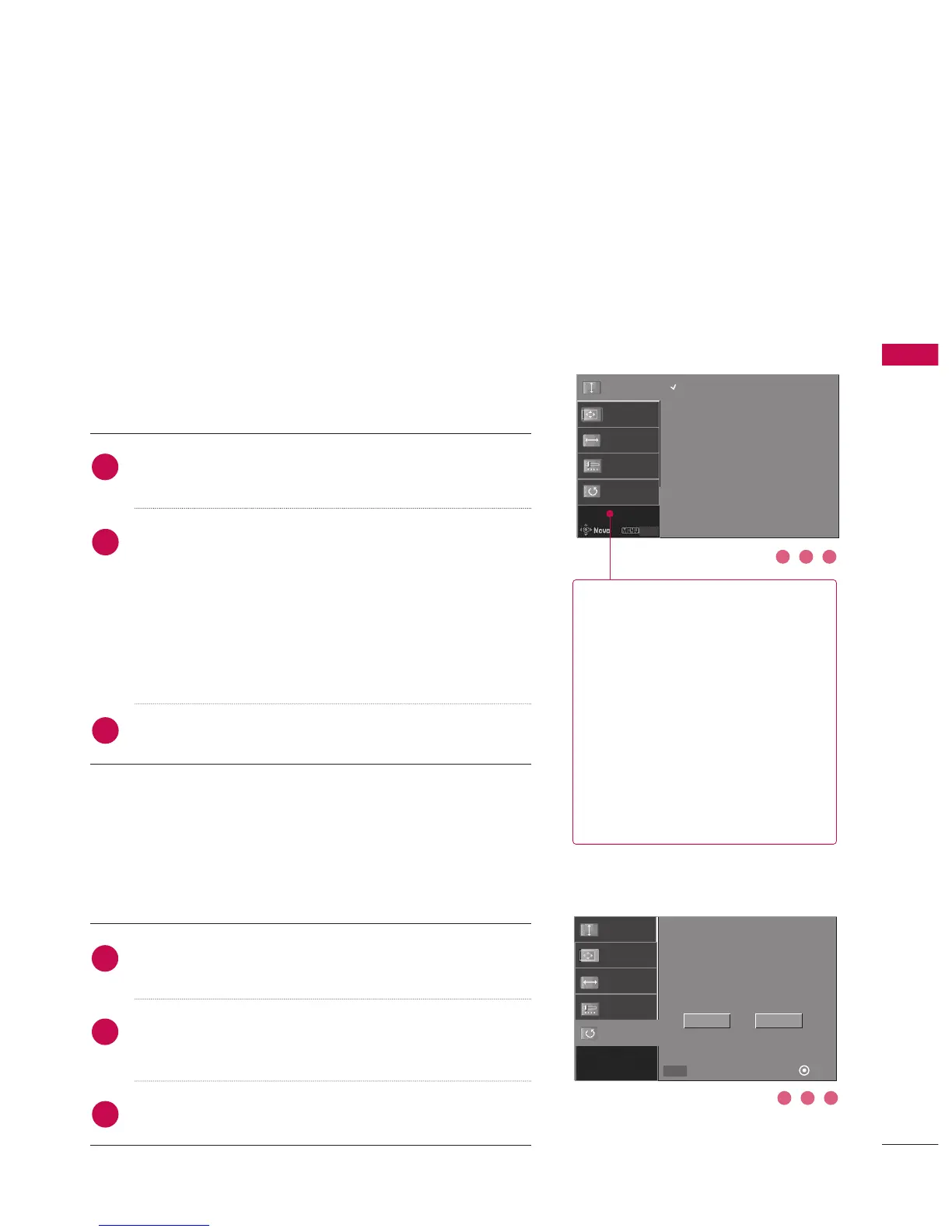
Adjustment for screen Resolution, Position,
Clock and Phase
Press the
OO KK
button and then use
DD
or
EE
button to select
RReessoolluuttiioonn,, PPoossiittiioonn
,
CClloocckk
, or
PPhhaassee
.
Press the
GG
button and then use
DD
or
EE
or
FF
or
GG
but-
ton to make appropriate adjustments.
■
The
PPhhaassee
adjustment range is
--3322
~
++3322
.
The
PPhhaassee
only works in RGB-PC mode.
■
The
CClloocckk
adjustment range is
--5500
~
++5500
.
The
CClloocckk
only works in RGB-PC mode.
Press the
OOKK
button.
Press the
OO KK
button and then use
DD
or
EE
button to select
RReesseett
.
Press the
GG
button and then use
FF
or
GG
button to select
YYeess
.
Press the
OOKK
button.
To initialize the adjusted values
This function allows you to return to the good picture repro-
duction programmed at the factory and cannot be change.
1
2
3
1
2
3
Initializing (Reset to original factory values)
1 2 3
1 2 3
RReessoolluuttiioonn
This function allows you select
resolution of XGA/WXGA. (Up
to 1366x768, 60Hz)
PPoossiittiioonn
This function is to adjust picture to
left/right and up/down as you prefer.
CClloocckk
This function is to minimize any ver-
tical bars or stripes visible on the
screen background. And the hori-
zontal screen size will also change.
PPhhaassee
This function allows you to remove
any horizontal noise and clear or
sharpen the image of characters. In
HDMI/DVI-PC mode, PHASE is not
available.
Resolution
GG
Position
Clock
Phase
Reset
Close
Initialize Settings
1024 x 768
1280 x 768
1360 x 768
1366 x 768
Resolution
Position
Clock
Phase
Reset
Yes
No
SelectPrev OK
FF GG
MENU



 To Next Page