63
SOUND & LANGUAGE CONTROL
Adjust the sound to suit your taste and room situations.
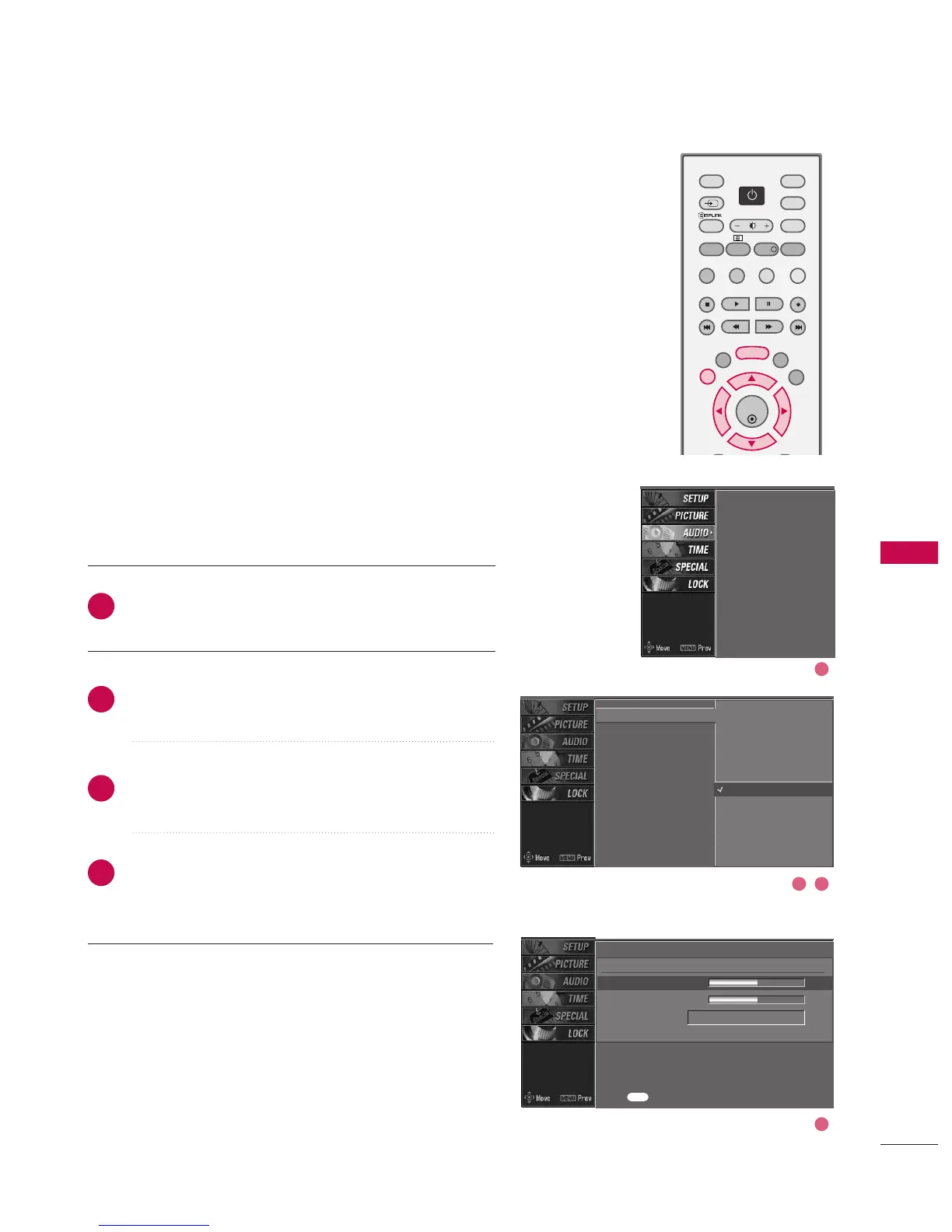
Press the MMEENNUU button and then use
DD
or
EE
button
to select the AAUUDDIIOO menu.
Press the
GG
button and then use
DD
or
EE
button to
select SSSSMM.
Press the
GG
button and then use
DD
or
EE
button to
select UUsseerr.
Press the
GG
button and then use
DD
or
EE
button to
select the desired sound option (TTrreebbllee,BBaassss, or
FFrroonntt ssuurrrroouunndd).
2
3
4
1
SSM
AVL
Balance
TV Speaker
SSM
AVL
Balance
TV Speaker
Standard
Music
Movie
Sports
User
G
User
Treble 50
G
Bass 50
Front surround Off
Press to confirm.
MENU
SOUND SETTING ADJUSTMENT - USER MODE



 To Next Page