76
PROGRAMME BLOCKING
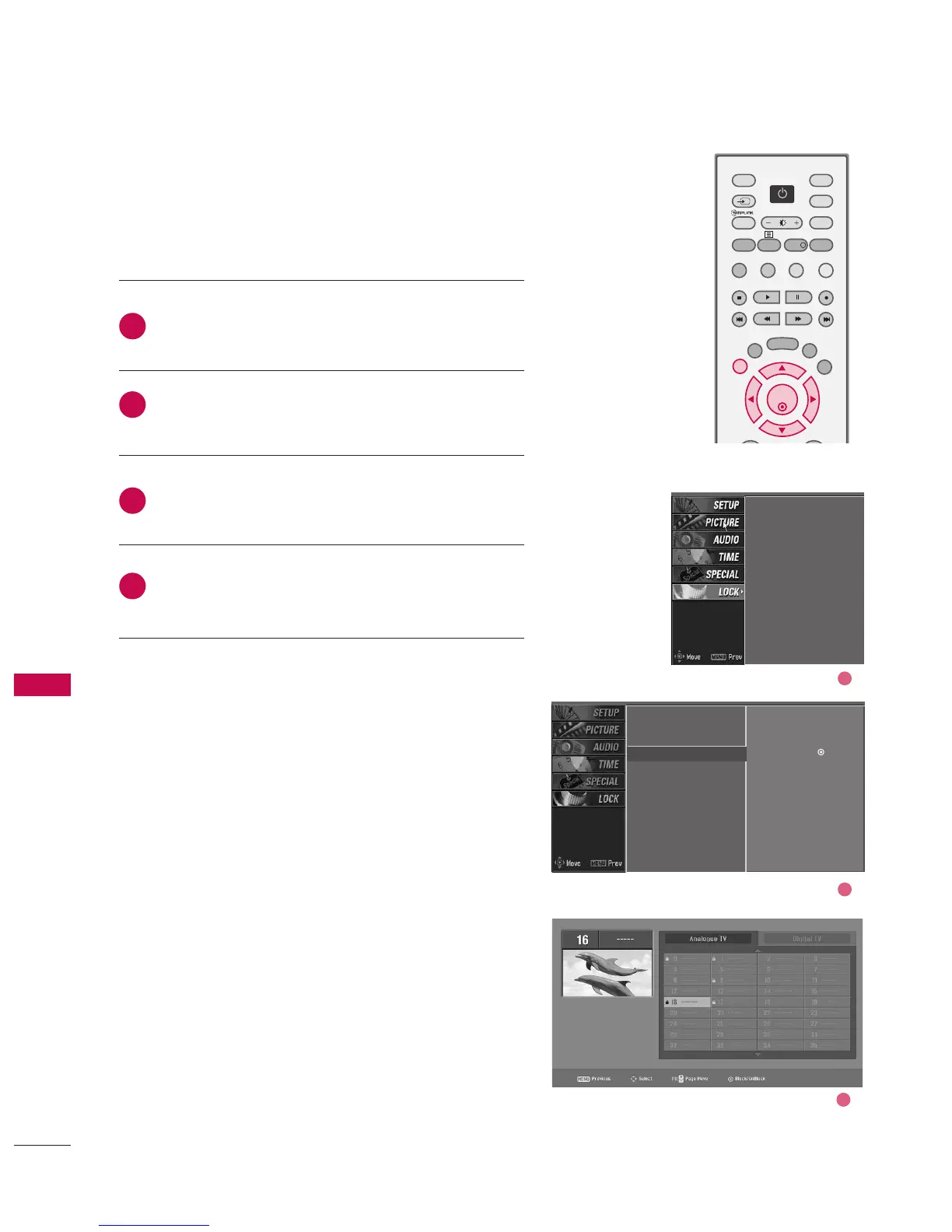
After inputting the password, use the
DD
or
EE
button
to choose BBlloocckk pprrooggrraammmmee.
Press the
GG
button. You will now see a screen filled
with channel numbers and a preview picture.
Use
DD
or
EE
or
FF
or
GG
buttons to select a channel
and then use the OOKK button to block or unblock it.
Press EEXXIITT button to return to normal TV viewing.
Lock system
Set password
Block programme
G
Parental guidance
Aux. block
Selection (
G
or
) leads
you to the block programme
screen.
Lock system
Set password
Block programme
Parental guidance
Aux. block
2
3
4
1
Select a channel number that you wish to block.
2
3
1
PARENTAL CONTROL /RATINGS
PARENTAL CONTROL/RATINGS



 To Next Page