56
PICTURE CONTROL
PICTURE CONTROL
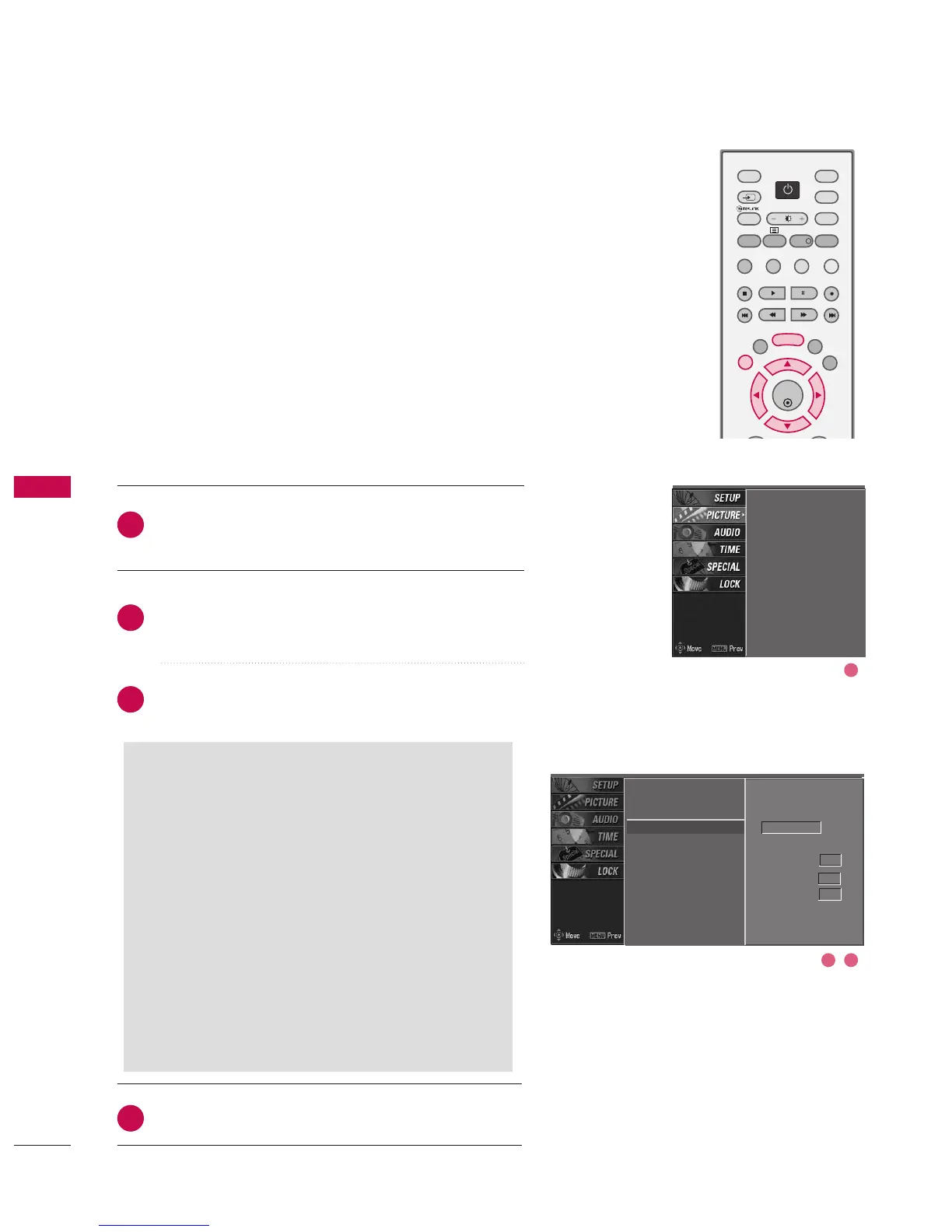
Press the MMEENNUU button and then use
DD
or
EE
button
to select the PPIICCTTUURREE menu.
Press the
GG
button and then use
DD
or
EE
button to
select XX DD.
Press the
GG
button and then use
DD
or
EE
button to
select AAuuttoo or MMaannuuaall.
Press EEXXIITT button to return to normal TV viewing.
XD is LG Electronics’ unique picture improving technology
to display a real HD source through an advanced digital
signal processing algorithm.
When selecting PSM options (Dynamic, Standard and
Mild), XD is automatically changed to Auto.
But when selecting PSM options (User 1 and User 2), you
can choose the Auto / Manual.
When selecting the Manual, you can adjust the XD con-
trast, XD colour and XD noise.
PSM
Colour temperature
XD
G
Advanced
Video preset
Manual
XD contrast On
XD colour On
XD noise On
PSM
Colour temperature
XD
Advanced
Video preset
2
3
4
1
SSeelleeccttiinngg tthhee MMaannuuaall
1. Press the
GG
button and then use
FF
or
GG
but-
ton to select XXDD ccoonnttrraasstt, XXDD ccoolloouurr or
XXDD nnooiissee.
■
XXDD ccoonnttrraasstt:: Optimizing the contrast
automatically according to the brightness of
the reflection.
■
XXDD ccoolloouurr:: Adjusting the colours of the
reflection automatically to reproduce as
closely as possible to natural colours.
■
XXDD nnooiissee :: Removing the noise up to the
point where it does not damage the original
picture.
2. Use the
DD
or
EE
button to select OO nn or OO ffff.
XD - PICTURE IMPROVEMENT TECHNOLOGY
2 3
1



 To Next Page