50
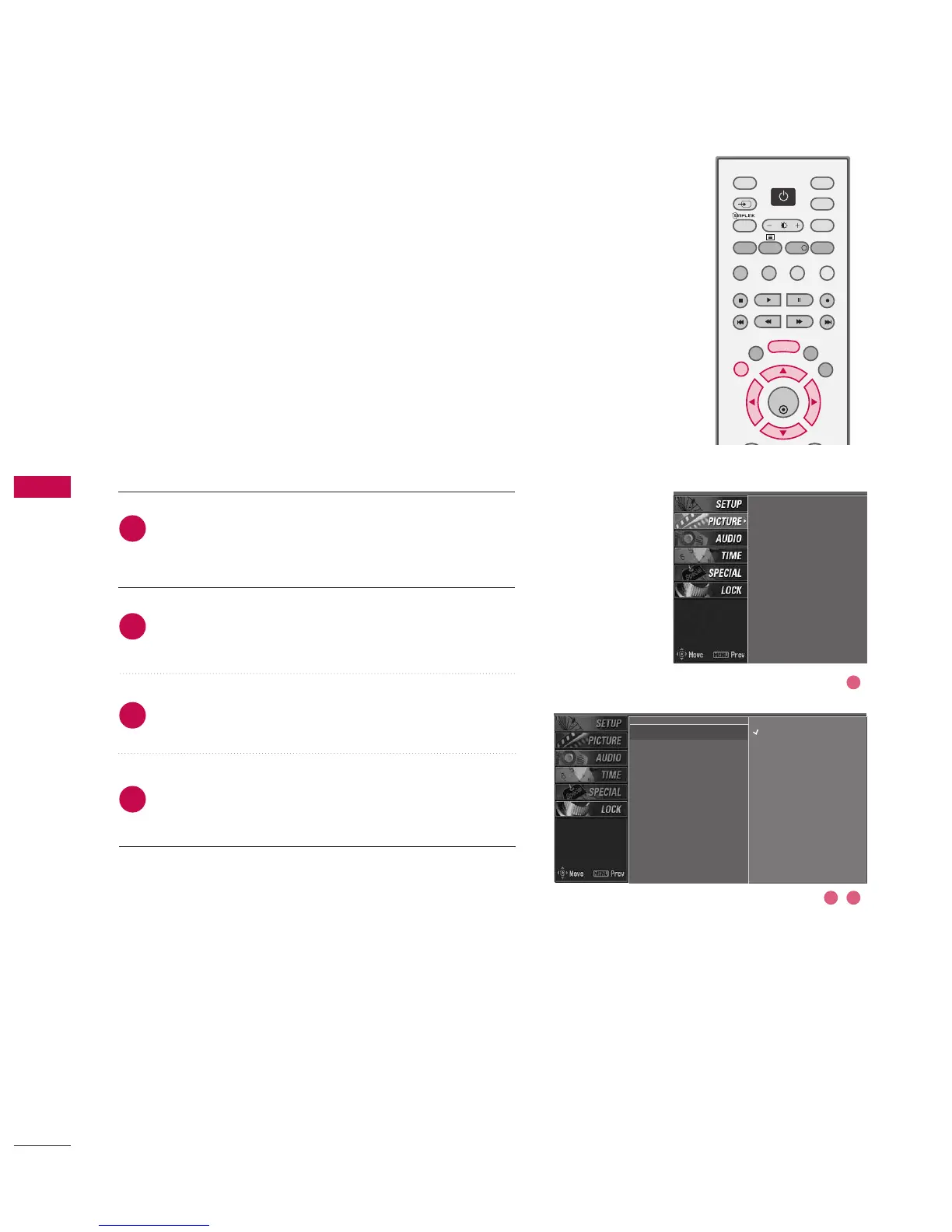
PRESET PICTURE SETTINGS
This function adjusts the set to the best picture appearance.
When adjusting picture options (contrast, brightness, colour,
sharpness and tint) manually, PSM is automatically changed to
User.
Picture options Dynamic, Standard, and Mild are preset and
programmed for good picture quality at the factory and cannot
be changed.
Press the MMEENNUU button and then use
DD
or
EE
button
to select the PPIICCTTUURREE menu.
Press the
GG
button and then use
DD
or
EE
button to
select PPSSMM.
Press the
GG
button and then use
DD
or
EE
button to
select DDyynnaammiicc, SSttaannddaarrdd, MMiilldd, UUsseerr11, or UUsseerr22.
Press EEXXIITT button to return to normal TV viewing.
2
4
3
1
PSM
G
Colour temperature
XD
Advanced
Video preset
Dynamic
Standard
Mild
User1
User2
PSM
Colour temperature
XD
Advanced
Video preset
2 3
1



 To Next Page