EasyManua.ls Logo

LG 32LCD7D-AB - Balance

LG 32LCD7D-AB
98 pages
Print Icon
To Next Page IconTo Next Page
To Previous Page IconTo Previous Page
Loading...
65
SOUND & LANGUAGE CONTROL
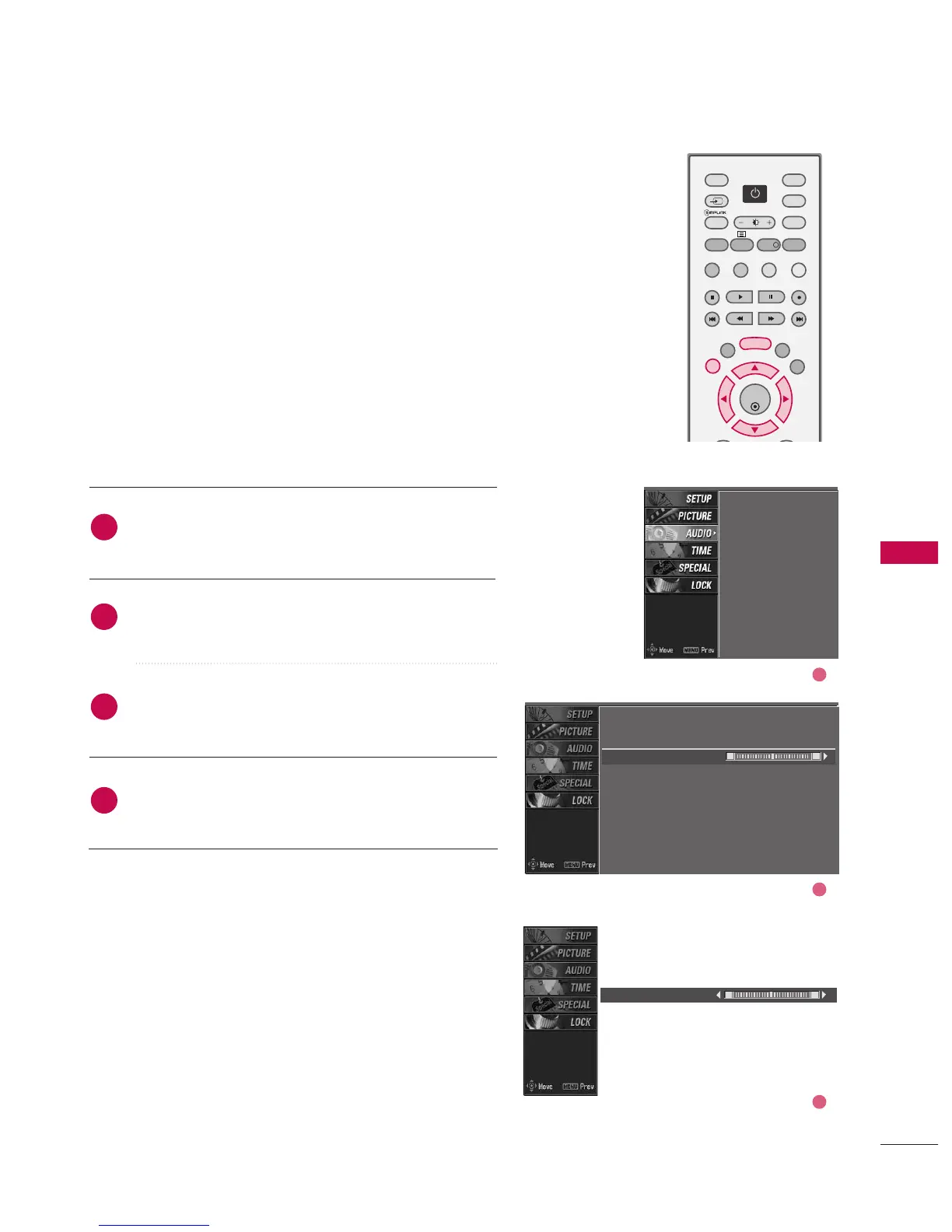
BALANCE
Press the MMEENNUU button and then use
DD
or
EE
button
to select the AAUUDDIIOO menu.
Press the
GG
button and then use
DD
or
EE
button to
select BBaallaannccee.
Press the
GG
button and then use
FF
or
GG
button to
make appropriate adjustments.
Press EEXXIITT button to return to normal TV viewing.
Adjust the left/right sound of speaker to suit your taste
and room situations.
L R
Balance 0
2
3
4
1
SSM
AVL
Balance
TV Speaker
SSM
AVL
Balance 0
TV Speaker
L R
2
3
1
OK
TVD/A
INPUT
DVD
EXIT
LIST
MENU
TEXT
GUIDE
VCR
POWERPOWER
RATIO
FAV
SUBTITLE
BRIGHT
INFO
!
INPUT
MODE
SIMPLINK
POWER

Table of Contents

Related product manuals