37
WATCHING TV/PROGRAMME CONTROL
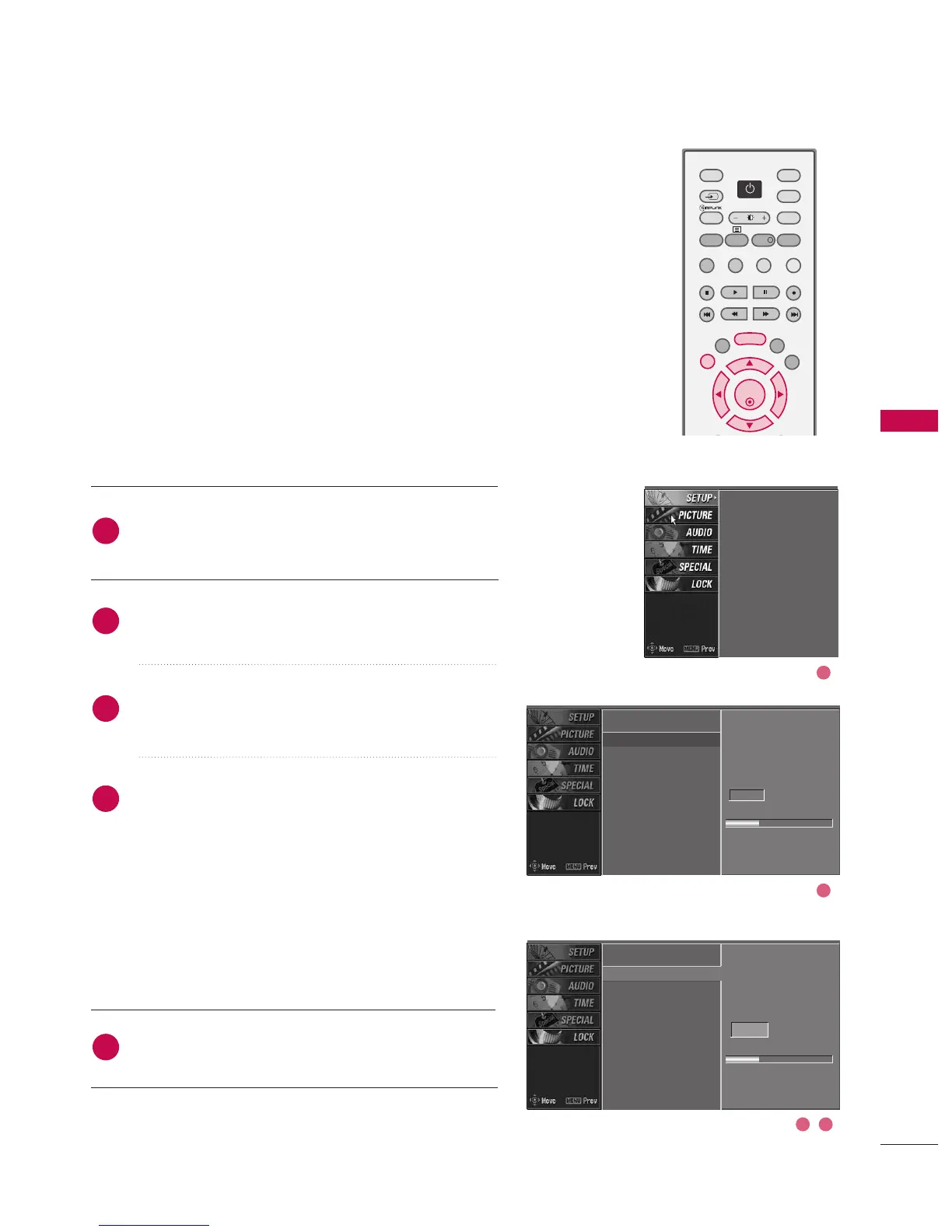
MANUAL PROGRAMME TUNING
Press the MMEENNUU button and then use
DD
or
EE
button
to select the SSEETTUUPP menu.
Press the
GG
button and then use
DD
or
EE
button to
select MMaannuuaall pprrooggrraammmmee.
Press the
GG
button and then use
DD
or
EE
button to
select the programme number you want to add.
Press the OOKK button to store the programme. When
the programme number you want to add is already
added in programme list, the message ““AAllrreeaaddyy pprroo--
ggrraammmmeedd cchhaannnneell.. DDoo yyoouu wwaanntt ttoo uuppddaattee??””
will appear. If you want to keep on manual program-
ming, select YES with using
FF
or
GG
button . Then,
press the OOKK button. Otherwise select NNOO.
When the programme is stored, the Programme edit
menu appears on the screen. See the ‘Programme Edit’
section to edit the stored programme.
Press EEXXIITT button to return to normal TV viewing.
Auto programme
Manual programme
G
Programme edit
Signal strength
Set ID
Auto programme
Manual programme
Programme edit
Signal strength
Set ID
Auto programme
Manual programme
Programme edit
Signal strength
Set ID
2
1
4
3
5
Select the digital
channel
for manual scanning
7
Signal strength
DD
EE
In Digital Mode
Manual programme lets you manually add a programme to
your programme list.
Select the digital
channel
for manual scanning
7
Signal strength
3 4
2
1



 To Next Page