38
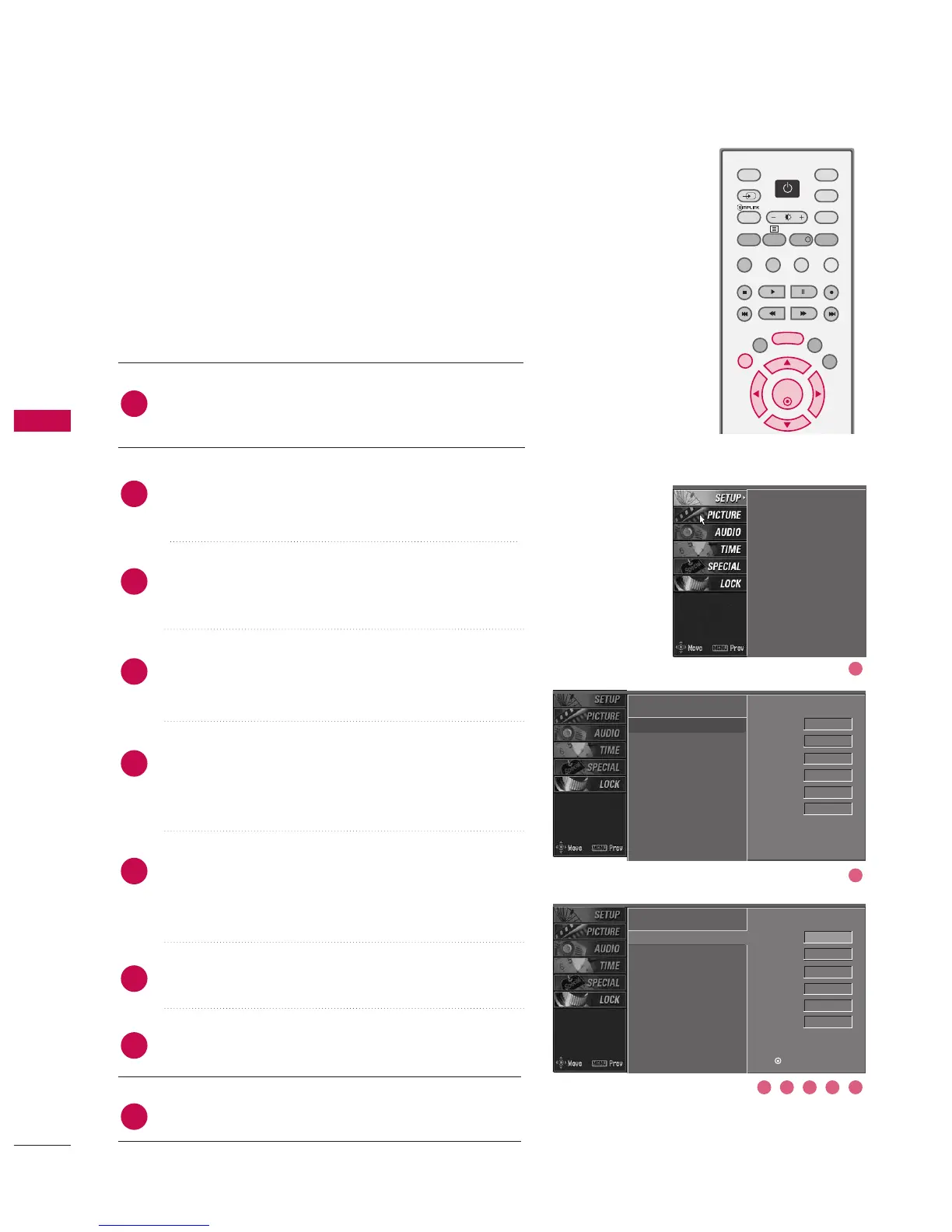
MANUAL PROGRAMME TUNING
Continued
In Analogue Mode
Manual programme lets you manually tune and arrange the sta-
tions in whatever order you desire. Also you can assign a station
name with five characters to each programme number.
Auto programme
Manual programme
G
Programme edit
Signal strength
Set ID
Auto programme
Manual programme
Programme edit
Signal strength
Set ID
Press the MMEENNUU button and then use
DD
or
EE
button
to select the SSEETTUUPP menu.
Press the
GG
button and then use
DD
or
EE
button to
select MMaannuuaall pprrooggrraammmmee.
Press the
GG
button to select BBaanndd. Press the
DD
or
EE
button to select VV//UUHHFF or CCaabbllee as required.
Press the
GG
button to select CChhaannnneell. Press the
DD
or
EE
button to select the desired channel number.
Press the
GG
button to select SSeeaarrcchh. Press the
DD
or
EE
button to commence searching. If a station is found
the search will stop.
If this station is the one required, press the
FF
or
GG
button to select Storage. Select the desired pro-
gramme number with the
DD
or
EE
button.
Press the OO KK button to store it.
To store another station, repeat steps 3 to 7.
Press EEXXIITT button to return to normal TV viewing.
2
1
4
5
6
7
8
3
9
Auto programme
Manual programme
Programme edit
Signal strength
Set ID
DD
EE
Band V/UHF G
Channel 1
Search
Up/Down
Fine
Up/Down
Name - - - - -
Storage 0
Band V/UHF
Channel 1
Search
Up/Down
Fine
Up/Down
Name - - - - -
Storage 0
Press (OK) to store.
3 4 5 6 7
2
1



 To Next Page