70
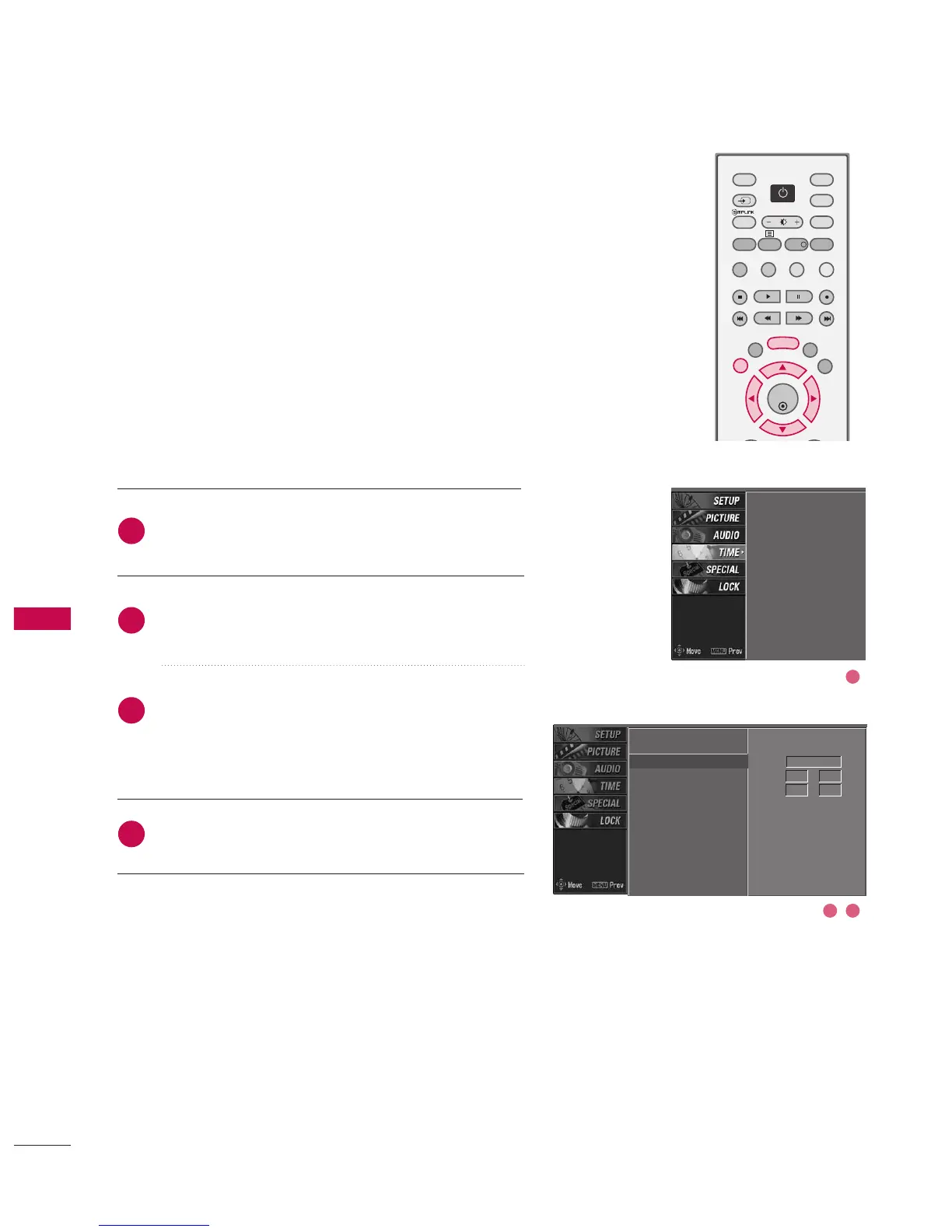
MANUAL CLOCK SETTING
Press the MMEENNUU button and then use
DD
or
EE
button
to select the TTIIMMEE menu.
Press the
GG
button and then use
DD
or
EE
button to
select MMaannuuaall cclloocckk.
Press the
GG
button and then use
FF
or
GG
to select
either the year, date, or time option. Once selected,
use the
DD
or
EE
button to set the year, date, and time
options.
Press EEXXIITT button to return to normal TV viewing.
If the current time setting is wrong, reset the clock manually.
Auto clock
Manual clock
G
Off time
On time
Sleep timer
Auto sleep
Year - - - -
Date - - / - -
Time - - : - - - -
Auto clock
Manual clock
Off time
On time
Sleep timer
Auto sleep
2
3
4
1
2 3
1



 To Next Page