OPERATION SETTING
1110
OPERATION SETTING
ENGLISH
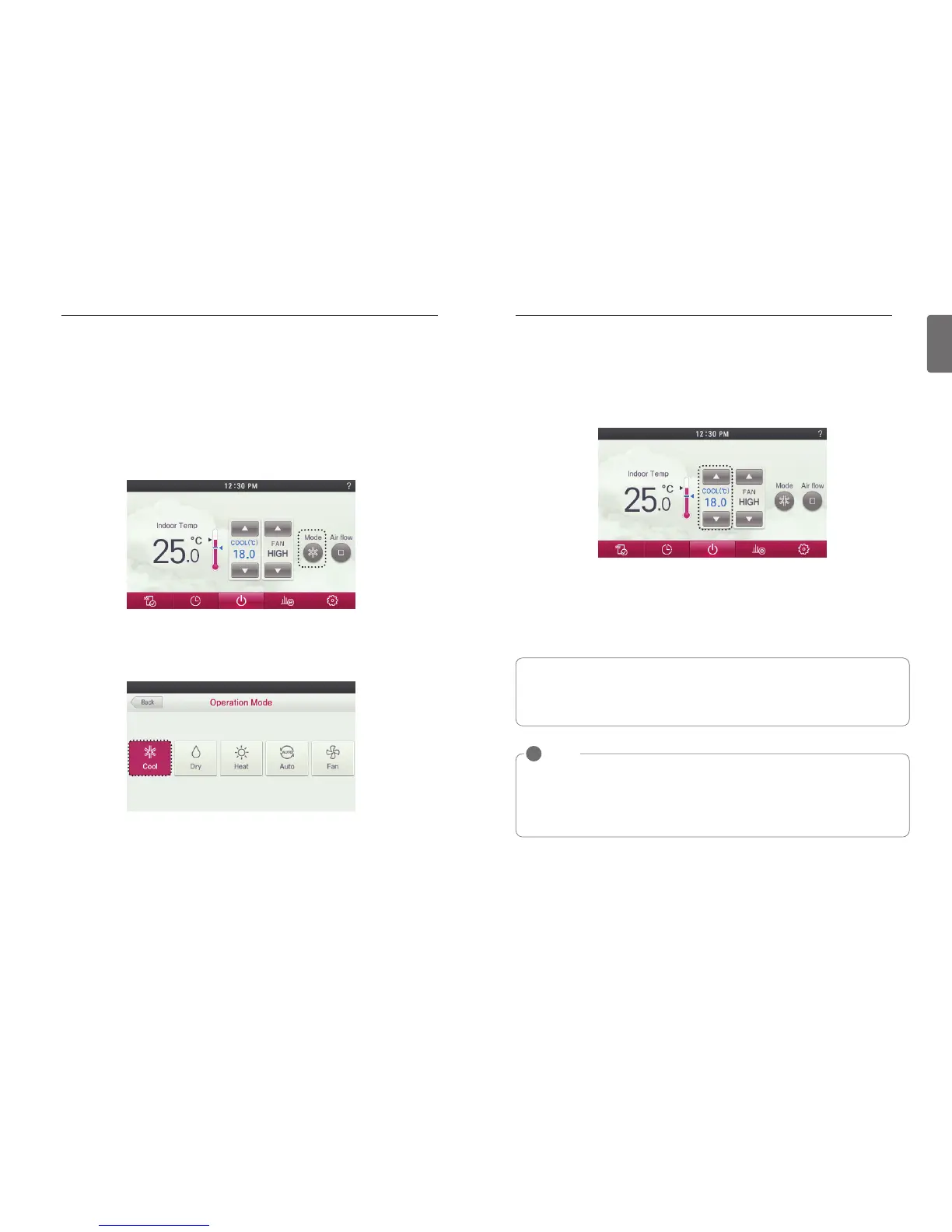
● In operation mode selection screen, press the ‘Cool’ button.
- The initial temperature set for cooling operation is 18°C (64°F).
● Press remote controller screen 1 time to turn on.
- If remote controller operation is not used, screen will go into energy savings mode.
● During the operation of the product, press the mode button on the screen.
- The operation mode selection screen is displayed.
● If you press On/Off button during the use, product operation will stop.
● Press the temperature control button to adjust the desired Indoor temperature.
- Indoor temperature is displayed on the remote controller default screen.(As below the pic-
ture)
- Depending on the indoor unit type, the desired temperature can be controlled in increments
1°C or 0.5°C(2°F or 1°F)
h If the desired temperature is set higher thermal cooling does not turn on and only the fan will
operate.
NOTE
!
• Setting temperature range :
Option 1. 64~86 °F (18~30 °C) (default setting)
Option 2. 64~99 °F (18~37.5 °C)
Option 3. 50~99 °F (10~37.5 °C) (if connecting to indoor unit with 2set point function)
• The difference between the indoor temperature and the outdoor temperature is recom-
mended to be 5 °C.
What is a 3 minute delay function?
If the indoor unit is operated right after stopping the cooling, no thermal cooling is allowed.
This function protects the compressor from malfunctioning. Compressor starts 3 minutes
after and the fan starts.
General Cooling Operation
Maintains proper cooling comfort.


 To Next Page
 Loading...