135
ENGLISH
134
USER SETTING
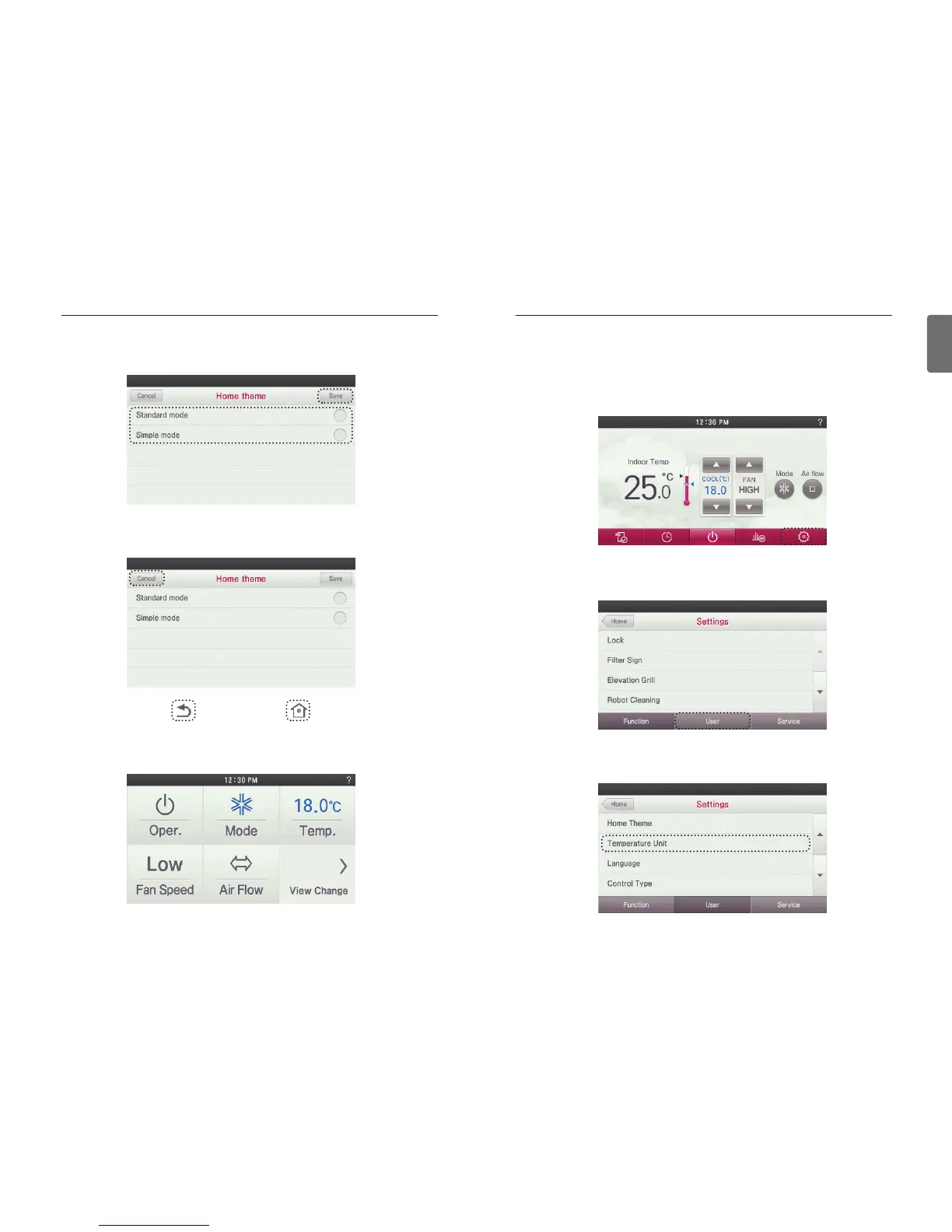
● Press the screen’s Set’ button.
- It moves to the settings menu screen.
● In setting screen, press ‘User’ button.
- It moves to the User Setting screen.
● In User Setting screen, press ‘Temperature Unit’ button.
- It moves to the Temperature Unit Setting screen.
Temperature Unit Setting
This function allows you to set your unit of measure in whole or half degree increments.
USER SETTING
●
Select the desired Screen Mode and press the Save button.
Simple mode displays only the frequently used functions in the main screen.
● If you press ‘Cancel’, ‘Go Back’, or ‘Home’ button, without pressing 'Save', the Home Theme
screen will be closed and your changes will not be applied.
●
If you choose the Easy Mode theme, you will see the following screen as your main screen. Note
that only the major functions are displayed in this display mode.


 To Next Page
 Loading...