Windows XP Installation Instructions
B
C-DiGit User Manual B-9
12. Proceed with Step 12 of Quick Start Tutorial (Section 2)
If you have established a connection with the C-DiGit Blot Scanner, you can
continue with the Quick Start Tutorial at Step 12, in Section 2. If you have
been unable to establish a connection, further instructions are given below.
Still Can’t Connect?
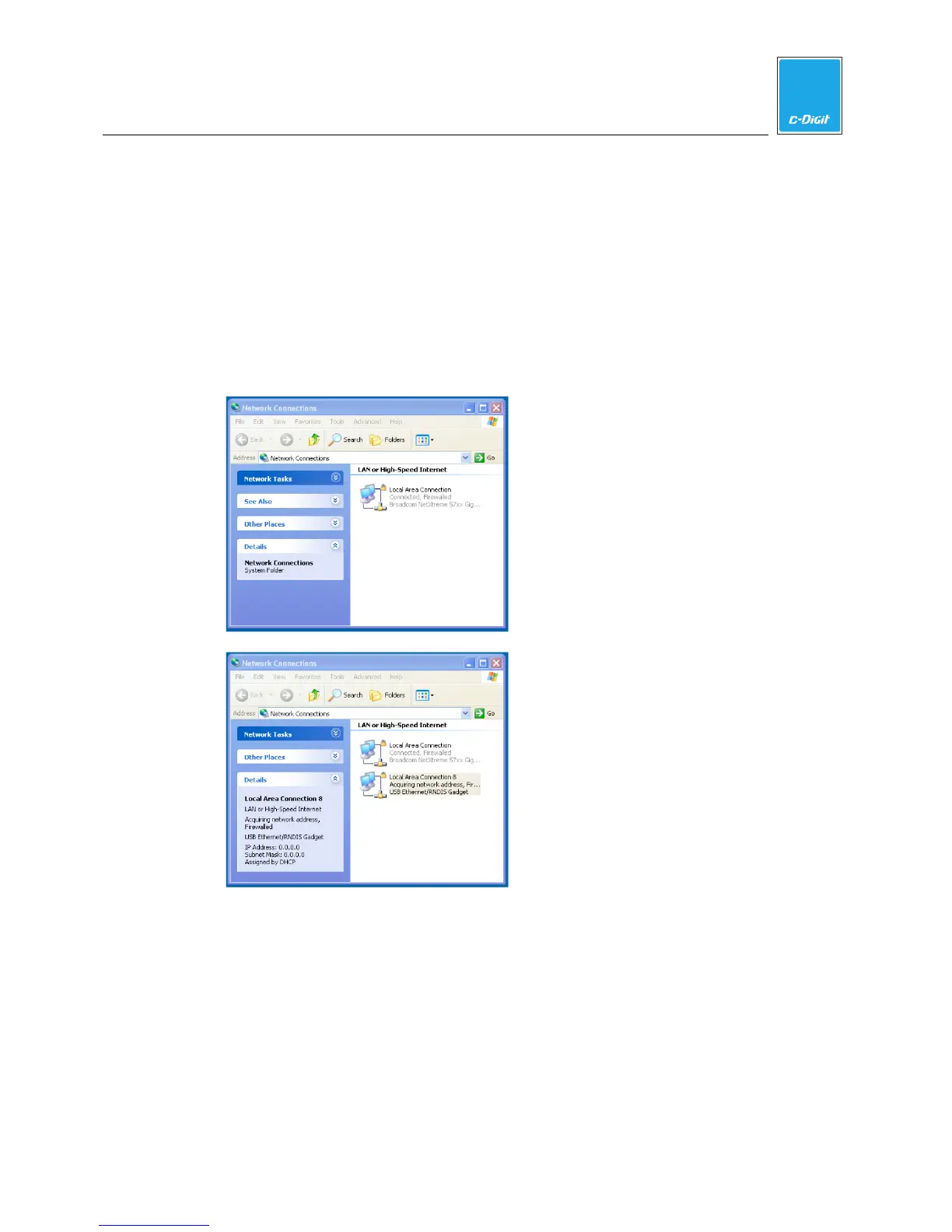
Click the Windows Start menu and choose My Network Places. Click View
Network Connections. The examples below show three possible Network
Connection windows that may be displayed:
Displays the network status when the C-
DiGit Blot Scanner is NOT attached.
Displays the network status when the C-
DiGit Blot Scanner is attached but
communication has not yet been
established. Note the IP Address of
0.0.0.0 in the Details panel when the
new device is selected.



 To Next Page