Windows XP Installation Instructions
B
C-DiGit User Manual B-8
NOTE: You can find the serial number on a label on the underside of the
instrument.
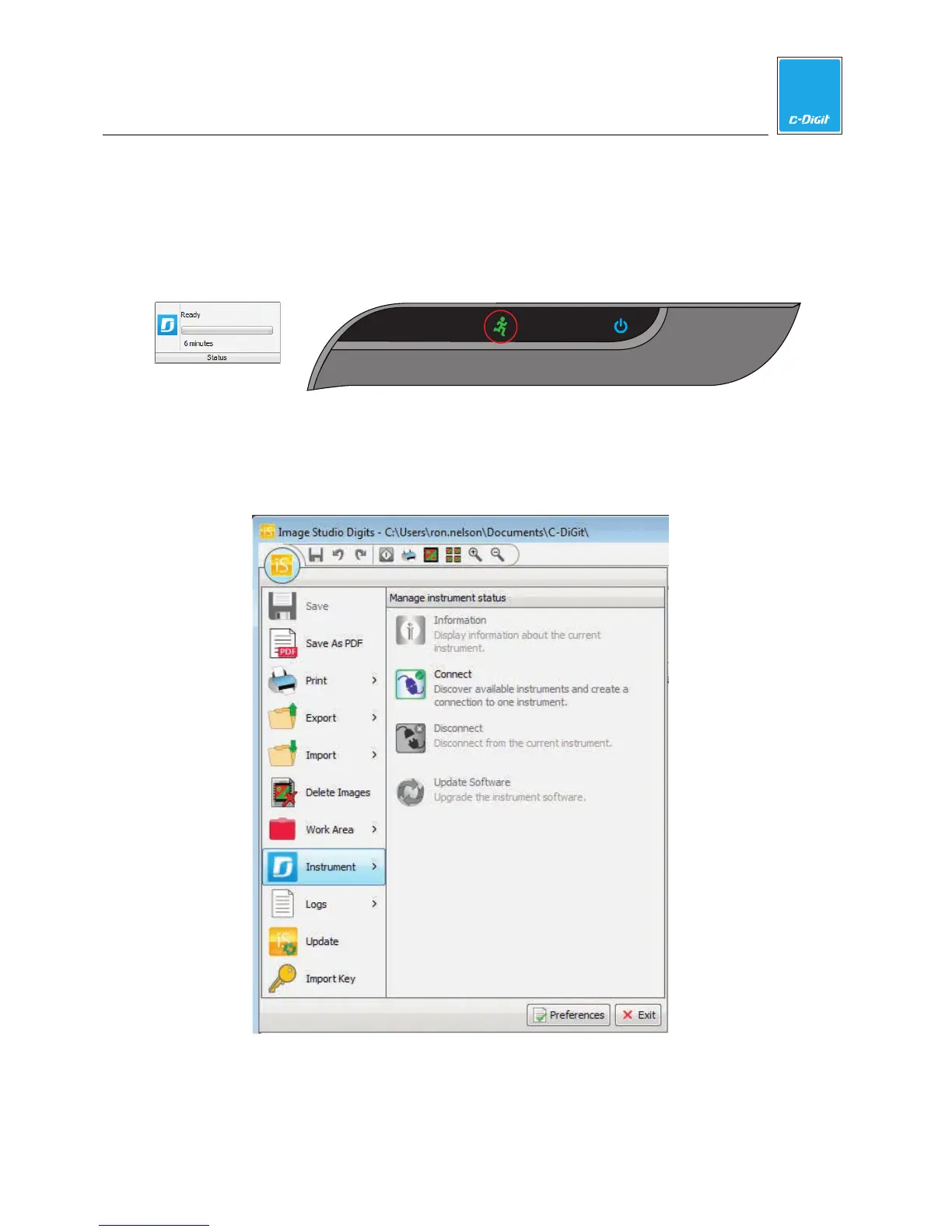
When a connection is established, the green indicator light (below) will
illuminate on the instrument front panel, and the Status panel in the Image
Studio window will display ‘Ready’.
If a connection is not automatically established, click on the Image Studio Icon
in the upper lefthand corner of the main window (below), hover over
“Instrument” and click “Connect”. When a connection is established, you will
see the green indicator light illuminate on the instrument front panel (above).



 To Next Page