Quick Start Tutorial
2
C-DiGit User Manual 2-2
Click here to watch a video that describes the requirements for
Image Studio.
Macintosh
®
Users
Note: Compatible with OS X 10.6 (Snow Leopard), 10.7 (Lion), or 10.8
(Mountain Lion).
1. Place installation CD into drive.
2. If installation does not start immediately, browse the Desktop and double-
click on MacImageStudio-3.x.dmg.
3. Click Agree to accept the license agreement.
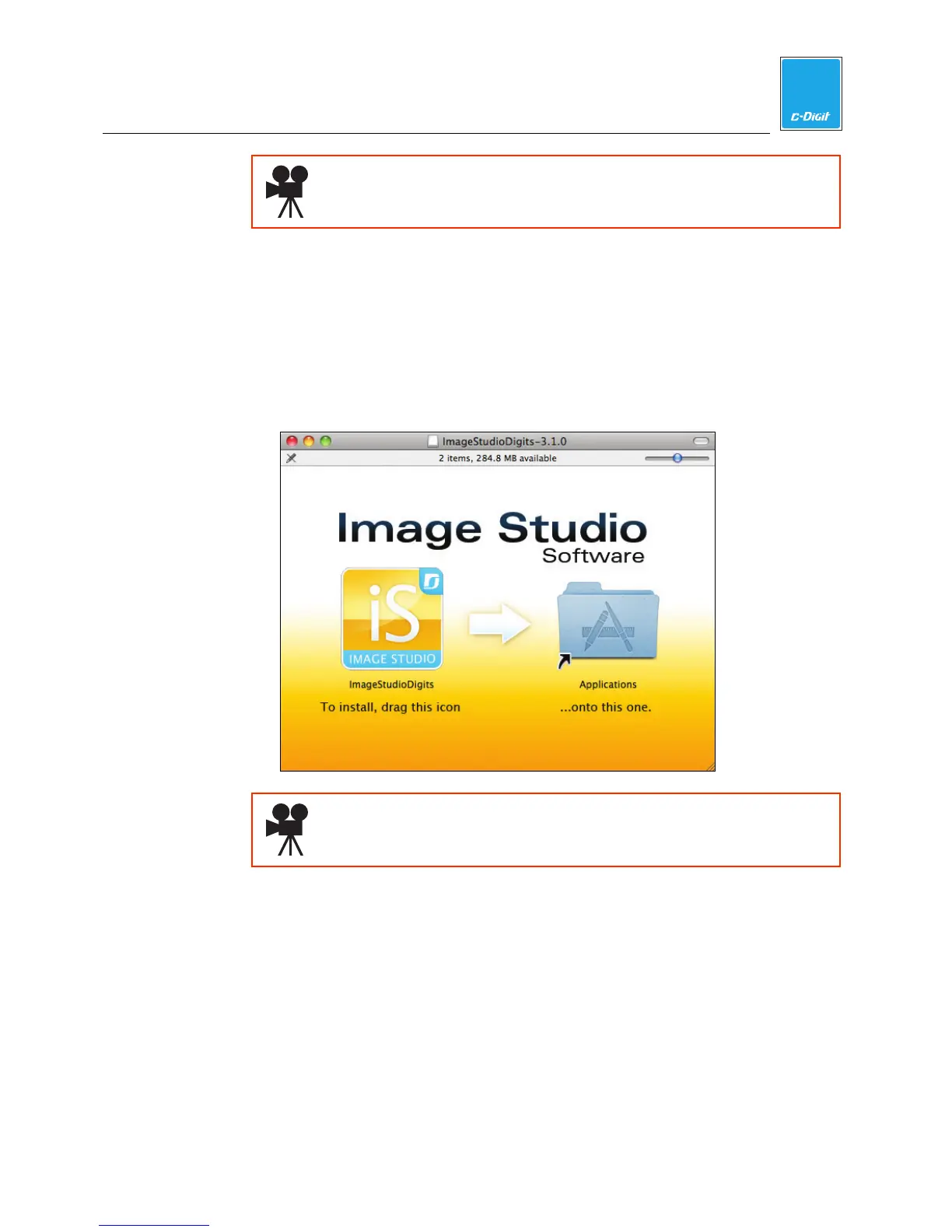
4. To install, drag the Image Studio icon into the Applications folder.
Click here to watch a video that demonstrates how to install Image
Studio on a Macintosh computer.
PC Users
Note: Compatible with Windows
®
7, XP*, or Vista.
1. Place installation CD into drive.
2. If installation does not start immediately, browse to the CD or Desktop and
double-click on Win Image Studio Digits Installer_3.1.x.exe.
3. Click Agree to accept the license agreement.
4. Follow the instructions to install the Image Studio software.
* Windows
®
XP may require a more extensive installation procedure, found
in Appendix B.



 To Next Page