Trackit Mk3 User Manual
72
this feat ure if a regular connection to t he Isolator is m ade. Also not e that it is possible to m an-
ually init iate a backup batt ery charge sequence.
Trackit Default Options | Tab 4 (Bluetooth Module)
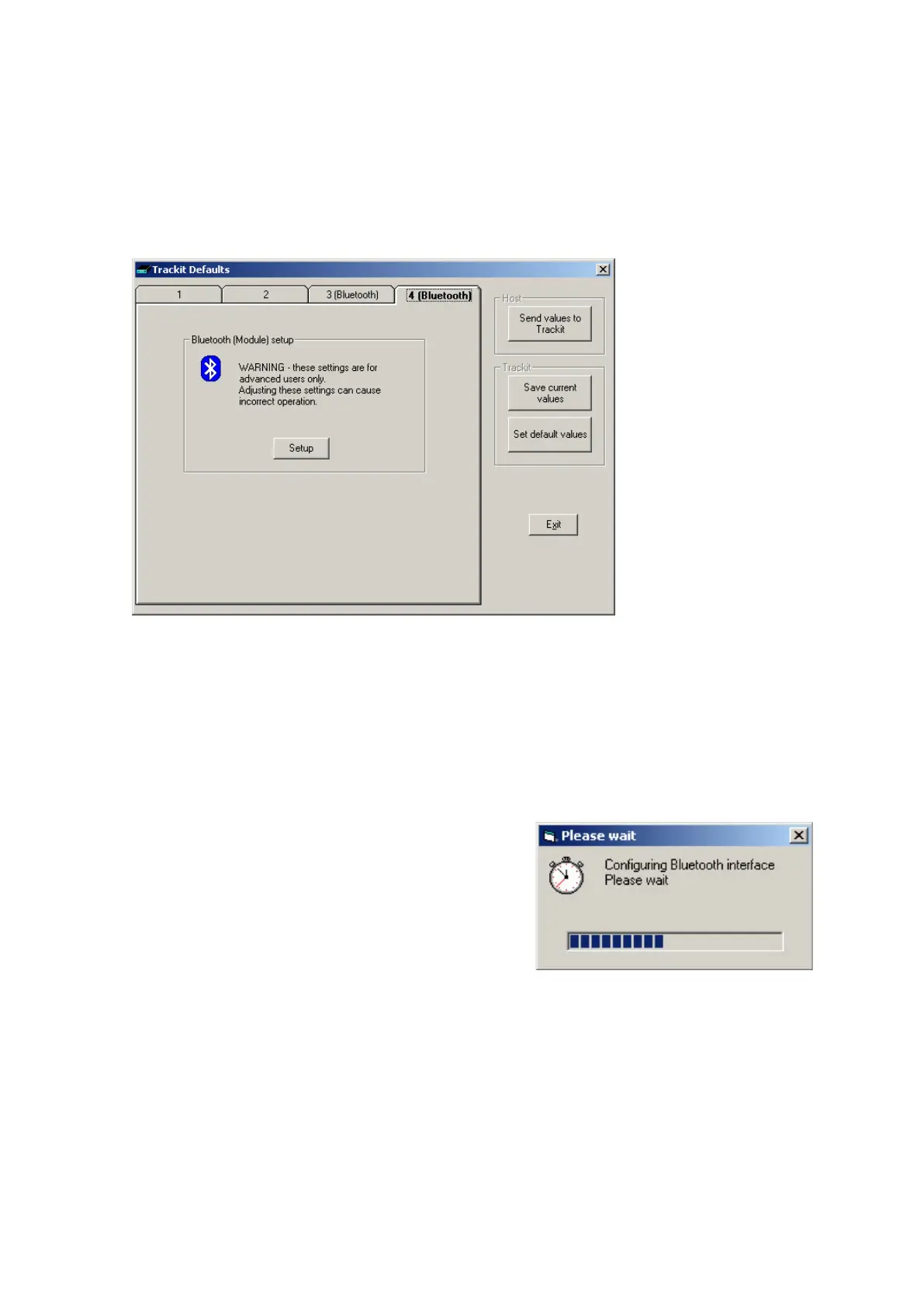
Tab 4 cont ains t he third set of Bluet oot h opt ions as shown in Figure 55 below.
Figur e 5 5 Tra ckit De fault s Ta b 4
CAUTI ON : Access is provided here to t he full set of Bluetoot h configurat ion param et ers in the
Module. Adjust ing t hese set tings can cause incorrect operation. Please contact your Trackit Service
Represent ative before adj usting these set t ings.
The set up of t he Bluet ooth Module it self is accom plished over t he Bluetoot h link curr ent ly est ab-
lished. This m eans that no ext ra hardware is required t o connect in som e ot her way to t he Module
– it rem ains connected to t he Trackit .
Clicking on the Setup but t on inst ruct s t he Trackit t o enter
a special m ode to enable the set up- over- Bluet oot h func-
tion. During t his t im e the connect ion m ust be dropped
m om entarily and then re- connected. The entire process is
autom atic and t akes about 5 seconds.
Aft er the configurat ion process has finished, access is
provided t o the m ain Bluetooth Set up panels shown be-
low.
Bluetooth Setup | Tab 1 (General)
The Bluet ooth Set up screen is show n in Figure 56 below. I t should be not ed that even t hough t he
Trackit has put t he Bluetooth Module int o t he special Setup- over- Bluet oot h m ode, no changes are
allowed until a special com m and sequence has been sent to t he m odule. This procedure guards
against casual browsers being able t o adjust sett ings ( t here is m uch m ore inform ation about secu-
rit y lat er on). Clicking on the Con ne ct but t on sends t he special com m and and also r eads from the
Bluetoot h Module all it s current sett ings which are displayed in the various t ab panels.
Clicking on the Re a d butt on causes a re- read of all t he Module’s param et ers.



 To Next Page