Trackit Mk3 User Manual
74
Bluetooth Setup | Tab 2 (Profile)
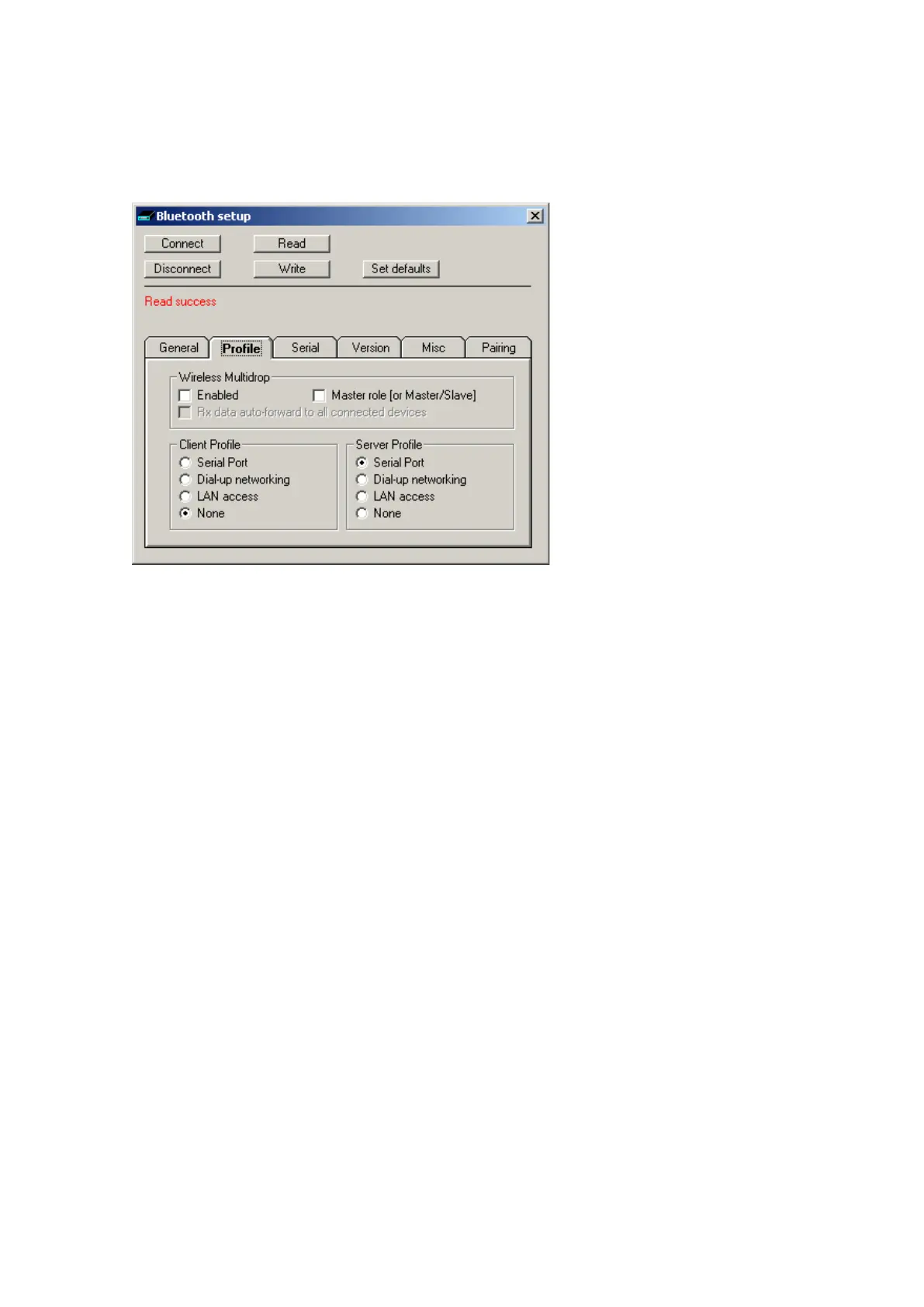
Tab 2 cont ains t he second set of Bluet oot h opt ions as shown in Figure 57 below.
Figur e 5 7 Tra ck it De f a ult s | Bluet ooth Set up Ta b 2 ( Profile)
Wireless Multidrop
This sect ion covers the m ult iple-connection capabilit ies of the Module. It is possible for several
Bluetoot h devices wit hin range of each ot her to set up a ‘piconet’ am ongst t hem selves, whereby
each device can have connect ions t o several ot her devices sim ult aneously. I n this m ode several re-
m ote devices can connect sim ult aneously to t he sam e Trackit . All data t ransm it t ed by t he Trackit is
transm it t ed t o all connect ed clients (t he individual applications filter out the specific dat a of int er-
est ) . For received dat a, t he Trackit receives all dat a transm it t ed by all clients (t he Trackit m aintains
a separat e dat a flow pat h for each client) .
I n Trackit t erm s, t he first connect ion is the MASTER and it has full control capabilit ies. Subsequent
connections becom e GUESTs and they have lim it ed control capabilit ies. I t is possible to individually
enable each client application as to whether it can becom e a Guest connect ion or not.
I t should be noted t hat not all rem ote Bluetoot h devices handle m ult idrop/ piconet connect ions very
well and som e will experience dropped connect ions and loss of dat a. Refer t o t he Knowledge Base
for additional inform at ion.
I t should be noted t hat wit hin t he Bluet ooth specification t here is provision for such piconets to
them selves connect t o ot her piconets – the com bination being called a ‘scat t ernet’. I n such a sit ua-
tion, each piconet m ust designat e a Mast er device with all the ot hers in the piconet being Slaves. I t
is t he Mast ers in each piconet which m aint ain t he scat ternet. Such a com plex t opology is beyond
the scope of t his docum ent but t he brief description is given for com pleteness. I t is the reason for
providing the M a st er r ole [ or Ma st e r/ Sla ve ] option in t he panel.
• En a ble d. I f t icked several rem ot e devices can connect sim ult aneously to t he sam e Trackit. Ot h-
erwise m ult iple connections are disabled. Note t hat if ticked t hen t he M aster r ole [ or M a s-
ter/ Slave] should also be ticked. I f unticked then the Ma st e r r ole [ or Ma st e r / Slave ] should
also be unt icked.
• Mast e r role [ or Ma ste r/ Sla ve] . I n som e of t he m ore com plex topological arrangem ents it is
som etim es necessar y for a device t o swit ch from being a Mast er t o a Slave and vice-versa. I n
the Trackit sit uat ion this param et er should have the sam e set t ing as that for the Ena ble d pa-
ram et er. I f Ena ble d is ticked t hen M a st e r r ole [ or Ma st e r/ Sla ve ] should also be t icked. If
En a ble d is unt icked t hen M aster role [ or Ma st e r/ Slave ] should also be unt icked.



 To Next Page