Trackit Mk3 User Manual
75
Client Profile
• Serial Port
• Dial- up net w orking
• LAN access
• None
This lists all t he possible services offered by t he Module when operat ing as a client. In the Trackit
sit uat ion, t he Module is always t he server ( it accepts incom ing connections) and never a client.
This option should only be set t o N one .
Server Profile
• Serial Port
• Dial- up net w orking
• LAN access
• None
This list s all the possible services offered by the Module when operat ing as a Server. I n t he Trackit
sit uat ion, t he Module provides a Serial Port Protocol service ( SPP) and t his is the only option that
should be select ed.
Bluetooth Setup | Tab 3 (Serial)
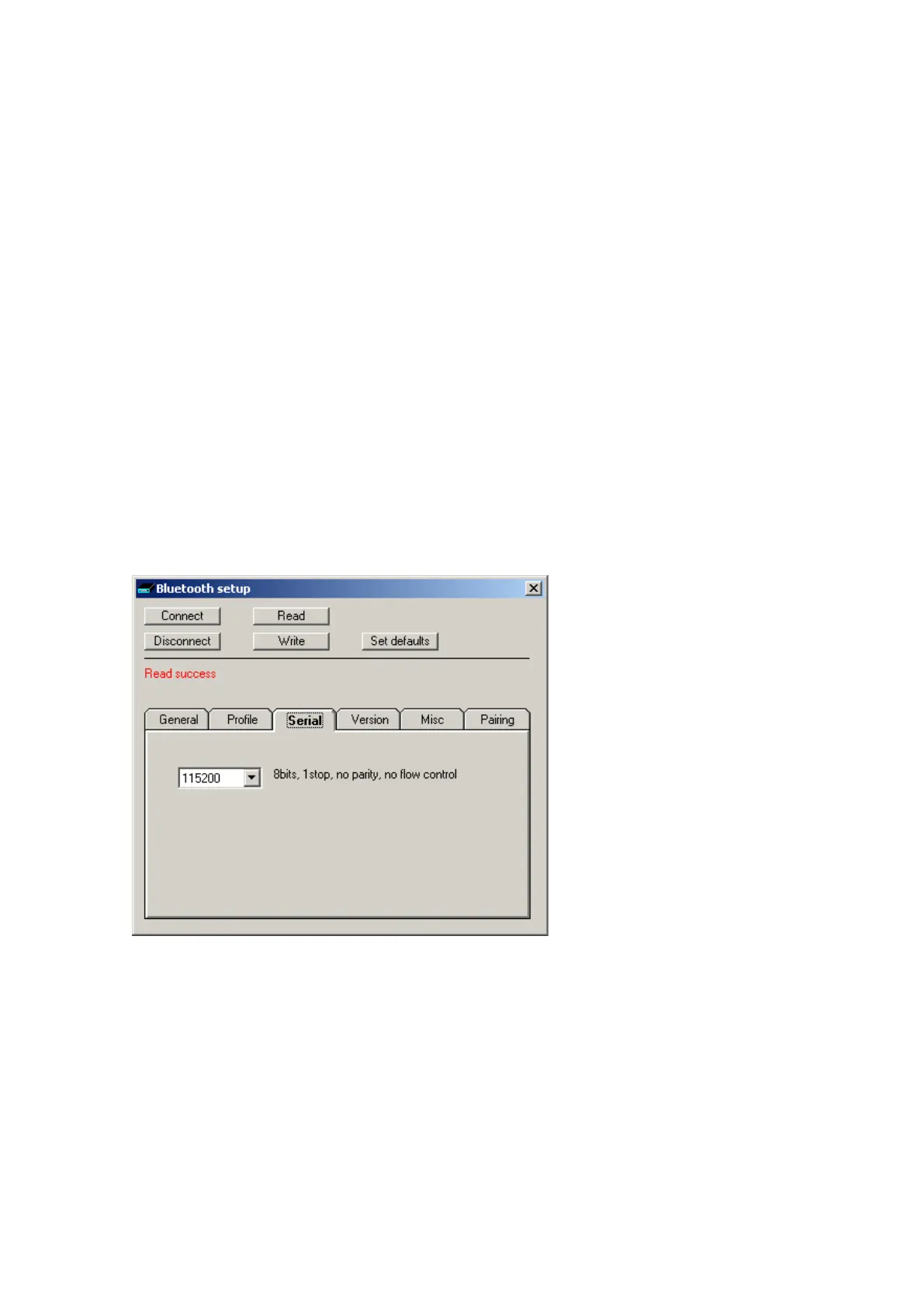
Tab 3 cont ains t he third set of Bluet oot h opt ions as shown in Figure 58 below.
Figur e 5 8 Tra ckit De fa u lt s | Blue t oot h Set u p Ta b 3 ( Se r ia l)
This option displays t he current Baud rat e of t he Module. The applicat ion default s it t o 115200
Baud which is suit able for Trackit Mk1 applications. For Trackit Mk2 applications, the connect ion
speed is 230400 Baud. Not e, however, t hat when configuring over a Bluet ooth connection, it is not
necessar y t o change t his param et er from t he default .
Bluetooth Setup | Tab 4 (Version)
Tab 4 cont ains t he fourt h set of Bluetooth options as shown in Figure 59 below.



 To Next Page