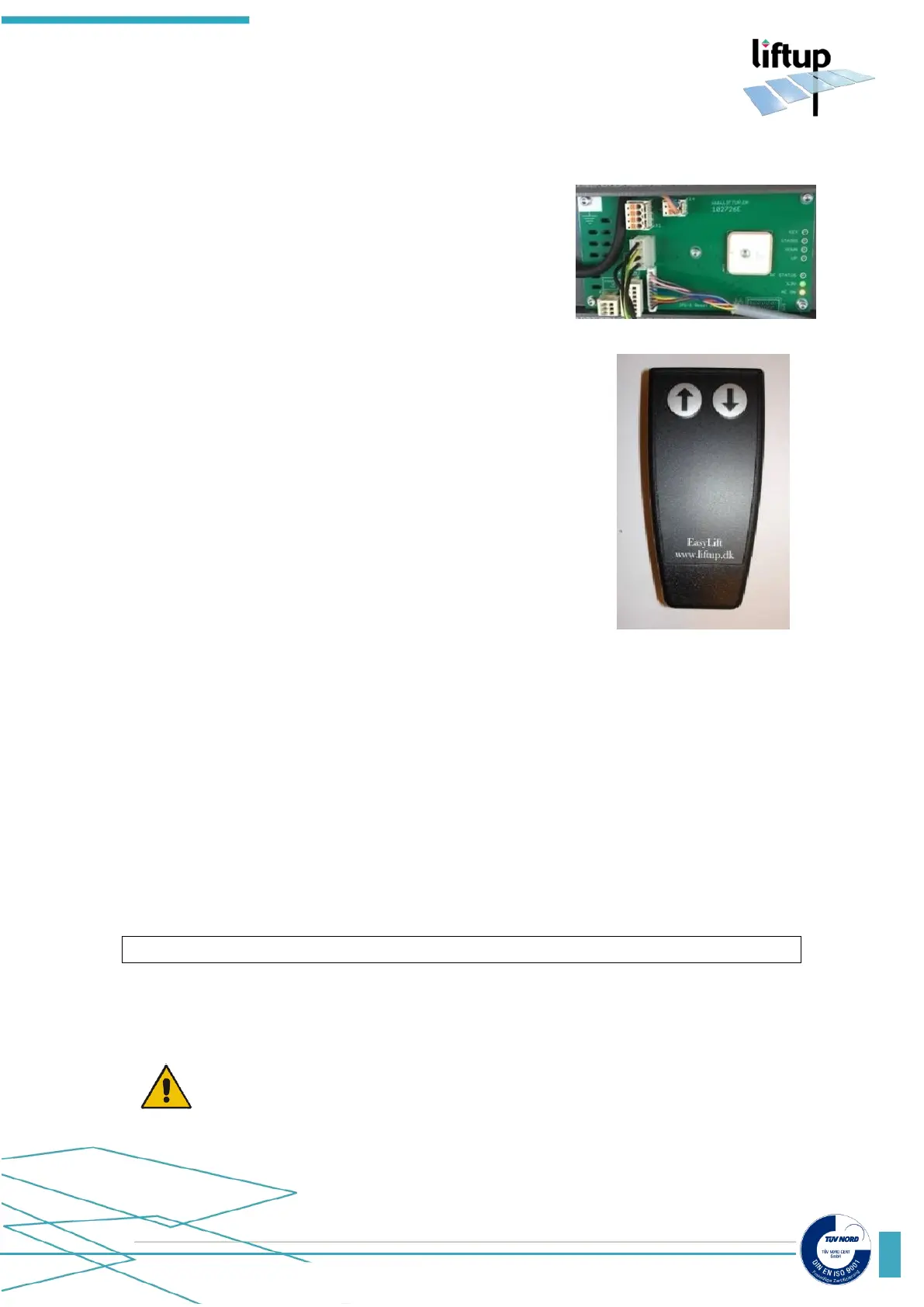
4.4.2 Remote control and receiver of the lift
The remote control and receiver of the lift must always be paired in order to work.
The receiver will not react to a remote control which is not
paired with it.
A receiver can be paired with up to 20 remote controls.
A remote control can be paired with several receivers if
required. When a receiver is powered on (please see section
10.6) the RF-Status in the connection box will flash for 2
minutes. Or until it is paired with a remote control.
How to reset remote control and receiver of the lift
To reset a handset so it is no longer associated with a particular lift, do as follows:
1. Press the UP (↑) and DOWN (↓) buttons on the handset at the same time and hold them
down for approx. 5 seconds. Until the control diode on the handset begins to flash slowly.
The handset is now in installation mode for 2 minutes.
2. Perform the following within the 2 minutes:
Press: UP (↑), UP (↑), DOWN (↓), DOWN (↓), UP (↑), DOWN (↓), UP (↑), DOWN (↓)
3. When the control diode starts to flash quickly, the handset is no longer associated with a
particular lift.
1. Ensure that there is power to the system. Press the
emergency stop and switch off the on/off switch on the side
of the lift (see section 3.7).
2. Press the UP (↑) and DOWN (↓) buttons on the remote
control at the same time and hold them down for approx.
5 seconds until the control LED on the remote control
begins to flash slowly. The remote control is now in
installation mode for 2 minutes.
3. Within these 2 minutes, release the red emergency stop
on the lift by turning it clockwise.
4. When the control LED on the remote control stops
flashing it is paired with the lift.
5. Test the system so as to ensure the pairing has been
performed correctly; if not, repeat 1-5 above.
If you need to pair several remote controls to the receiver,
repeat item 2 above.
6. Switch on the on/off switch on the side of the lift.



 To Next Page