Operate Counter
248083387-1 Rev 10 6-41
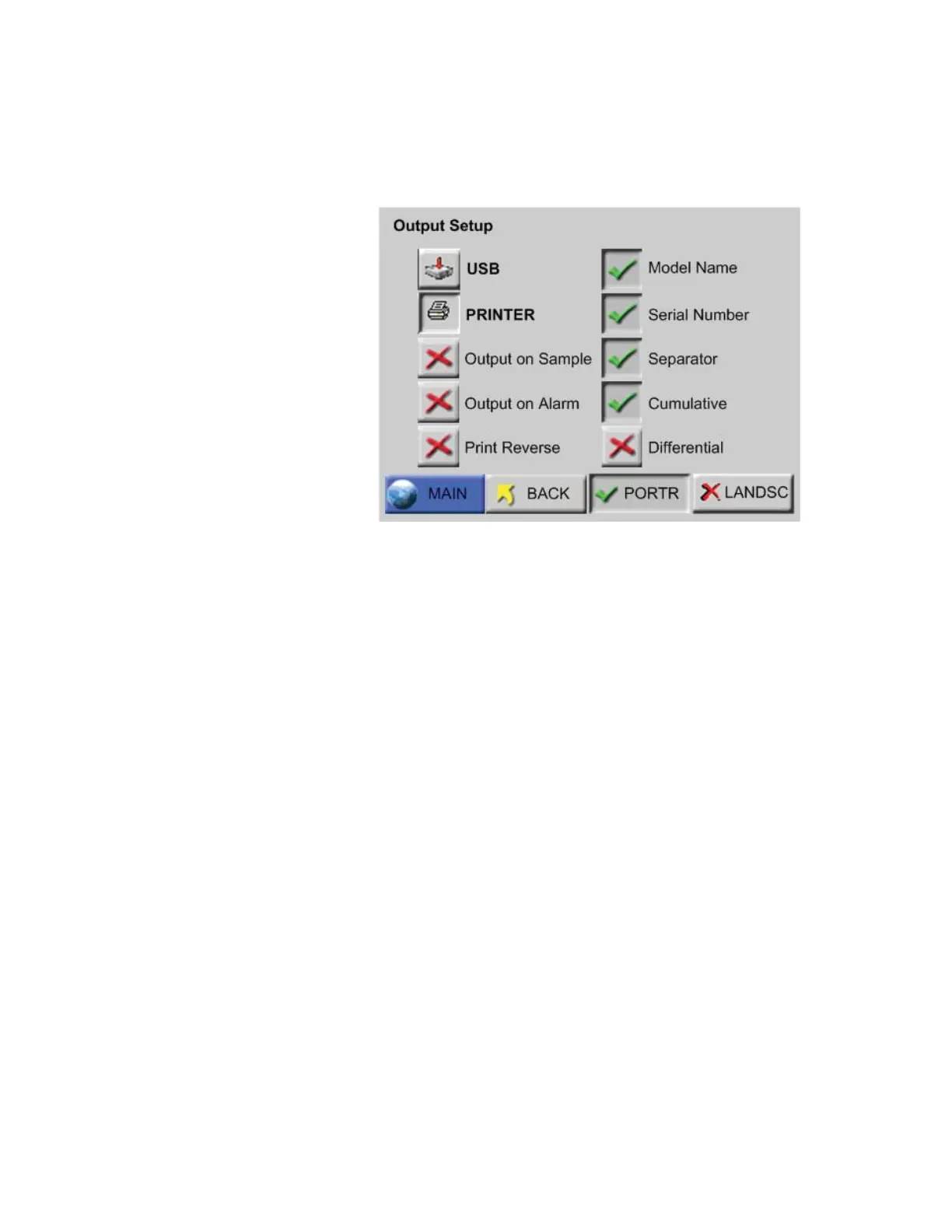
If PRINTER is selected, several options become available for
formatting the data and information to be included in the printed
reports, as shown in Figure 6-53.
Figure 6-53 Output Setup Screen, Printer Settings
• Output on Sample / Output on Alarm - When Output on
Sample is enabled, a single record will print at the end of every
sample.
When Output on Alarm is enabled, a single record printout will
print at the end of any sample that experiences an alarm condition.
• Print Reverse - This option reverses the direction that the printouts
of single records come out of the instrument. By default, Print
Reverse is disabled.
Since all reports calculate the data in the print range and generate
results at the end of the report, all reports (Buffer and Standard) do
NOT print in Print Reverse mode.
• Model Name - When enabled, the Model name of the instrument
will print in the header of all printouts.
• Serial Number - When enabled, the Serial Number of the
instrument will print in the header of all printouts.
• Separator - When enabled, a line separator will print after the
Model Name and Serial Number in the header of all printouts.
• PORTR - Printer prints in Portrait mode. See Figure 6-54.


 To Next Page
 Loading...






