Lighthouse SOLAIR 3350, 5350 Gen E Operating Manual
6-42 248083387-1 Rev 10
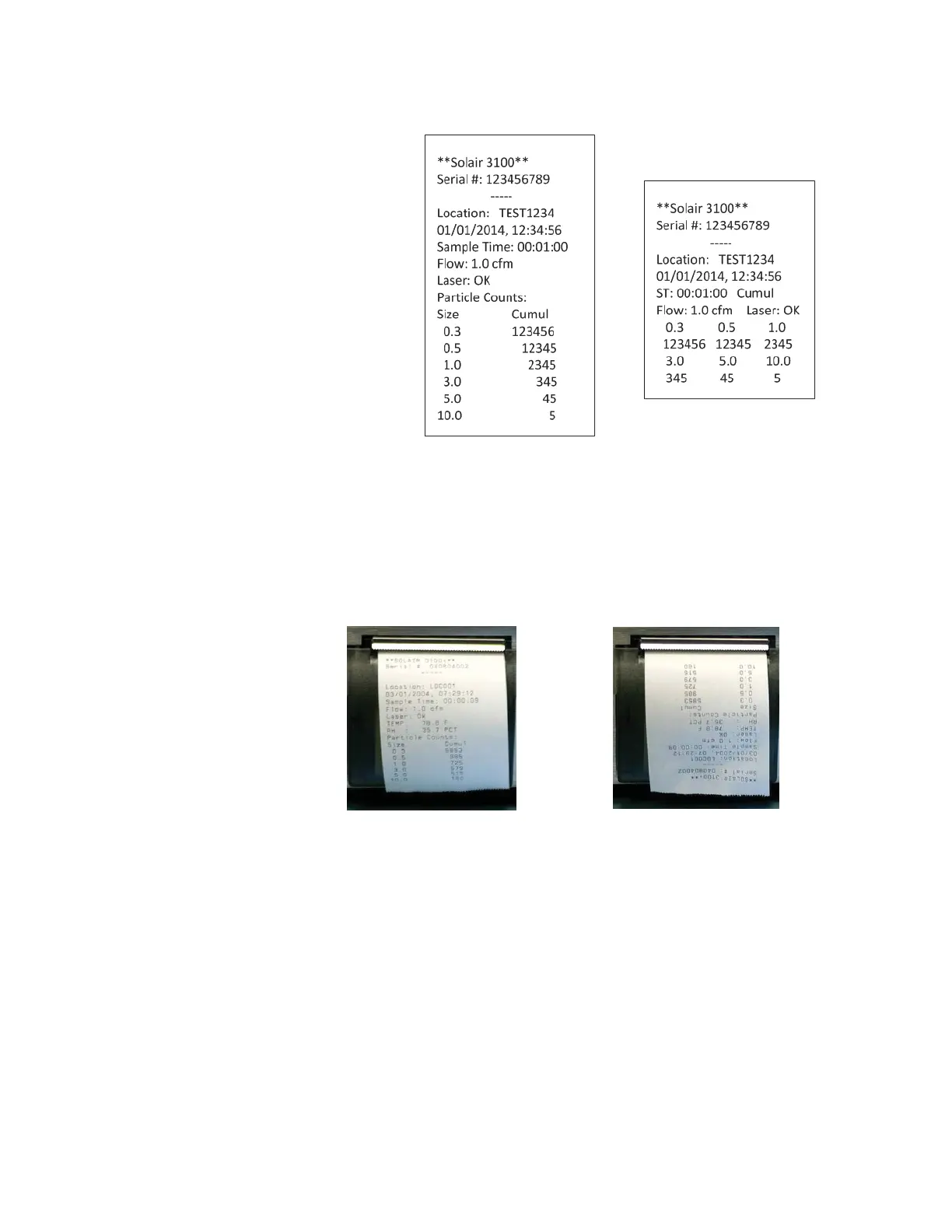
• LANDSC - Printer prints in Landscape mode. See Figure 6-54.
Figure 6-54 Examples of Portrait and Landscape Prints
Note:
The user can select
both Differential and
Cumulative printing at the
same time. For normalized
values with more than 8 digits,
only the whole number will
be printed.
• Differential / Cumulative Toggle - This toggle option specifies
how the data will appear on the printouts.
• Print Reverse - This option reverses the direction that the printouts
of single records come out of the instrument. By default, Print
Reverse is disabled. See Figure 6-55.
Figure 6-55 Print Reverse Enabled/Disabled
Since all reports calculate the data in the print range and generate
results at the end of the report, all reports (Buffer and Standard) do
NOT print in Print Reverse mode.
Press BACK to return to the CONFIGURATION screen or press
MAIN to return to the MAIN screen.
Fig. A: Print Reverse Enabled
Fig. B: Print Reverse Disabled
Print Reverse Disabled
Print Reverse Enabled



 To Next Page