Operate Counter
248083387-1 Rev 10 6-49
Pressing the EDIT button on the highlighted RECIPE will allow the
user to change the recipe settings.
The LOAD and UNLOAD buttons add or remove the highlighted
recipe as the instrument’s current operating configuration.
The DELETE button will delete any highlighted recipes from the
database.
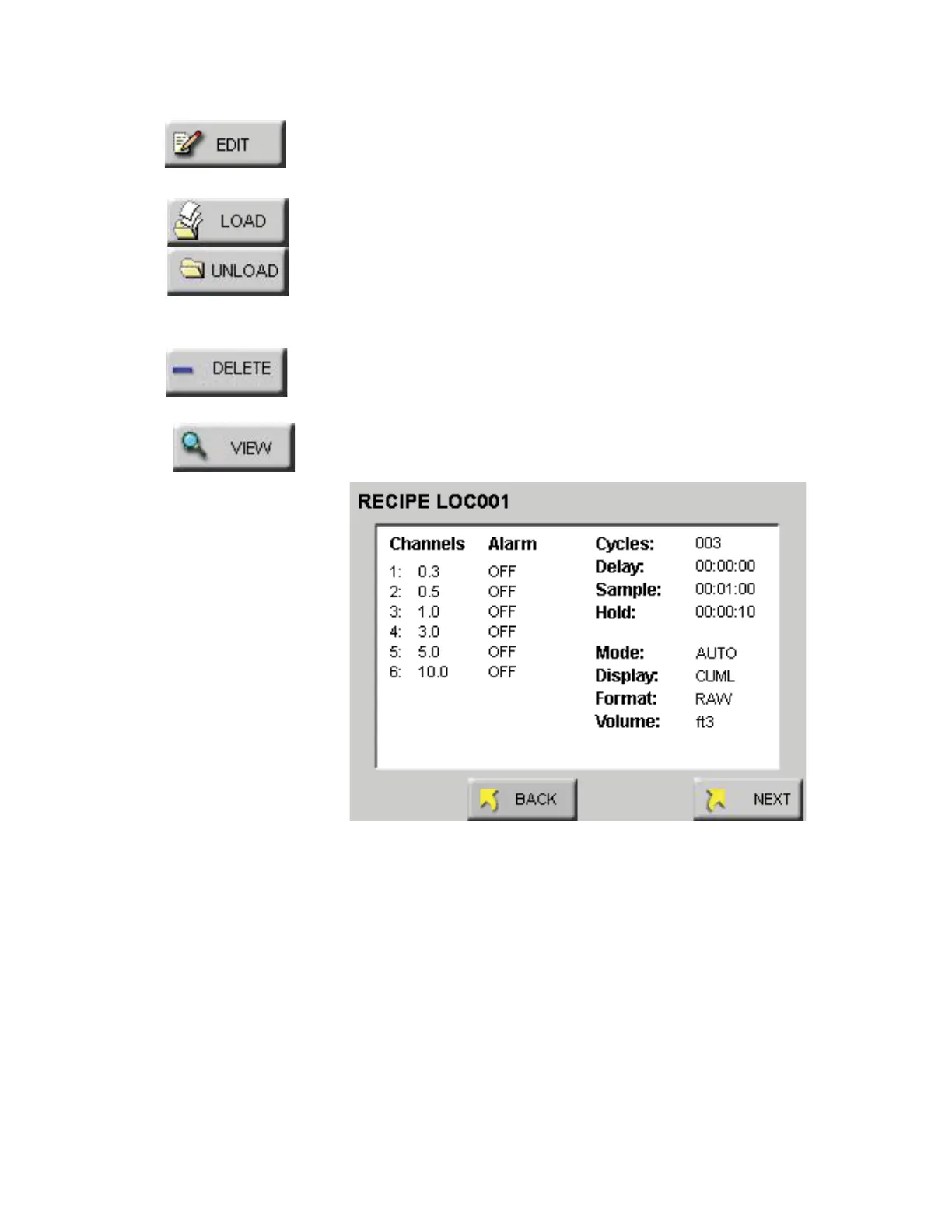
If a recipe already exists, the VIEW button will display the current
settings for it. See Figure 6-66.
Figure 6-66 Recipe - Channel Settings
Press the NEXT button to view the analog and output settings. See
Figure 6-67.










 To Next Page