Lighthouse SOLAIR 3350, 5350 Gen E Operating Manual
6-18 248083387-1 Rev 10
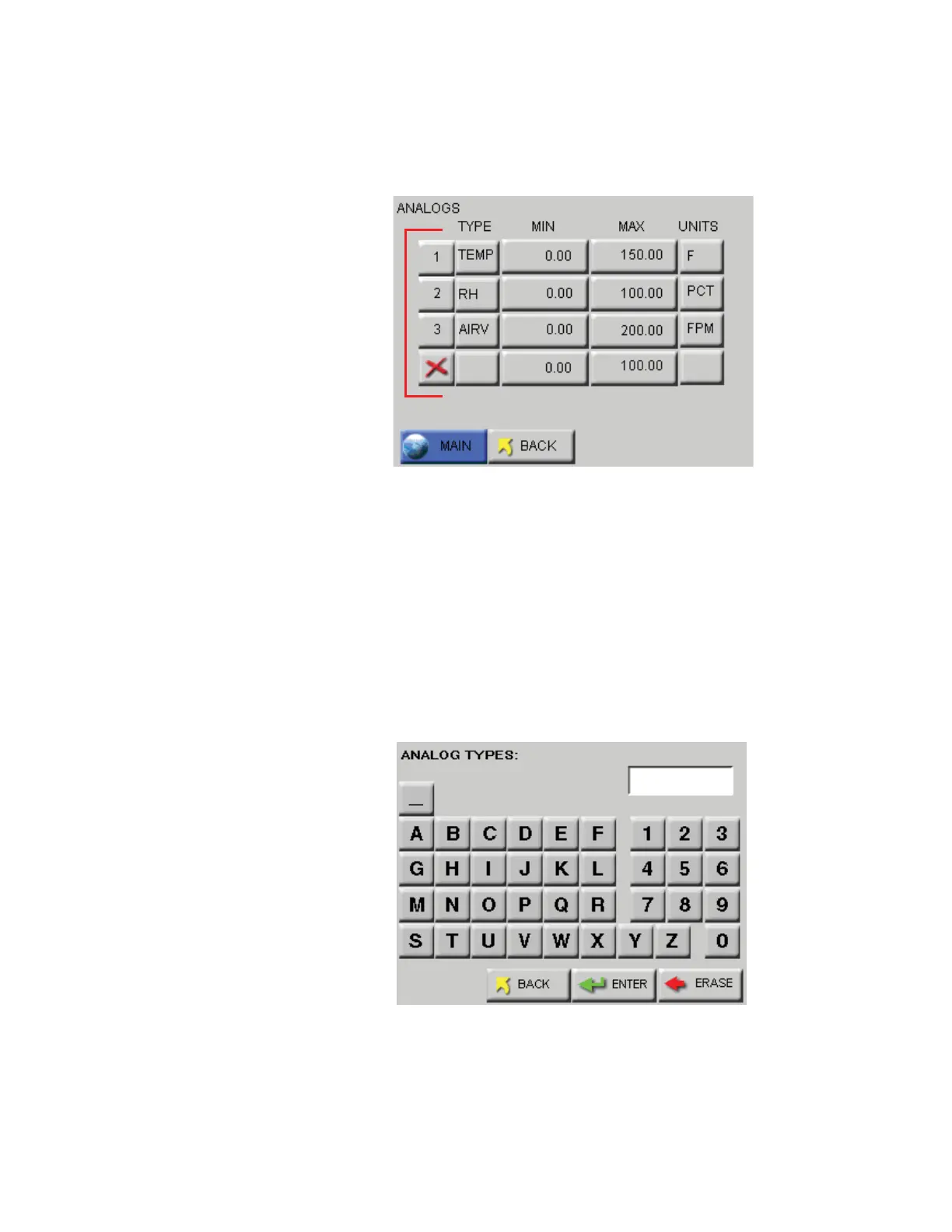
Touching the far left column at the screen shown in Figure 6-21 enables
or disables the channel. When enabled, the channel label appears.
Channels must be enabled before their data will be stored in memory.
Figure 6-21 Analog Settings Screen
Touching the top row, second column will allow entering TYPE data.
The example shown in Figure 6-22 illustrates entering a temperature
probe type. Examples of types would be TEMP, RH, AIRV or AV and
DP. Keep in mind that the “type” applies to the channel being
configured, as discussed earlier in this section.
Use the ERASE button to erase one character at a time and the ENTER
to accept the value. The BACK button will return to the previous screen
without making any changes.
Figure 6-22 Analog Types Screen
TEMP










 To Next Page