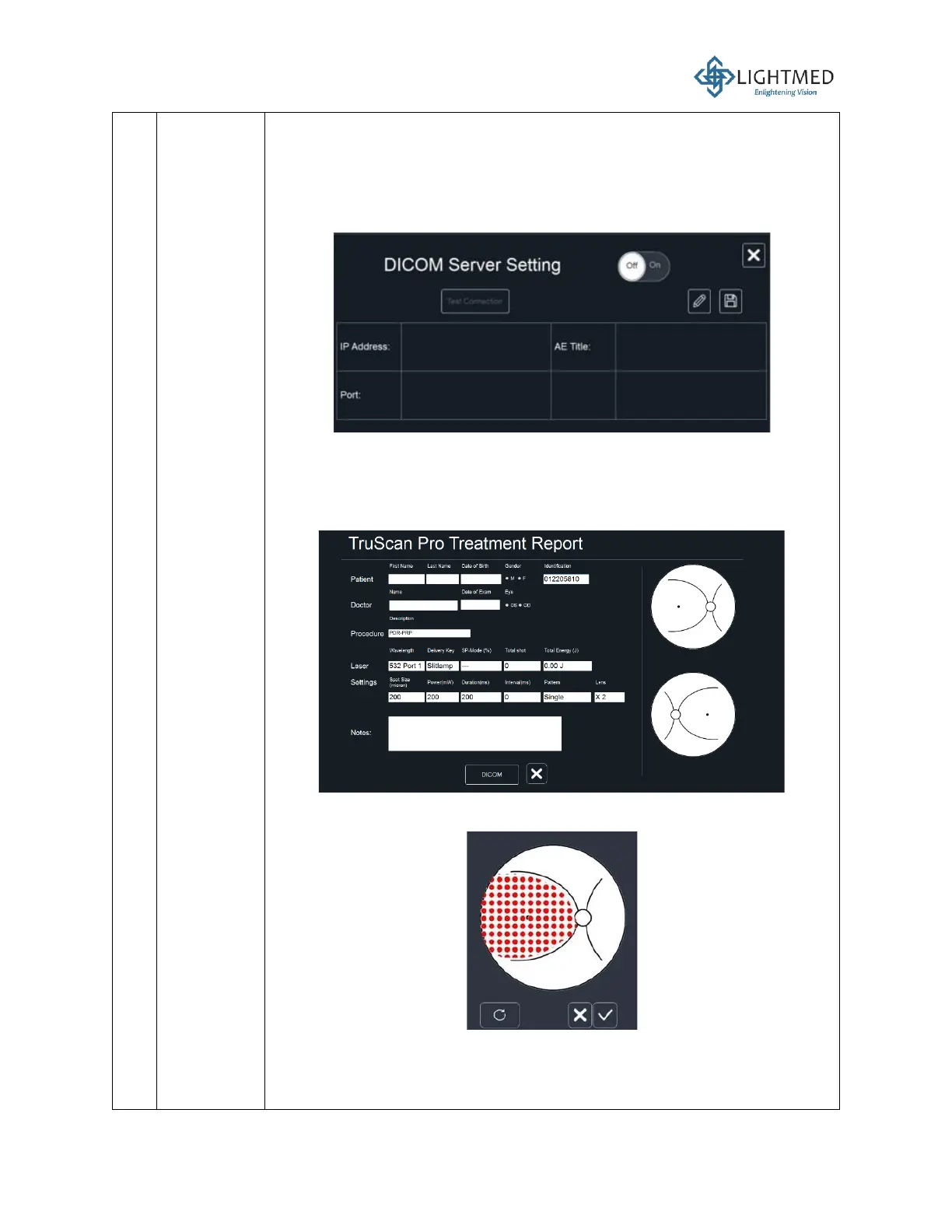
• The “Setting” function is used to set up DICOM server’s IP address and
port. If the user does not set up the server, the report will be saved in
the disk.
• If the user wants to create a new file without connecting to DICOM:
i. Press on the “Setting” button and verify that the DICOM Server
Setting is in the OFF position. Press X to close the window.
ii. Press “New” on the Report menu. A new treatment report
window will pop up. When the DICOM is OFF, the patient fileds
in the treatment report window will be empty and the laser
settings fields will be autogenerated. All fields can be modified
by the user.
iii. The user can also draw and visualize the treatment area on the
treatment report.
iv. Insert the USB and press “Save”. A “Save Successfully”
message will be prompted and the user can load the treatment
report from this path,
E:\TSProReport\filename_YearMonthDate.pdf



 To Next Page