EasyManua.ls Logo

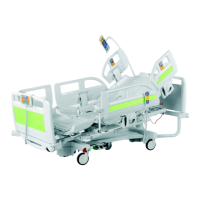
LINET Multicare LE - User Manual

LINET Multicare LE
85 pages
Print Icon
To Next Page IconTo Next Page
Loading...
User Manual and Technical
Description
Multicare LE
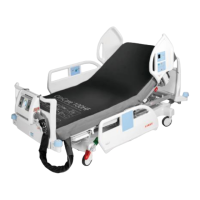
Positionable bed for intensive care and integrated
mattress replacement system for Multicare LE
D9U001MC5-0101
Version: 06
Publication Date: 2018-08

Table of Contents

Other manuals for LINET Multicare LE

Questions and Answers

  • J
    Jessica WheelerSep 8, 2025
    How to fix LINET Medical Equipment when lowering backrest is not possible?
    • S
      susan65Sep 8, 2025
      If you're unable to lower the backrest from the upright position on your LINET Medical Equipment, check for any objects under the backrest or in the drive mechanism and remove them. If the locking handle is defective, notify the service department.
  • A
    anthonymurphySep 10, 2025
    What to do if adjusting siderails is not possible on LINET Medical Equipment?
    • E
      Elizabeth MillerSep 12, 2025
      If you're having trouble adjusting the siderails on your LINET Medical Equipment, first check if the siderail lock is dirty and clean the locking mechanism. If the locking handle is defective, notify the service department.
  • H
    Harold CohenSep 12, 2025
    What to do if fault symbol illuminated & audio alarm is on LINET Multicare LE?
    • X
      xmatthewsSep 12, 2025
      If the fault symbol is illuminated and there's an audio alarm on your LINET Medical Equipment, switch the SCU off and then back on to see if the fault clears itself. If the problem persists, notify the service department and mute the audio alarm.
  • I
    Isabella CervantesSep 14, 2025
    Why is mattress not inflating on LINET Multicare LE?
    • T
      Tara RobinsonSep 14, 2025
      If the mattress on your LINET Medical Equipment is not inflating, check the following: 1. Ensure the SCU mains switch is turned on (the green mains power switch should illuminate). 2. Verify the mains connection and ensure the mains plug is correctly inserted. 3. Check the mattress pipe connection. 4. Ensure the CPR valves are closed. 5. Check that the pipes are not trapped or kinked. 6. Confirm the mattress is unfolded and flat. If these steps don't resolve the issue, or if there's a faulty power source or the mattress is damaged, notify the service department.
  • J
    Judy HaydenSep 15, 2025
    Why can't I change mode or pressure on LINET Multicare LE Medical Equipment?
    • J
      Jesse WaltonSep 15, 2025
      If you are unable to change the mode or pressure on your LINET Medical Equipment, make sure that you press the GO button.
  • M
    mmorganSep 18, 2025
    What does CPR symbol illuminated mean on LINET Multicare LE?
    • A
      Andrea ColeSep 18, 2025
      If the CPR symbol is illuminated on your LINET Medical Equipment, it indicates that the equipment is in CPR mode. Press the CLP or Max button to cancel this mode.

Summary

Symbols and Product Markings

Safety and Dangers

Safety Instructions

Outlines essential safety precautions for operating the bed and handling components.

Functioning

Scope of Delivery and Bed Variants

Setup Procedures

Assembly

Installation Symbioso

Mattress Installation

Step-by-step guide for installing the Symbioso mattress onto the bed frame.

Safety Strap and SCU Installation

Instructions for fitting the safety strap and installing the SCU.

Operation

Initial Operation and Battery

Steps for initial bed setup, battery management, and operation.

Control System (Multicare LE)

Multiboard Controls Overview

Details the functions and buttons on the main Multiboard control panel.

Supervisor Panel Functions

Describes the controls and indicators on the optional supervisor panel.

Handset Operation

Explains how to use the bed's handset controller for positioning.

Foot Controls

Details foot controls for bed height adjustment and lateral tilt.

CPR Backrest Release

Explains the emergency backrest lowering function for resuscitation.

Siderail Operation

Instructions for raising and lowering the bed siderails.

Castor Control and Bed Transport

Details castor functions, bed movement, and transport safety.

Mobi-Lift Support Handle

Explains the use of the optional Mobi-Lift handle for patient assistance.

Using Symbioso

Patient Weighing (WS 17)

Control Panel Scales Functions

Describes the weighing system's controls, display, alarms, and modes.

Max Inflate Mode (MAX)

Constant Low Pressure Mode

MCM Mode

Recommended Weight Levels

i-Drive Power (optional)

i-Drive Power System Description

Basic overview of the powered wheel system and its components.

Additional Functions of Symbioso

Cleaning and Disinfection

Maintenance

Technical Specifications

Accuracy and Mechanical Specs (Multicare LE)

Details displayed value accuracy and mechanical specifications for Multicare LE.

Environmental and Electrical Specs (Multicare LE)

Lists environmental conditions and electrical specifications for Multicare LE.

Mechanical and Electrical Specs (Symbioso)

Lists mechanical and electrical specifications for the Symbioso system.

Electromagnetic Compatibility

Information on EMC compliance, emissions, susceptibility, and usage guidelines.

LINET Multicare LE Specifications

General IconGeneral
BrandLINET
ModelMulticare LE
CategoryMedical Equipment
LanguageEnglish

Related product manuals