D9U003VS0-0101_01
47
OptiCare for Multicare
12.4.7 PRESSURE COMFORT ADJUSTMENT
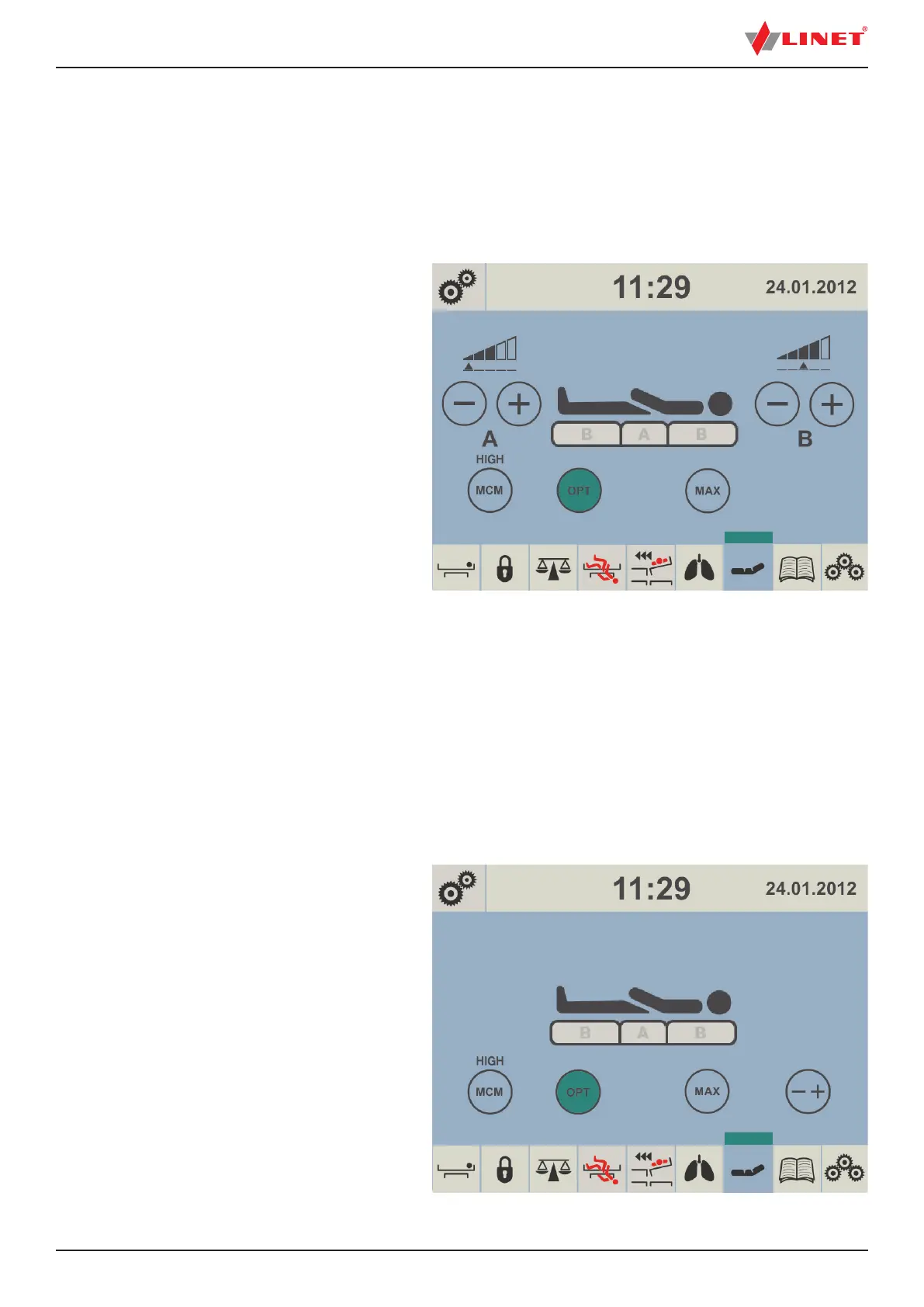
The mattress pressure can be adjusted based on the patient´s needs, press -+ icon. The pressure can be separately adjusted in
the A section (seat section) or in the B section (torso and legg mattress areas). The black arrow below the A and B section level
indicators indicates the optimized pressure.
To adjust pressure after pressure optimization:
► press - + icon
► press – icon or + icon according to the section
to be adjusted (A or B)
Fig. Pressure Adjustment
12.4.8 MCM MODE
During MCM Mode it is possible to set intensity of Micro-Climate Management.
To set intensity of Micro-Climate Management:
► press MCM icon and repeat it until desired intensity is reached.
Each press of the MCM icon will step the option
through its possible setting of LOW, HIGH and OFF.
NOTE: During MCM Mode it is possible to set Mattress Pressure Optimization (OPT), Maximum Mattress Internal Pressure (MAX)
or adjust pressure with -+ icon if it is not disabled in Setting Screen.
Fig. MCM Mode


 To Next Page