D9U003VS0-0101_01
35
OptiCare for Eleganza 5
10.3.10 ALERTS
UNPLUGGED
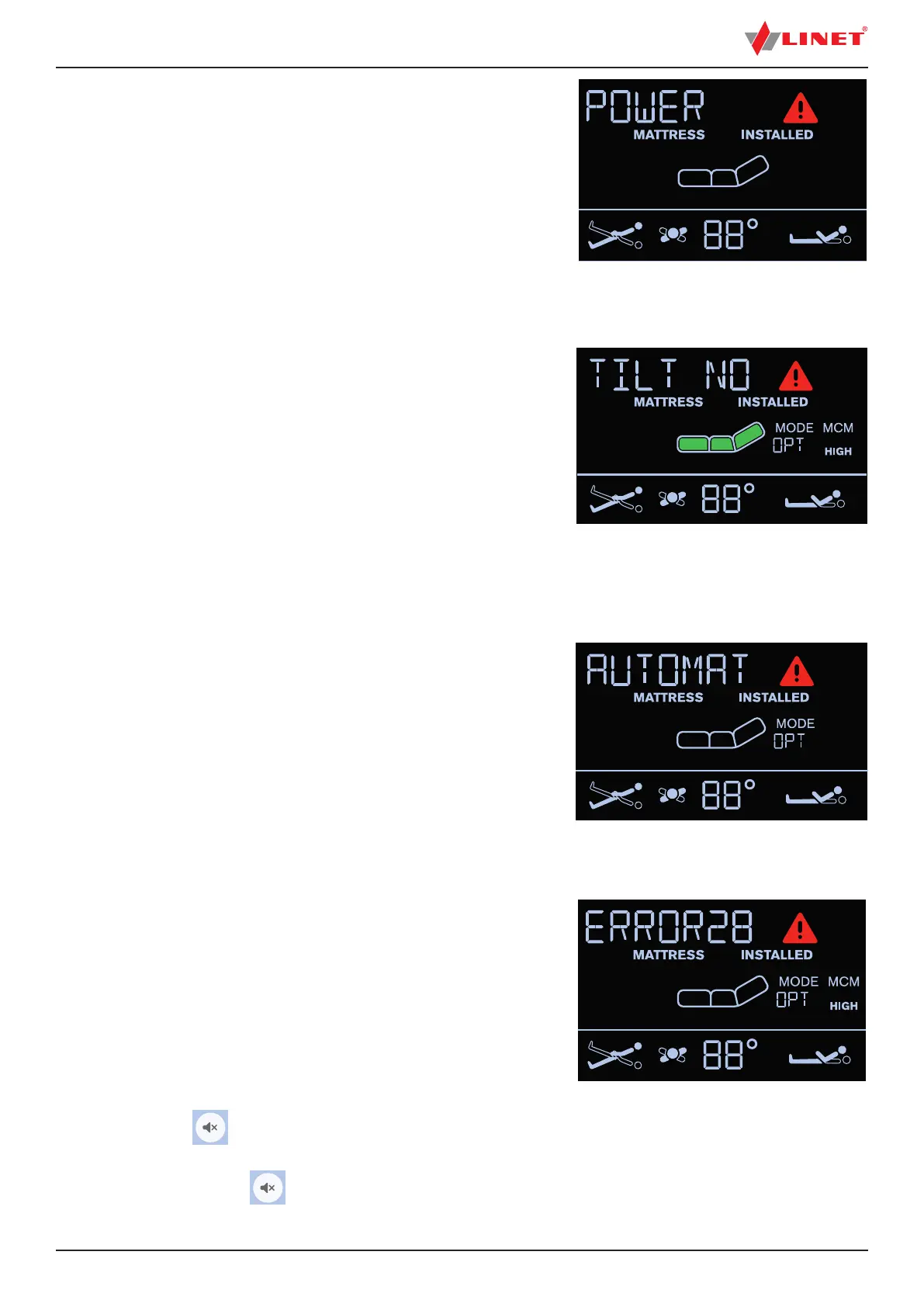
When the power cable is unplugged or mains power fails,
the screen will show the following alert and
„POWER“ text is scrolling on the display.
This alert will automatically disappear when mains power is restored.
NOTE Red triangle with exclamation mark is displayed during this alert.
To eliminate this alert:
► connect the power cable to the socket!
Fig. UNPLUGGED
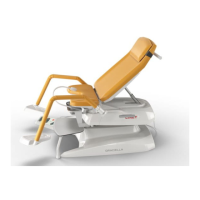
Fig. MATTRESS ERROR
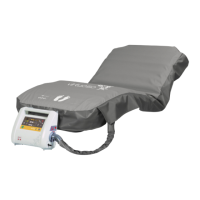
TILT NO OPT
Pressure Optimization is stopped and text „TILT NO OPT“ is displayed when
► the mattress support platform is tilted by 10 and more degrees
(Anti-Trendelenburg Tilt)
► the mattress support platform is tilted by 10 and more degrees
(Lateral Tilt)
► the mattress support platform is tilted by 5 and more degrees
(Trendelenburg Tilt)
► tilt reduction of the mattress support platform has value of 7
or less degrees (Anti-Trendelenburg Tilt)
► tilt reduction of the mattress support platform has value of 7
or less degrees (Lateral Tilt)
► tilt reduction of the mattress support platform has value of 3
or less degrees (Trendelenburg Tilt)
AUTOMATIC CALIBRATION
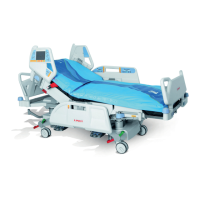
Text „AUTOMATIC CALIBRATION“ is displayed during the Automatic Calibra-
tion.
Automatic Calibration is automatically interrupted during intervention of patient
or hospital sta.
If the Automatic Calibration is interrupted it will appear again after 10 hours.
To nish the Automatic Calibration:
► wait until the Automatic Calibration ends.
MATTRESS ERROR
When red triangle with exclamation mark appears on the display
and „MATTRESS ERROR“ text is scrolling on the display mattress
has a system error. The number next to
the „MATTRESS ERROR“ text is linked to the type of error.
To eliminate an error:
► note down the number and contact service department
approved by the manufacturer immediately!
To mute audio alarm:
► press button .
To reset audio alarm:
► press and hold button .
Fig. TILT NO OPT (Optimization disabled)
Fig. AUTOMATIC CALIBRATION


 To Next Page