SCPC System • Replacing components
CP_SEM_60-03-00.002 49
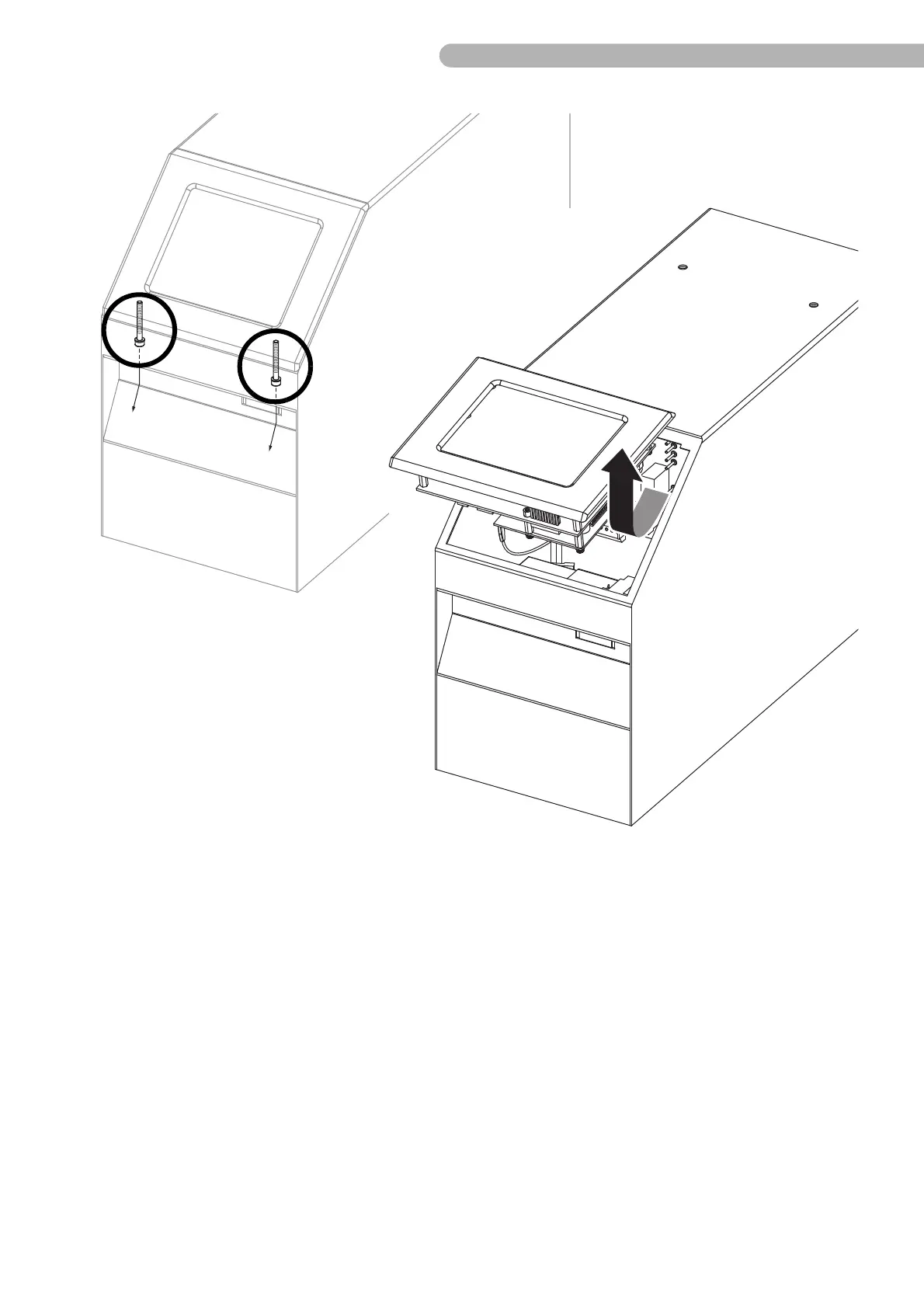
fig. 19: Removing the touch screen module
!
Caution: The casing cannot be taken off at this point because various connections to the touch screen
module need to be disconnected first!
◗ Unfasten the two screws as shown (Allen key size 3) in the front ventilation access.
◗ On the upper side the module is fixed using a catch on the casing. Carefully move the module (in
the direction of the arrow) downwards slightly to release this catch from the SCPC System casing.
◗ Now carefully lift the module until you can see the circuit boards and cable connections.
!
Caution: When the front panel and touch screen are removed and the housing is open there is access
to battery voltage. Remove the bridge between the batteries to reduce the risk of short circuits.



 To Next Page