14 15
Getting Started
Getting Started
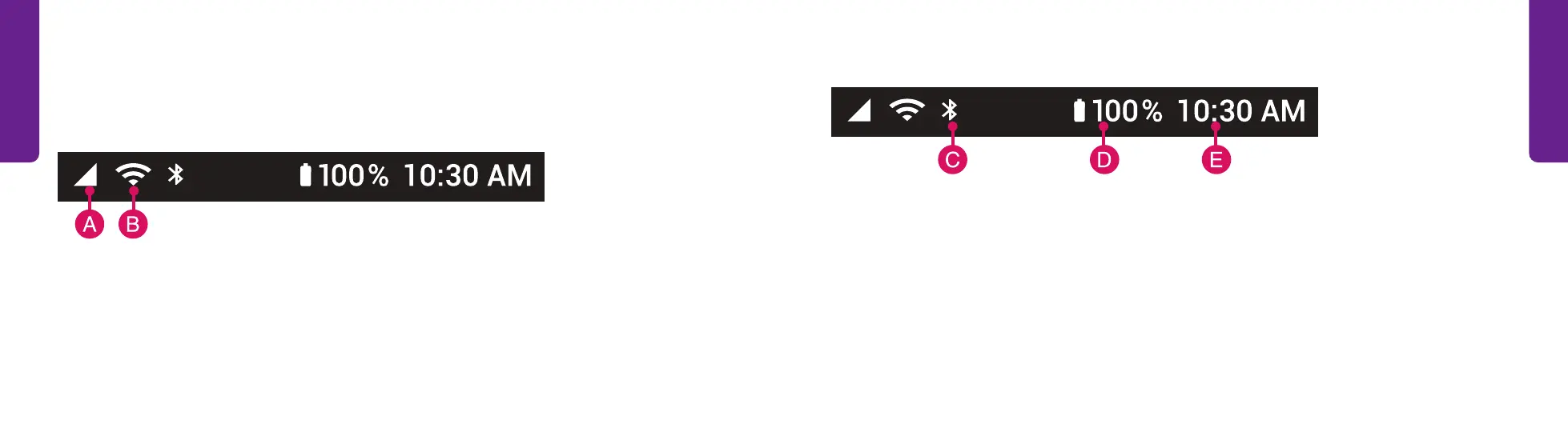
Status Bar (continued)
C. Bluetooth Status – Lets you know if you’re connected to a Bluetooth device such
as a car stereo or wireless headphones. Turn this feature on or off under Settings.
D. Battery Level – Allows you to know how much battery you have left.
E. Current Time – Shows the current time.
Status Bar
The Status Bar at the top of your screen shows you signal strength, wireless
connectivity, Bluetooth status, battery and current time information.
A. Cellular Signal Strength – Affects your call quality. The more the triangle is filled
in, the stronger your signal.
B. Wi-Fi Status – Shows the phone's Internet connection and signal strength.



 To Next Page